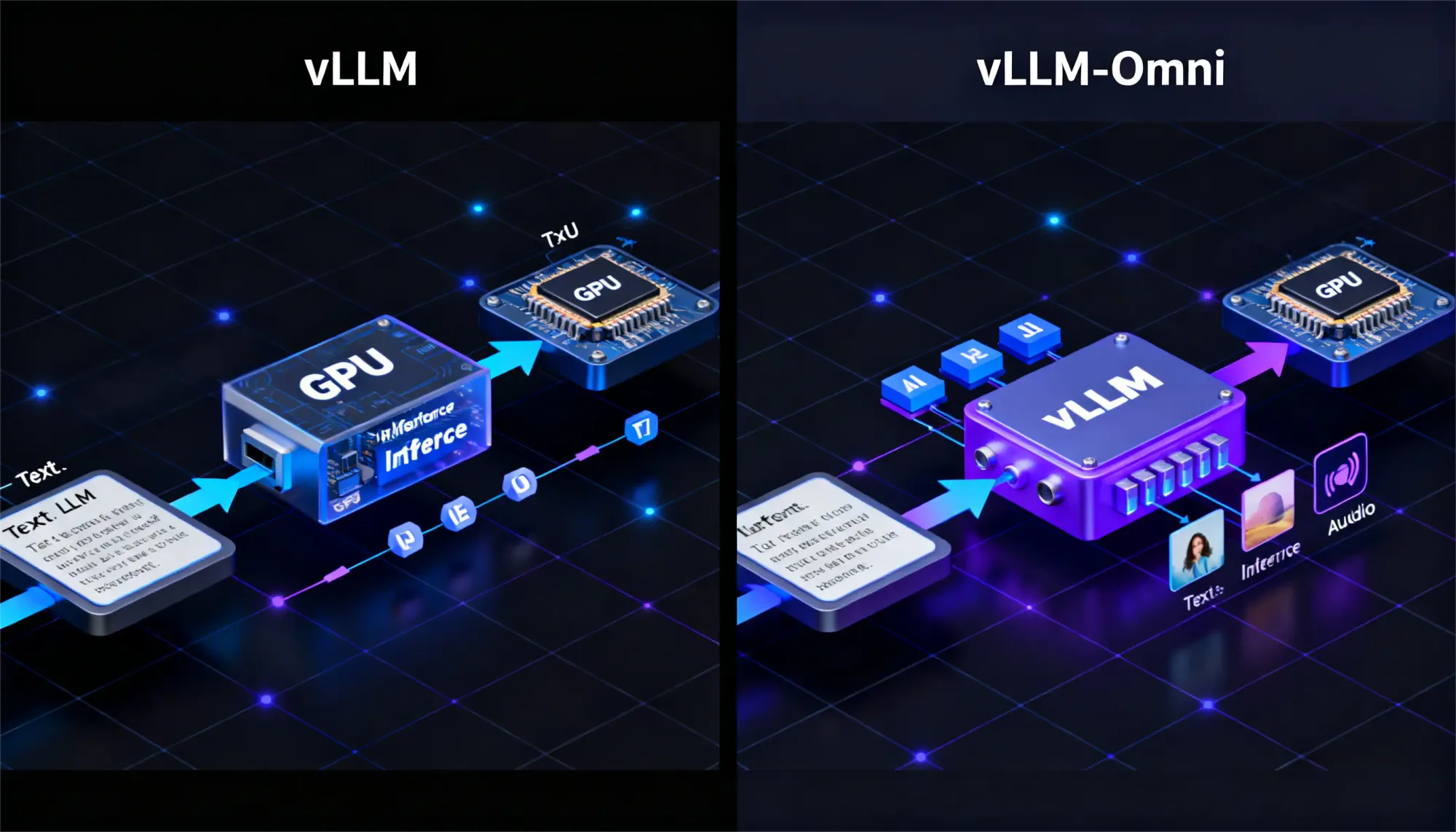
- vLLM is best for high-throughput text-based LLM serving, such as chat APIs, summarization, translation, and RAG systems.
- vLLM-Omni extends the vLLM idea to multimodal inference, including text, image, audio, and video workflows.
- Use vLLM when your workload is mostly text and you need strong throughput, batching, and GPU memory efficiency.
- Use vLLM-Omni when your application needs multimodal inputs or outputs, such as visual question answering, image generation, audio, or video-based AI workflows.
- For low-traffic prototypes or single-user experiments, standard Transformers may be enough before moving to vLLM or vLLM-Omni.
Serving large language models efficiently is a major challenge when building AI applications. As usage scales, systems must handle multiple requests simultaneously while maintaining low latency and high GPU utilization.
The choice depends mainly on your input type: text-only workloads usually fit vLLM, while multimodal workloads need vLLM-Omni. vLLM is designed to maximize performance for text-based LLM workloads, while vLLM-Omni extends the same architecture to support multimodal inputs such as images, audio, and video.
In this guide, we compare vLLM vs vLLM-Omni, exploring their architecture, performance optimizations, and real-world use cases to help you decide which solution fits your AI infrastructure.
What is vLLM?
vLLM is an inference and serving engine designed for high-throughput LLM workloads. It is commonly used to serve text-based models in production APIs, chat systems, RAG pipelines, and multi-user applications.
Its main optimizations include PagedAttention and continuous batching. PagedAttention improves KV cache memory management by using a paging-style approach, while continuous batching allows new requests to join active batches instead of waiting for fixed batch groups.
Together, these features help improve GPU utilization and reduce memory waste during large-scale text generation.
What is vLLM-Omni?
vLLM-Omni is a multimodal inference framework built to extend vLLM-style serving beyond text-only language models. It is designed for omni-modality model inference and serving, including text, image, video, and audio processing.
Instead of focusing only on autoregressive text generation, vLLM-Omni supports more complex multimodal pipelines where different components may handle vision, audio, diffusion, or language stages.
This makes it more relevant for applications such as multimodal chat, visual question answering, image generation, speech workflows, and any-to-any AI systems.
Key Architectural Differences of vLLM and VLLM-Omni
vLLM uses PagedAttention to manage text processing through its system which enables model memory components to be efficiently stored and shared between different user requests while continuous batching keeps GPU processing functioning.
vLLM Omni uses multimodal processing to process input images until the main engine starts its operations. The system enables streaming and decoupling of its processing stages which improves performance while adding new functionalities without needing complete system reconstruction.
| Component | vLLM | vLLM-Omni |
Core Engine | PagedAttention + Continuous Batching | Same + Multimodal Frontend |
Memory Layout | 1D KV cache pages | 1D/2D/3D tensor pages |
Request Scheduling | KV-cache size based | Modality-aware + size based |
Preprocessing | Tokenization only | Vision/audio encoders → tokens |
Output Streaming | Token-by-token | Multimodal streaming |
Performance and Resource Usage of vLLM and vLLM-Omni
The theory behind the speed gains is elegantly simple both engines eliminate GPU waste through smarter organization.
vLLM: Why It's 4x Faster
Core insight: Traditional inference processes prompts sequentially. GPU finishes

vLLM flips this with parallel batching:

PagedAttention : Instead of reserving massive contiguous memory blocks for attention caches (which fragment and waste 50%+ VRAM), vLLM uses non-contiguous "pages." Like OS virtual memory—flexible, efficient, serves 2-3x more requests.
Continuous batching: No waiting for fixed batch sizes. New requests join running batches mid-stream. GPU utilization jumps from 30-50% → 90-95%.
vLLM-Omni: Multimodal Efficiency
Same core engine, plus preprocessing pipeline:

Modality-aware batching: Text-only requests don't wait behind image preprocessing. Mixed batches group similar input types.

Walk away with actionable insights on AI adoption.
Limited seats available!

Memory overhead: Vision/audio create 2D/3D tensors vs text's 1D. PagedAttention extends seamlessly—10-20% more VRAM, but still dramatically leaner than separate pipelines.
Feature Comparison of vLLM and vLLM-Omni
| Feature | vLLM | vLLM-Omni |
Input Types | Text | Text + Image/Audio/Video |
Batching | Continuous | Continuous + Pipelined |
Key Optimization | PagedAttention | Extended for Multi |
Throughput | Very High | High (scales well) |
Latency | Lowest for Text | Strong Overall |
GPU Management | Efficient | Efficient + Streaming |
Use Cases: When to Choose vLLM and vLLM-Omni
The choice between vLLM and vLLM-Omni depends on the type of workloads your application needs to handle.
Choose vLLM when your system focuses on text-based tasks:
- High-volume text generation, summarization, or translation
- APIs serving responses to multiple concurrent users
- Production systems where maximum text inference performance is the primary goal
Choose vLLM-Omni when your application requires multimodal capabilities:
- Text-to-image generation or visual question answering
- Multimodal chatbots that process text, images, or audio
- Interactive demos or applications combining visual and textual outputs
In short, vLLM is ideal for text-heavy production workloads, while vLLM-Omni enables multimodal AI applications that combine different input types.
Setup and Developer Experience of vLLM and vLLM-Omni
Getting vLLM or vLLM-Omni running is relatively simple. Many developers prefer Google Colab because it provides instant GPU access without needing local setup.
Both systems follow a similar workflow: install the package, load a model, and start generating outputs. On Windows machines, Colab is often easier to use since local environments may require additional configuration with Docker or WSL.
vLLM Quickstart (Text-Only Power)
Ready-to-run Colab:
Core steps:
- Enable GPU runtime (Runtime → Change runtime type → T4 GPU)
- Install: !pip install vllm
- Basic serving:
from vllm import LLM, EngineArgs
from vllm.utils.argparse_utils import FlexibleArgumentParser


def create_parser():
    parser = FlexibleArgumentParser()
    EngineArgs.add_cli_args(parser)


    parser.set_defaults(
        model="Qwen/Qwen2.5-1.5B-Instruct",
        gpu_memory_utilization=0.65,
        max_model_len=4096,
        enforce_eager=True,
    )


    sampling_group = parser.add_argument_group("Sampling parameters")
    sampling_group.add_argument("--max-tokens", type=int, default=64)
    sampling_group.add_argument("--temperature", type=float, default=0.7)
    sampling_group.add_argument("--top-p", type=float, default=0.9)
    sampling_group.add_argument("--top-k", type=int, default=50)


    return parser


def main(args: dict):
    max_tokens = args.pop("max_tokens")
    temperature = args.pop("temperature")
    top_p = args.pop("top_p")
    top_k = args.pop("top_k")


    llm = LLM(**args)


    sampling_params = llm.get_default_sampling_params()
    sampling_params.max_tokens = max_tokens
    sampling_params.temperature = temperature
    sampling_params.top_p = top_p
    sampling_params.top_k = top_k


    prompts = [
        "Hello, my name is",
        "The capital of France is",
        "Explain AI in one sentence",
    ]


    outputs = llm.generate(prompts, sampling_params)


    print("-" * 50)
    for output in outputs:
        print(f"Prompt: {output.prompt}")
        print(f"Generated: {output.outputs[0].text}")
        print("-" * 50)


if __name__ == "__main__":
    parser = create_parser()
    args = vars(parser.parse_args())
    main(args)
Both systems begin with fast package installation because the documentation provides complete instructions for configuring models. Testing becomes simple through cloud notebooks which work better than local systems that fail to provide proper support.
vLLM-Omni: Here's where things get exciting. vLLM-Omni follows the exact same pattern as vLLM, but your prompts become {text: "Describe this", image: photo.jpg}.
from vllm_omni.entrypoints.omni import Omni
if __name__ == "__main__":
omni = Omni(model="Tongyi-MAI/Z-Image-Turbo")
prompt = "a cup of coffee on the table"
outputs = omni.generate(prompt)
images = outputs[0].request_output[0].images
images[0].save("coffee.png")
What trips people up (and fixes):What trips people up (and fixes):
- First-run warmup: Normal. Model + KV cache loading takes 1-2 minutes. Subsequent requests? Lightning.
- CUDA memory errors: Add quantization flags or pick smaller models. Both support AWQ/GPTQ.
Limitations of vLLM and vLLM-Omni
vLLM and vLLM-Omni are powerful serving systems, but they are not needed for every AI project.
Some limitations to consider:
- vLLM is focused mainly on text-based LLM serving. It is not the right choice if your application needs native multimodal input or output handling.
- vLLM-Omni supports multimodal serving, but setup can be more complex because different modalities may require different encoders, decoders, and model-specific configurations.
- Both systems are designed for inference and serving, not model training or fine-tuning.
- For low-traffic prototypes or single-user experiments, standard Transformers may be easier to start with.
Walk away with actionable insights on AI adoption.
Limited seats available!
- Performance gains depend on the model, batch size, hardware, sequence length, request concurrency, and deployment configuration.
The decision guide assists you in choosing between two options.
- You should consider the following options, which require an exclusive text approach because vLLM delivers its maximum performance.
- The requirements for multimodal operations between different systems perform better in vLLM-Omni which provides testing capabilities across various applications.
- The system functions optimally for both high-traffic environments and shared model scenarios because it supports GPU performance enhancements. The first step in quick prototyping requires users to examine documentation which lists all available supported models. The system handles multiple simultaneous requests through its model-dependent splitting mechanism which manages batch operations effectively
IF text_only AND high_concurrency:
use: vLLM
IF multimodal_inputs:
use: vLLM-Omni
IF low_traffic OR single_user:
Use : Transformers/Standard
Conclusion
vLLM is a strong choice for serving text-based LLM workloads at scale. It focuses on throughput, memory efficiency, batching, and production-friendly model serving. Because of its exceptional performance in delivering content to users. The multimodal content delivery of vLLM-Omni extends its capabilities to multiple formats, which include audiovisual materials.
The decision between vLLM and Omni depends on your input requirements because vLLM delivers its maximum performance through text input, whereas Omni offers flexible functionality.
The tests demonstrate their ability to transform production processes, which enables you to test your system and expand your operations with full confidence.
Frequently Asked Questions
Can I use vLLM for training models?
No. vLLM is designed for inference and model serving, not for training or fine-tuning language models.
Is vLLM compatible with all LLMs?
vLLM supports many popular open-source models, but not every model is supported. It is best to check the official documentation for the list of compatible models.
Does vLLM-Omni support all modalities?
vLLM-Omni supports text, images, audio, and video, but the exact capabilities depend on the specific multimodal model being used.
How does vLLM handle parallel processing?
vLLM handles parallel processing through continuous batching and efficient memory management, allowing multiple prompts to be processed simultaneously on the GPU.
When is vLLM not necessary?
For small workloads, single-user applications, or low-traffic systems, standard inference frameworks like Transformers may be sufficient.
How can I fix memory errors when starting vLLM?
Memory errors can usually be resolved by enabling model quantization or using smaller models. Both vLLM and vLLM-Omni support multiple quantization methods.

Walk away with actionable insights on AI adoption.
Limited seats available!