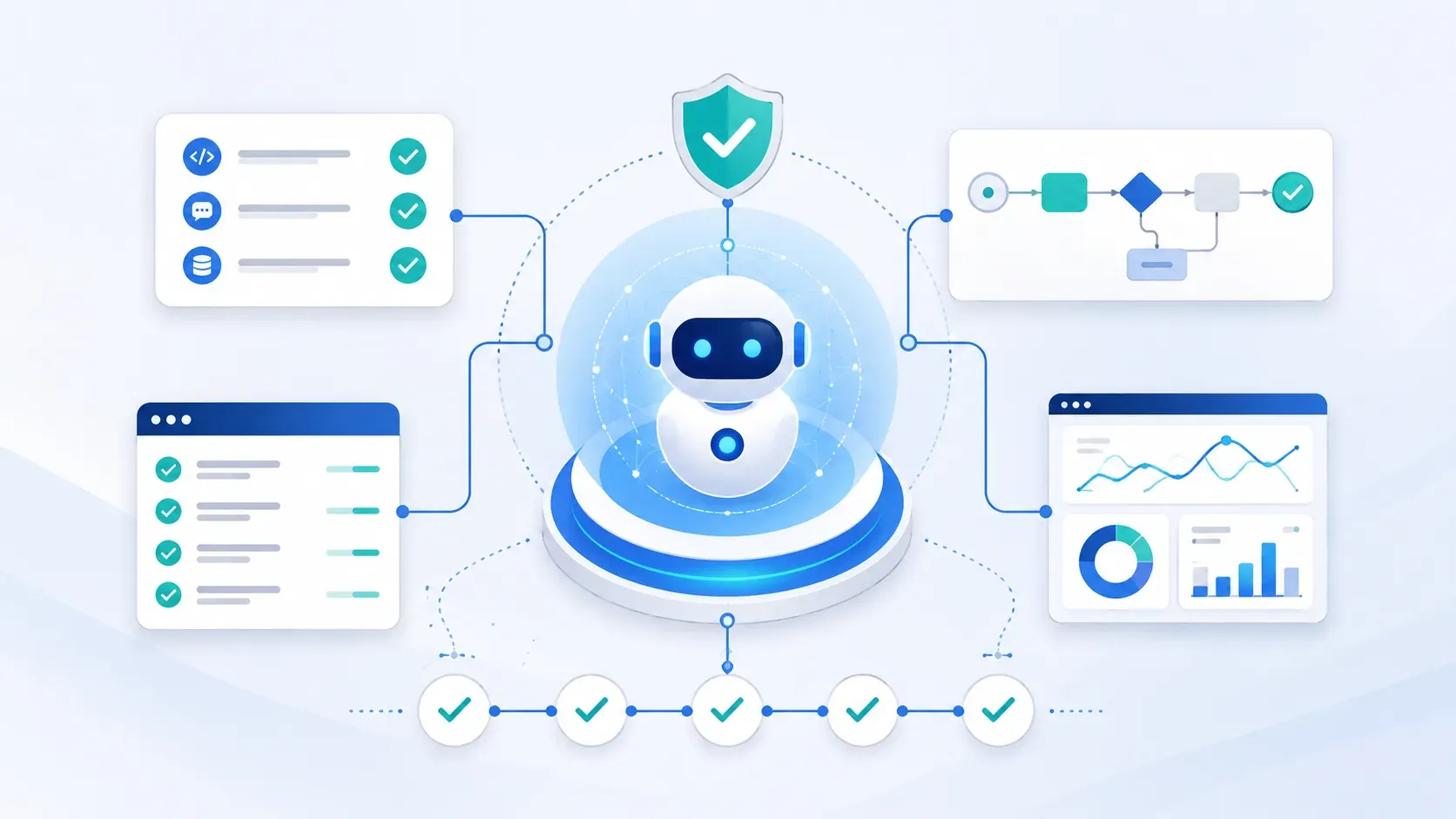
- A harness is the infrastructure around an AI agent, managing prompts, context, tools, state, safety checks, retries, and monitoring. It doesn't replace the agent; it controls how the agent operates.
- Prompt engineering shapes how the model responds; context engineering feeds it the right information; harness engineering is the code layer deciding when to call the model, what tools it can use, and how to validate and route its outputs.
- Without a harness, agents commonly fail in five ways: no reliable memory, confident wrong answers, unsafe tool access, skipped or repeated workflow steps, and failures that are hard to trace.
- In a real AI interview voice-flow implementation, a LangGraph-based harness prevented the agent from skipping questions or answering on the candidate's behalf, failures the same agent produced without a harness in place.
- The benefits are concrete, not just theoretical: lower latency (simple responses handled by code, not the LLM), lower cost (fewer unnecessary model calls), and consistent behavior for anything beyond a simple chat response.
AI agents are becoming more capable, but capability alone does not make them reliable in production. Once an agent starts using tools, handling user inputs, making decisions, or moving through multi-step workflows, it needs a system that controls how it operates.
That system is called a harness. In AI systems, a harness is the infrastructure around the agent that manages prompts, context, tools, state, safety checks, approvals, retries, and monitoring. It does not replace the agent. It gives the agent a controlled environment to work in.
Harness engineering is what turns an impressive AI demo into a production-ready workflow. Instead of letting the model decide everything on its own, the harness defines what the agent can do, when it should act, what information it should use, and how its outputs should be verified before moving forward.
The Problem Harness Engineering Solves
AI agents often perform well in controlled demos because the task, prompt, and environment are limited. Production systems are different. The agent has to manage changing user inputs, tool calls, workflow rules, memory, errors, and edge cases without losing control.
This is where harness engineering becomes important. It solves the gap between an AI agent that can respond and an AI system that can operate reliably.
Without a harness, teams usually face five common problems:
| Problem | What Can Go Wrong |
No reliable memory | The agent may forget previous steps, user responses, completed actions, or session history unless that context is stored and passed back properly. |
Confident mistakes | The model may generate incorrect answers without flagging uncertainty, especially when there is no verification layer. |
Unsafe tool access | An agent with unrestricted access to files, APIs, databases, or shell commands can take risky actions without proper limits. |
Poor workflow control | The model may skip steps, repeat actions, answer when it should ask, or move to the wrong part of the workflow. |
Hard-to-debug failures | At scale, small mistakes become harder to trace unless actions, decisions, retries, and failures are logged clearly. |
A harness reduces these risks by adding structure around the agent. It manages memory, tracks progress, controls tool access, validates outputs, handles retries, and resets state cleanly between sessions.
Instead of relying on the LLM to remember everything and make every decision, the harness keeps the workflow organized. This makes AI agents more predictable, safer, and easier to run in real production environments.
How Harnesses Are Used in AI Systems
A harness is useful whenever an AI agent has to do more than generate a simple response. Once the agent starts using tools, following a workflow, checking answers, or working with real user data, the harness becomes the layer that keeps the system controlled and predictable, which is exactly the skill set to look for when you hire AI developers for agent work, not just prompting experience.
Here are the main ways harnesses are used in AI systems.
1. Tool Management
AI agents often need access to external tools such as APIs, databases, calendars, code editors, CRMs, email systems, or internal applications. A harness controls which tools the agent can use and under what conditions.
For example, a harness can allow the agent to read data from a database but block it from deleting records. It can also decide whether the agent should call a search API, trigger a workflow, send an email, or ask the user for more information.
This prevents the agent from using tools randomly or taking actions beyond its permission level.
2. Safety Rules and Guardrails
A harness adds safety checks before the agent performs important actions. These guardrails can stop unsafe outputs, block risky tool calls, enforce company rules, or prevent the agent from moving outside the approved workflow.
For example, in a voice interview agent, the harness can make sure the AI only asks interview-related questions. If the candidate goes off-topic, the harness can redirect the conversation instead of letting the model respond freely.
This gives teams more control over what the agent can say, do, and execute.
3. Error Handling and Feedback
AI systems need a way to recover when something goes wrong. A harness can manage retries, detect repeated failures, validate outputs, and decide what should happen next.

Walk away with actionable insights on AI adoption.
Limited seats available!

For example, if the agent gives an incomplete response, the harness can ask the model to regenerate it. If a tool call fails, the harness can retry the request or move the workflow to a fallback step. If the agent gets stuck in a loop, the harness can stop the process and escalate it.
This makes the system more reliable because recovery logic is handled by code, not by the model’s judgment alone.
4. Monitoring and Tracking
A harness records what the agent is doing at each step. This includes tool calls, user inputs, model responses, workflow progress, errors, retries, token usage, latency, and cost.
This is important in production because teams need visibility. If an agent skips a step, gives a wrong answer, or fails during execution, logs help developers understand where the issue happened and how to fix it.
Without monitoring, AI agents become difficult to debug, especially when many conversations or workflows are running at the same time.
5. Human Approval Workflows
Some AI actions should not happen automatically. A harness can add human approval before the agent sends an email, updates a database, submits a report, processes a refund, or takes any high-impact action.
Instead of giving the agent full control, the harness can pause the workflow and ask a human to review the output. Once approved, the agent can continue.
This keeps automation useful without removing human oversight from sensitive decisions.
In short, harnesses help AI systems move from flexible responses to controlled execution. They make agents safer, easier to monitor, and more dependable in real-world production workflows.
Prompt vs Context vs Harness Engineering
What is Prompt Engineering?
Prompt engineering is the process of writing clear instructions that guide how an LLM should respond. In an AI interview system, the prompt can define how the interviewer should speak, what tone it should maintain, whether it should ask one question at a time, and how it should handle incomplete answers.
In simple terms, prompt engineering shapes the AI’s behavior through instructions, but it does not fully control the workflow around the AI.
What is Context Engineering?
Context engineering is the process of giving the LLM the right information at the right time so it can respond accurately. In an AI interview system, this context can include the interview questions, question order, previous answers, conversation history, candidate details, and the current workflow state.
In simple terms, context engineering helps the AI understand what is happening in the session, instead of relying only on the prompt.
What is Harness Engineering
Harness engineering is the process of building the control layer around an AI agent or LLM. It decides when the model should be called, what prompt and context it should receive, which tools it can use, and how each step of the workflow should move forward.
In simple terms, harness engineering controls the system around the AI, so the agent can operate more safely, reliably, and predictably.

Difference Between Prompt, Context and Harness Engineering
| Type | Meaning | Concrete examples in my project |
Prompt engineering | Writing instructions for the LLM about how it should behave, format, and respond. | INTERVIEW_PROMPT, SYSTEM_PROMPT → “Ask questions one by one”, “Do not skip questions”, “Repeat incomplete answers”. Templates, few‑shot examples, response schema, temperature/penalty settings. |
Context engineering | Supplying the LLM with the information it needs to perform the task at runtime. | Interview questions, question order, previous answers, approved_text, workflow state, conversation history, user metadata, validation rules. |
Harness engineering | Code and orchestration that decide which prompts/contexts to use, when to call the LLM, and how to validate and route results. | graph.py (workflow graph), router.py (which node/prompt to call next), verifier.py (validate responses against schema), state.py (workflow/session state, retries, timeouts), retry/backoff logic, logging/telemetry. |
Harness Engineering Implementation in an AI Interview Voice Flow
I implemented an interview voice flow using Harness and compared it with a normal agent

| Area | Without Harness | With Harness |
Prompt | Full interview instructions | Only speech-generation instructions |
Context | Questions + rules inside prompt | Structured state |
Memory | LLM remembers state | Harness stores state |
Workflow Control | LLM decides next step | Router/graph decides next step |
Verification | LLM interprets answers | verifier.py evaluates answers |
video | Can forget or hallucinate It skipped the last three questions The LLM didn’t follow the prompt, as it answered the question instead of asking it. | Deterministic behavior Completed all the interview questions It didn’t respond to the question; it only asked the question. |
Tools Used to Build the Harness
For this implementation, we used LangGraph to build the harness around the AI interview agent. LangGraph helped us define the workflow as a graph, where each step of the interview could be controlled, routed, verified, and tracked instead of leaving the full flow to the LLM.
| Import | Purpose |
langgraph | Main LangGraph library used to build stateful AI workflows. |
langgraph.graph | Graph orchestration module used to define nodes, edges, routing, and workflow execution. |
LangGraph was useful because the interview flow needed structured control. The harness had to decide which step comes next, when to call the LLM, how to manage state, and how to prevent the agent from skipping or answering questions incorrectly.
Walk away with actionable insights on AI adoption.
Limited seats available!
Benefits of Using Harness Engineering
Low Latency
Common workflows like off-topic handling, rescheduling, email requests, and yes/no responses are processed directly by the harness without waiting for the LLM.
More Control
Business logic is implemented in code instead of relying completely on prompts, providing reliable workflow handling.
Lower Cost
Reduces unnecessary LLM calls for simple tasks, lowering token usage and infrastructure cost.
Consistent Responses
Important responses are predefined and deterministic, ensuring stable and professional behavior.
Safer Behavior
The harness can block, redirect, or filter irrelevant and risky topics before reaching the LLM.
Better Workflow Management
Enforces structured workflows and prevents random or unapproved behavior from the LLM.
Improved User Experience
Faster and more controlled responses make interactions smoother and more natural, especially in voice AI systems.
Conclusion
Harness engineering gives AI agents the control they need to work reliably in production.
Prompt engineering helps define how the AI should respond. Context engineering gives it the right information. Harness engineering manages the actual workflow around the AI, including state, routing, tools, validation, retries, and monitoring.
In our AI interview voice flow, the harness helped the agent follow the right question order, avoid answering for the candidate, and complete the interview without skipping steps.
For simple AI interactions, prompts may be enough. But when an agent needs to follow a process, use tools, and behave consistently, a harness becomes the layer that makes the system production-ready.

Walk away with actionable insights on AI adoption.
Limited seats available!



