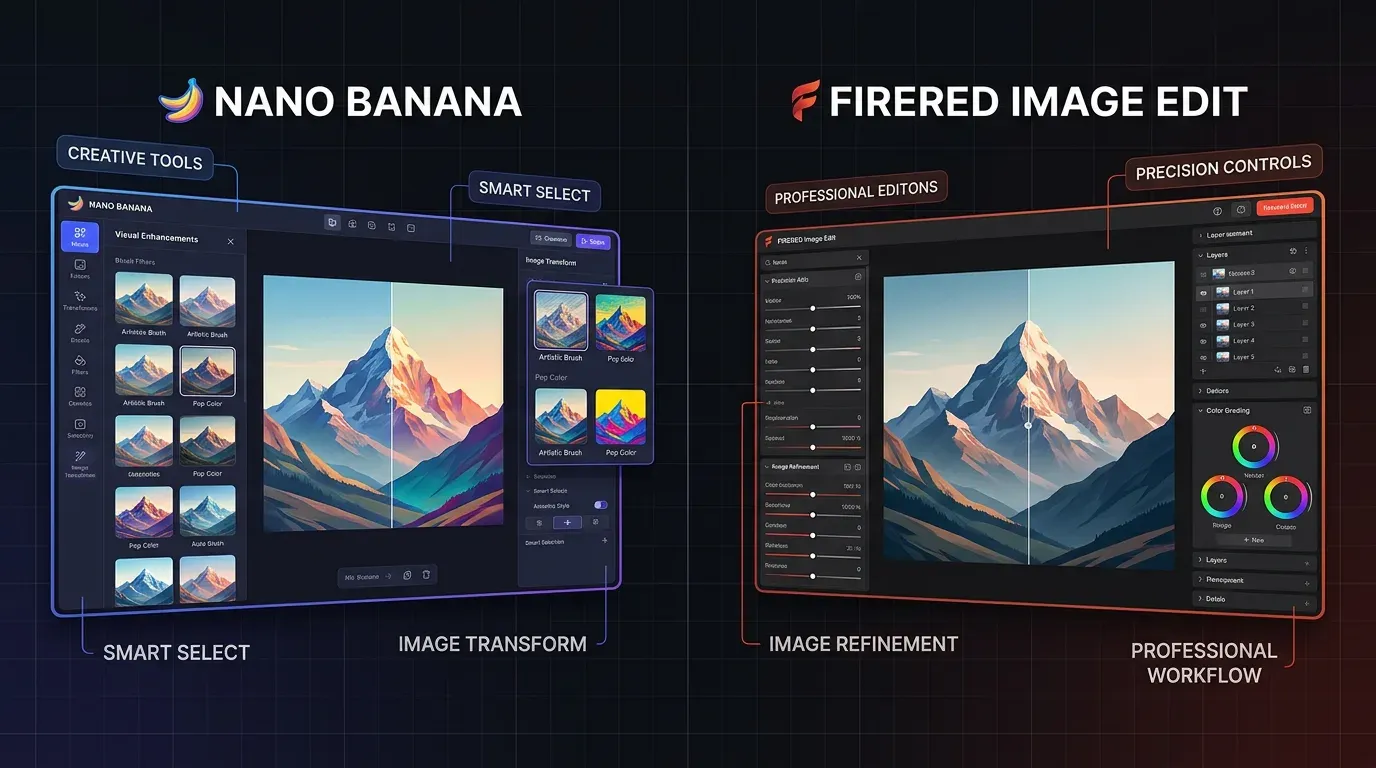
- Nano Banana (Google's Gemini image model) is better for creative, multi-step edits, cloud-based, no GPU needed, handles up to 14 reference images.
- FireRed Image Edit is better for precise, instruction-following edits, stronger subject/text preservation, but needs a 40GB VRAM GPU to self-host.
- In a same-image, same-prompt test, FireRed followed the prompt more closely (neon reflections, subject consistency, street-level framing); Nano Banana nailed the overall aesthetic but missed several specific instructions.
- Cost difference is real: FireRed is cheaper per edit but requires hardware investment; Nano Banana costs more per edit but needs zero infrastructure.
- Choose based on the job: creative/artistic work → Nano Banana, production accuracy (logos, text, faces) → FireRed.
Can an AI image editor follow your prompt exactly while keeping the original image consistent?
That is the main difference between Nano Banana and FireRed ImageEdit. Nano Banana is useful for creative edits, style changes, and multi-step image generation. FireRed Image Edit focuses more on controlled editing, where prompt accuracy, subject consistency, and structure preservation matter.
In this comparison, we’ll test both tools using the same image and prompt, then compare their output quality, setup, cost, strengths, and limitations so you can choose the right AI image editor for your workflow.
What is Nano Banana?
Nano Banana is Google’s AI image generation and editing model, available through Gemini’s image capabilities. It allows users to create or edit images using simple text prompts instead of making changes manually.
It is useful for creative edits like changing backgrounds, adjusting styles, modifying lighting, adding or removing objects, and making multi-step visual changes. In this comparison, Nano Banana is better suited for creative workflows where fast, cloud-based image editing matters.
What is FireRed Image Edit?
FireRed Image Edit is an open-source image-to-image editing model designed to modify existing images using text prompts. It focuses on making controlled edits while preserving the original image structure, subject details, colors, and lighting.
It is useful for tasks where accuracy matters, such as product image editing, text preservation, face or object consistency, design changes, and old photo restoration. In this comparison, FireRed ImageEdit is better suited for precise edits where following the prompt closely is more important than adding creative effects.
Key Features of Nano Banana and FireRed Image Edit
Key Features of Nano Banana
Nano Banana is useful when you want fast, creative image edits without manually working on every detail. Some of its key features include:
- Image-to-image editing: Upload an existing image and modify it with a text prompt.
- Natural language prompts: Describe the edit in simple words instead of using complex editing tools.
- Creative enhancements: Improve the overall look, style, lighting, and visual appeal of an image.
- Structure preservation: Keep the main subject and layout while making changes to the image.
- Style and background editing: Change backgrounds, colors, lighting, objects, and overall visual style.
- High-quality output: Generate polished visuals suitable for creative and marketing use cases.
- Creative content support: Useful for blogs, social media graphics, ads, product concepts, and marketing visuals.
Key Features of FireRed Image Edit
FireRed Image Edit is useful when you need precise image edits that follow the prompt closely. Some of its key features include:
- Image-to-image editing: Edits an existing image based on a text prompt.
- Strong prompt accuracy: Follows instructions closely and applies the requested changes more directly.
- Original image preservation: Maintains the structure, subject, colors, and lighting of the original image.
- Controlled editing: Makes specific changes without adding unnecessary creative effects.
- Consistent results: Produces stable and predictable outputs for prompt-based edits.
- Fast processing: Designed for efficient image editing workflows.
- Professional editing support: Useful for product images, design updates, photo restoration, and edits where accuracy matters.

Walk away with actionable insights on AI adoption.
Limited seats available!

Advantages and Disadvantages of Nano Banana and FireRed Image Edit
Nano Banana is better for creative edits, while FireRed Image Edit is stronger for precise, instruction-based editing.
| Tool | Advantages | Limitations |
Nano Banana | Supports multi-step editing, works in the cloud, needs no local GPU, handles multiple reference images, and is useful for creative visuals. | Can struggle with fine details, small text, and strict prompt-following. Quality may drop after repeated edits. |
FireRed Image Edit | Strong prompt accuracy, better text preservation, consistent faces/objects, useful for restoration, and open-source self-hosting. | Needs powerful GPU hardware, takes more disk space, and may create edge halos in complex scenes. |
In short, choose Nano Banana for creative, cloud-based editing. Choose FireRed Image Edit when accuracy, consistency, and prompt control matter more.
FireRed Image Edit Code Block
import torch
from diffusers import DiffusionPipeline

pipe = DiffusionPipeline.from_pretrained(
    "FireRedTeam/FireRed-Image-Edit-1.0",
    torch_dtype=torch.bfloat16,
    device_map="balanced",
)

pipe.enable_attention_slicing()

print(":white_check_mark: FireRed model loaded")

import gradio as gr
from PIL import Image

def edit_image(image, prompt):
    if image is None or prompt.strip() == "":
        return None

    result = pipe(
        image=image,
        prompt=prompt,
        num_inference_steps=30,
        guidance_scale=4.0,
    )
    return result.images[0]

demo = gr.Interface(
    fn=edit_image,
    inputs=[
        gr.Image(type="pil", label="Upload Image"),
        gr.Textbox(label="Edit Prompt"),
    ],
    outputs=gr.Image(label="Edited Image"),
    title=":fire: FireRed Image Editor",
    description="Upload an image and edit it using FireRed-Image-Edit-1.0",
)

demo.launch(share=True, debug=True)
Nano Banana Code Block
import os
import gradio as gr
from google import genai
from google.genai import types
from PIL import Image
import tempfile

API_KEY = os.getenv("GEMINI_API_KEY")
client = genai.Client(api_key=API_KEY)

def generate_image(prompt, aspect_ratio):
    if not API_KEY:
        return "Please set GEMINI_API_KEY in your environment.", None

    try:
        response = client.models.generate_content(
            model="gemini-3.1-flash-image-preview",
            contents=prompt,
            config=types.GenerateContentConfig(
                response_modalities=["Text", "Image"],
                image_config=types.ImageConfig(
                    aspect_ratio=aspect_ratio
                )
            )
        )

        text_output = []
        image_output = None

        for part in response.candidates[0].content.parts:
            if getattr(part, "text", None):
                text_output.append(part.text)
            else:
                try:
                    img = part.as_image()
                    if img:
                        image_output = img
                except Exception:
                    pass

        final_text = "\n".join(text_output).strip() or "Image generated successfully."
        return final_text, image_output

    except Exception as e:
        return f"Error: {str(e)}", None


with gr.Blocks() as demo:
    gr.Markdown("# Gemini 3.1 Flash Image Preview")
    gr.Markdown("Generate images with Gemini and view the accompanying text response.")

    with gr.Row():
        with gr.Column():
            prompt = gr.Textbox(
                label="Prompt",
                placeholder="Create a cinematic photo of a futuristic Bengaluru street in the rain",
                lines=4
            )
            aspect_ratio = gr.Dropdown(
                choices=["1:1", "4:3", "3:4", "16:9", "9:16"],
                value="1:1",
                label="Aspect Ratio"
            )
            btn = gr.Button("Generate")

        with gr.Column():
            text_output = gr.Textbox(label="Model Response", lines=6)
            image_output = gr.Image(label="Generated Image", type="pil")

    btn.click(
        fn=generate_image,
        inputs=[prompt, aspect_ratio],
        outputs=[text_output, image_output]
    )

if __name__ == "__main__":
    demo.launch()
Comparison Nano Banana vs FireRed Image Edit
To compare both models fairly, we tested Nano Banana and FireRed ImageEdit using the same image and the same prompt. This helps us understand how well each model follows instructions, preserves the original subject, and handles detailed background changes.
Prompt
“Change the background to a futuristic cyberpunk city at night with neon lights and holographic billboards. Keep the person exactly the same. Add soft purple and blue neon reflections on the ground.”
The goal of this test is simple: check which model follows the prompt more accurately while keeping the person unchanged.
Image Given for Testing

Output of Nano Banana and FireRed Image Edit

Nano BananaResult Analysis
What It Did Well
- Successfully generated a strong cyberpunk-style environment.
- Included multiple holographic billboards and futuristic advertisements in the scene.
- Applied neon lighting effects that match the cyberpunk aesthetic.
Walk away with actionable insights on AI adoption.
Limited seats available!
Where It Missed the Prompt
- The color of the person’s clothing appears faded compared to the original image, indicating that the model did not fully preserve the subject details as requested in the prompt.
- The purple and blue neon reflections on the ground are not clearly visible, which was one of the key instructions in the prompt.
- The scene resembles more of a rooftop skyline perspective, whereas the prompt specified a street-level cyberpunk city background.
Key Takeaway
While Gemini (Nano Banana) successfully captures the overall cyberpunk theme, it does not fully follow some of the specific instructions in the prompt, particularly regarding subject preservation and ground reflections.
FireRed Result Analysis
What It Did Well
- The cyberpunk city at night environment is clearly generated.
- The color of the person's clothing is the same as the original image
- Holographic billboards are visible and integrated naturally into the scene.
- Purple and blue neon reflections appear clearly on the ground, matching the prompt instructions.
- The person remains unchanged in pose and appearance, preserving the original subject.
- It followed the street-level cyberpunk aesthetic
Prompt vs Reality: The Final Outcome (Comparison table)
When both models were given the same image and the same detailed prompt, the results revealed an important difference in how faithfully each AI translates instructions into visuals.
| Feature | FireRed Image Edit | Nano Banana (Gemini) |
What is it? | Open-source editing model | Google's AI |
Best for | Precise text edits, old photo fixes, follow instructions correctly | Complex creative edits, multi-step |
GPU | 40GB VRAM required (RTX 4090/A100) | No local GPU needed (cloud API) |
Cost | Very cheap ($0.05 per edit) | More expensive (~$0.30 per edit) |
Access | APIs or self-host | Gemini API or app |
Multi-image edits | Yes (style transfer, try-on) | Yes (up to 14 reference images) |
Strength | Benchmark leader for accuracy | Better context understanding |
Conclusion
Nano Banana excels for creative, artistic editing where you need multi-step conversational changes like "make the sky purple, then add a flying car." It offers cloud-based access across devices without GPU requirements, handles up to 14 reference images, and maintains natural textures/lighting through complex edits.
FireRed Image Edit is ideal for precise, instruction-following tasks like exact text preservation on signs/logos, maintaining face/object identity consistency, and old photo restoration. It leads benchmarks for accuracy but requires powerful 40GB VRAM GPUs and works best when you need surgical precision rather than artistic freedom.
Choose Nano Banana for cloud-based creative workflows. Choose FireRed when exact instructions following matters most and you have the hardware.

Walk away with actionable insights on AI adoption.
Limited seats available!