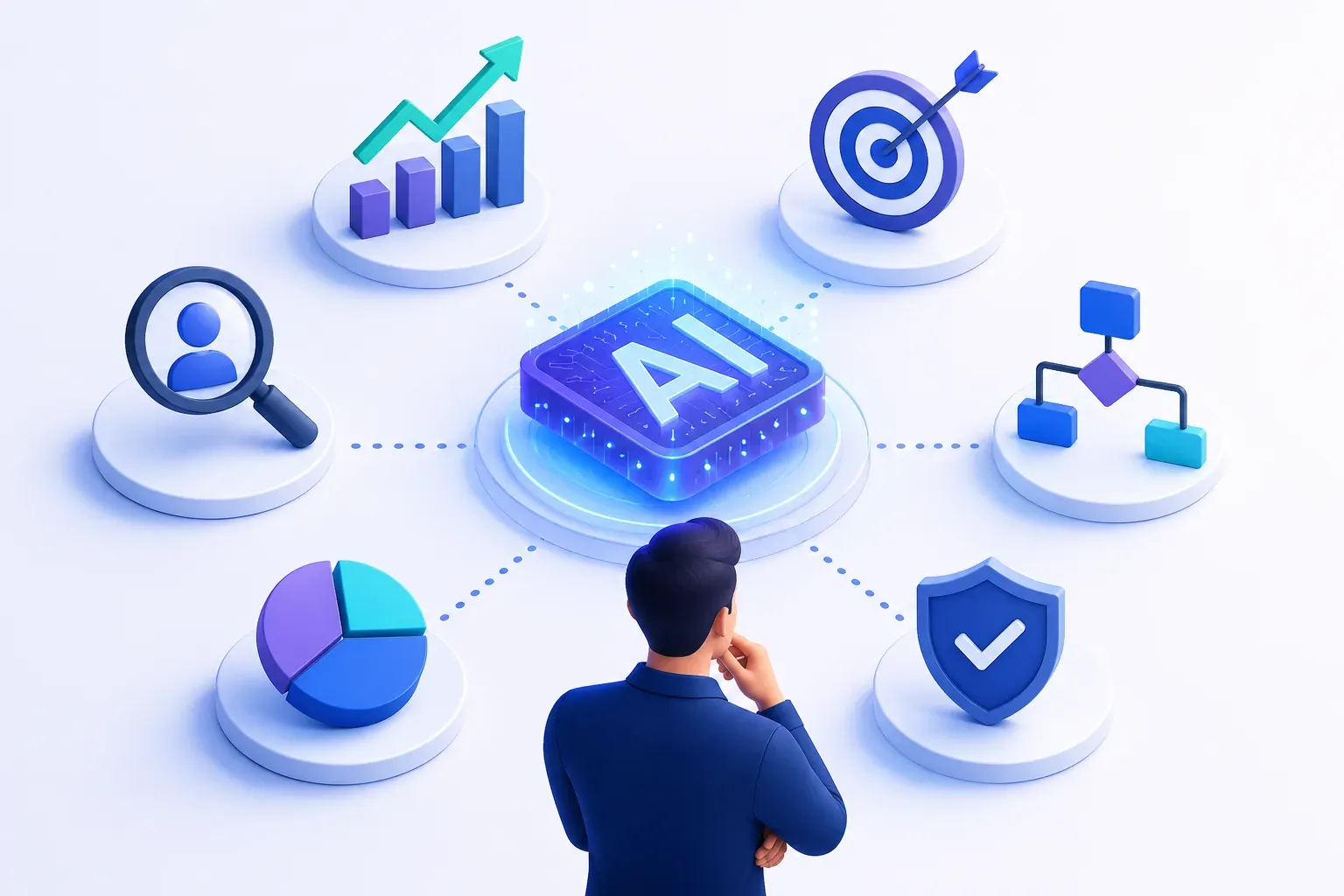
- The value of AI comes from picking the right use case, not from using AI everywhere, pick a problem with clear pain, usable data, and measurable ROI, not the one that sounds most impressive.
- Start with the business problem, not the tool: identify where manual work is slow, costly, or error-prone, then check if AI is actually a better fit than simple automation.
- Before committing, check three things: data quality/availability, technical feasibility, and expected ROI vs. the current cost of the problem.
- Prioritize by impact vs. effort, and validate with a small AI PoC on the riskiest part of the idea before building the full solution.
- Common first use cases: support ticket automation, document/invoice processing, lead qualification, candidate screening, reporting/analytics, and AI voice agents, these work because they're repeated processes with existing data.
AI can improve sales, support, operations, hiring, reporting, and decision-making. But the return does not come from using AI everywhere. It comes from choosing the right use case where AI can solve a real business problem better than the current process.
Many businesses start with the tool first and look for places to apply it later. That often leads to scattered experiments, unclear ROI, and AI features that teams do not fully adopt.
In this guide, we’ll break down how to choose the right AI use case for your business by looking at workflow pain, business value, data readiness, technical feasibility, and ROI potential.
Why Choosing the Right AI Use Case Matters
Choosing the right AI use case matters because AI success depends on where it is applied. A use case with clear business pain, usable data, and measurable impact can improve speed, reduce manual work, and create visible ROI.
The wrong use case can do the opposite. It may look impressive in a demo but fail in daily operations because the workflow is unclear, the data is poor, or the team does not trust the output.
For businesses, the goal is not to adopt AI everywhere. The goal is to start where AI can solve a real problem, fit into an existing workflow, and deliver a result that is worth the investment.
What Is an AI Use Case?
An AI use case is a specific business problem where artificial intelligence can improve the way work is done. It explains what task AI will support, who will use it, what data it needs, and what result it should deliver.
For example, “using AI in customer support” is too broad. A clearer AI use case would be: “using AI to classify support tickets, suggest responses, and reduce first-response time.”
A good AI use case should connect directly to a business outcome. It should help reduce manual work, save time, improve accuracy, personalize experiences, increase revenue, or support faster decision-making.
8 Steps To Choose the Right AI Use Case for Your Business
Step 1: Start With a Real Business Problem
The best AI use cases start with a clear business problem, not with a tool or model. Identify where the business is losing time, money, quality, or speed, and check whether the problem happens often enough to justify investment.
Look for areas where manual work slows teams down or affects customer experience, revenue, cost, or decision-making. This could be slow customer response, manual document review, poor lead qualification, delayed reporting, or repeated operational errors.
A strong AI use case should connect to a measurable outcome. If solving the problem can reduce effort, improve accuracy, speed up work, or increase revenue, it is worth exploring further.
Step 2: Identify Workflows With High Time, Cost, or Error Impact
Once the business problem is clear, look at the workflows where the problem shows up most often. AI works best when it improves a repeated process, not a one-time task.
Focus on areas where teams spend too much time, costs keep increasing, or mistakes affect customers, revenue, or operations. This could be support ticket handling, invoice processing, lead qualification, report generation, candidate screening, or document review.
A strong AI use case usually sits inside a workflow that already has friction. If the process is slow, manual, repetitive, data-heavy, or error-prone, it may be a good place to explore AI automation or decision support.
Step 3: Check Whether AI Is the Right Solution
After identifying the workflow, check whether AI is actually needed. Some problems can be solved with simple automation, better process design, or existing software without adding AI complexity.
AI is a better fit when the task involves large data, repeated decisions, pattern recognition, prediction, personalization, content generation, or natural language understanding. For example, routing support tickets by fixed rules may not need AI, but understanding customer intent and suggesting the right response can benefit from it.
This step helps you avoid building AI for the sake of AI. The right AI use case should create a clear advantage in speed, accuracy, scale, or decision quality compared to the current process.
Step 4: Evaluate Business Value and ROI Potential
Once the use case looks suitable for AI, check whether it can create measurable business value. A good AI use case should improve something that matters to the business, such as revenue, cost, speed, productivity, customer experience, or decision quality.

Walk away with actionable insights on AI adoption.
Limited seats available!

Look at the current cost of the problem first. How much time does the team spend on it? How often does it happen? Does it delay sales, increase support workload, create errors, or affect customer satisfaction?
Then compare that with the expected improvement. If AI can reduce manual effort, speed up turnaround time, improve accuracy, or help teams handle more work without increasing headcount, the ROI potential is stronger.
The goal is to avoid choosing an AI use case only because it sounds innovative. The best use cases are the ones where the business impact is clear enough to justify the investment.
Step 5: Assess Data Availability and Quality
AI is only useful when it has access to the right data. Before choosing a use case, check what data is available, where it is stored, how clean it is, and whether the system can use it safely.
Look for issues like missing records, outdated information, inconsistent formats, duplicate entries, or data spread across too many tools. These problems can affect the accuracy and reliability of the AI output.
A strong AI use case should have enough usable data to support the expected result. If the data is weak, the first step may be cleaning, organizing, or connecting the data before building the AI solution.
Step 6: Check Technical Feasibility
Before moving forward, check whether the AI use case can actually be built with the available data, tools, models, and integrations. A use case may have strong business value, but still fail if the technical setup is too complex or unreliable.
Look at what the AI needs to do: understand text, extract information, predict outcomes, generate responses, analyze images, or automate decisions. Then check whether existing AI models can handle it well or if the solution needs custom development.
Technical feasibility also includes accuracy, latency, security, system integration, and cost to run. If these risks are high, start with a small AI PoC before committing to full development.
Step 7: Prioritize AI Use Cases Using Impact vs Effort
Once you have a few possible AI use cases, compare them based on impact and effort. The best starting point is usually the use case that can create visible business value without requiring too much complexity in the first version.
Impact includes revenue growth, cost savings, time saved, better accuracy, faster decisions, or improved customer experience. Effort includes data readiness, technical complexity, integrations, compliance needs, and the time required to build and test.
Start with use cases that are high-impact and manageable to execute. These are better for early AI adoption because they can prove value faster and give the business confidence before moving into more complex AI initiatives.
Step 8: Validate the Use Case With an AI PoC
Before building the full AI solution, validate the use case with a small AI PoC. The goal is to test whether the model, data, workflow, and expected output can work in real business conditions.
Keep the PoC focused on the riskiest part of the use case. For example, can the AI classify tickets correctly, extract invoice data accurately, qualify leads better, or generate useful responses with minimal review?
A good AI PoC helps you measure accuracy, speed, cost, user trust, and integration needs before full development. If the results are strong, you can move forward with more confidence. If not, you can improve the data, narrow the scope, or rethink the use case early.
Applying This: Choosing the Right Use Case for an AI Interview Agent
When we were evaluating an AI-driven interview flow, the starting point wasn't "let's add AI to interviews", it was a specific workflow problem: interview agents that occasionally skipped questions or answered on the candidate's behalf, which broke the process and made the sessions unreliable.
Running it through the same framework above:
- Business problem: interviews needed to follow a fixed question order reliably, every time, without the AI deciding to skip ahead or fill in answers itself.
- Is AI even the right fit: yes, this involves natural language understanding and judgment calls (recognizing off-topic answers, knowing when a response is incomplete) that fixed-rule automation can't handle.
- Technical feasibility check: a plain prompt-only agent wasn't reliable enough on its own, it needed a control layer around it.
- PoC validation: we tested the same interview flow with and without a harness (built in LangGraph). Without it, the agent skipped the last three questions in testing and once answered a question instead of asking it. With it, the agent completed all interview questions and stayed in bounds.
- Result: the fix wasn't a bigger model, it was better workflow control, exactly the kind of thing that shows up only once you've actually built and tested the thing, not when you're picking a use case in the abstract.
Examples of AI Use Cases Businesses Can Start With
Businesses should start with AI use cases that have clear workflows, available data, and measurable outcomes. The best first use case is usually not the most advanced one, but the one that can show value quickly.
Here are a few practical AI use cases businesses can consider:
- Customer support automation: Use AI to classify tickets, suggest replies, answer common questions, and reduce first-response time.
- Document processing: Extract data from invoices, contracts, forms, reports, or applications to reduce manual review.
- Sales and lead qualification: Score leads, summarize conversations, suggest follow-ups, and help sales teams focus on high-intent prospects.
- Recruitment and candidate screening: Shortlist candidates, summarize resumes, match skills to job roles, and reduce early screening effort.
- Business reporting and analytics: Turn raw data into summaries, insights, dashboards, and faster decision support for teams.
- AI voice agents: Handle calls, collect information, schedule appointments, answer queries, or route users to the right team.
These use cases are good starting points because they are tied to repeated business processes. They also make it easier to measure whether AI is saving time, reducing cost, improving accuracy, or helping teams work faster.
AI Use Case Prioritization Checklist
Before choosing an AI use case, use this checklist to compare your options clearly.
| Area | Questions to Ask |
Business problem | Is the problem frequent, painful, and worth solving? |
Workflow fit | Does the use case fit into an existing business process? |
AI need | Does AI create a better outcome than simple automation? |
Business value | Can it save time, reduce cost, improve revenue, or increase accuracy? |
Data readiness | Is the required data available, clean, and usable? |
Technical feasibility | Can the solution be built with current models, tools, and integrations? |
User adoption | Will the team trust and use the AI output in daily work? |
Risk level | Are privacy, compliance, accuracy, or security risks manageable? |
Effort required | Can the first version be tested without heavy development? |
Success metrics | Do you know how to measure whether the use case worked? |
The best AI use case should score well across business value, data readiness, feasibility, and adoption. If a use case has high impact but too much complexity, start with a smaller AI PoC before full development.
Common Mistakes to Avoid When Choosing AI Use Cases
Choosing an AI use case without enough clarity can lead to wasted budget, low adoption, and unclear ROI. Most mistakes happen when businesses start with the technology instead of the business outcome.
Common mistakes include:
- Choosing AI because it sounds innovative: AI should solve a real business problem, not just make the product or process look advanced.
- Ignoring workflow fit: If the AI solution does not fit into how teams already work, adoption becomes difficult.
- Overlooking data quality: Poor, incomplete, or scattered data can make the AI output unreliable.
- Trying to solve too much at once: Broad use cases are harder to build, test, and measure. Start with a focused problem.
- Skipping ROI validation: Every use case should connect to time saved, cost reduced, revenue improved, or better decision-making.
- Underestimating technical complexity: Some ideas need integrations, security checks, custom models, or human review before they work well.
- Not defining success metrics: Without clear metrics, it becomes hard to know whether the AI use case is actually working.
Walk away with actionable insights on AI adoption.
Limited seats available!
Avoiding these mistakes helps businesses choose AI use cases that are practical, measurable, and easier to move from PoC to implementation.
How F22 Labs Helps You Build the Right AI Solution
At F22 Labs, our AI Consulting work starts exactly here, helping businesses choose AI use cases that are practical, valuable, and technically feasible, based on your actual business problem, workflow, data, and expected outcome.
From there, we support use case discovery, feasibility checks, AI PoC development, and MVP planning, so you invest in AI solutions that can improve speed, reduce manual work, lower costs, or support better decisions.
Conclusion
Choosing the right AI use case helps businesses avoid random experiments and focus on real problems that are worth solving. The best use cases are tied to clear workflows, usable data, measurable impact, and practical feasibility.
AI should not be added just because it is trending. It should improve speed, reduce manual effort, lower costs, increase accuracy, or help teams make better decisions.
Start small, validate with an AI PoC, and move forward only when the use case shows clear business value.
Frequently Asked Questions
What is an AI use case?
An AI use case is a specific business problem where artificial intelligence can improve a task, workflow, decision, or customer experience.
How do I choose the right AI use case for my business?
Start with a real business problem, then check workflow impact, data availability, technical feasibility, ROI potential, and ease of adoption.
What are examples of AI use cases for businesses?
Common AI use cases include customer support automation, document processing, lead qualification, recruitment screening, business reporting, and AI voice agents.
Should every business process use AI?
No. AI should be used only when it creates a clear advantage over simple automation, better workflows, or existing software.
Why is data important when choosing an AI use case?
AI needs relevant and usable data to produce reliable results. Poor or scattered data can reduce accuracy and make the solution harder to trust.
What is the best way to test an AI use case?
The best way is to start with an AI PoC. It helps test the model, data, workflow, accuracy, cost, and feasibility before full development.
When should a business build a custom AI solution?
A custom AI solution makes sense when off-the-shelf tools cannot fit your workflow, data, integrations, accuracy needs, or business goals.
How long does it take to validate an AI use case?
Simple use cases can be validated in a few weeks through discovery and a PoC. Complex use cases may need more time for data and technical testing.

Walk away with actionable insights on AI adoption.
Limited seats available!