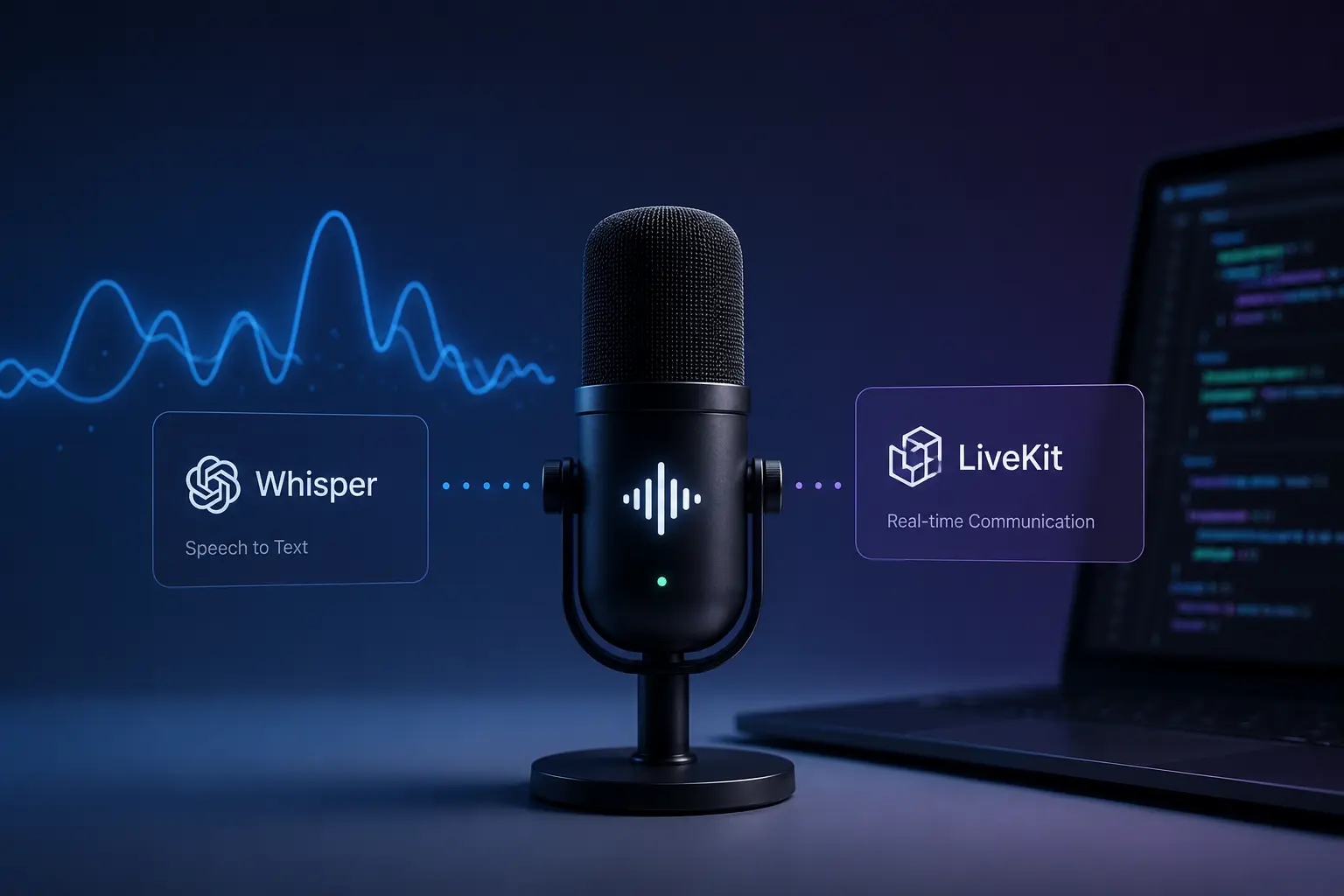
Training a speech model like Whisper is often seen as the hardest part of building a voice AI system. In reality, it is only the beginning.
After fine-tuning Whisper Small for better speech recognition, what you have is still a model checkpoint, a static artifact that cannot process live audio or interact with users on its own. We tested the next stage in-house by turning that checkpoint into a real-time Voice AI system using streaming audio, VAD, WebSockets, buffering, and LiveKit.
This blog shares how we moved from a fine-tuned model to a working real-time voice AI system capable of processing streaming audio, stabilizing transcriptions, and responding to users in real time.
How does a Production Voice AI System work?
A production-grade speech system consists of multiple components working together in real time to process audio, generate transcriptions, and deliver intelligent responses.
At a high level, audio enters the system through a microphone or streaming source. The raw signal is first processed to remove silence and background noise, then passed into a transcription engine, and finally integrated with an AI system that generates responses.
The pipeline typically looks like this:
Audio Input → Speech Detection → Transcription → AI Processing → Audio Response
Each stage introduces its own engineering challenges, including latency, noise handling, synchronization, and transcription stability. Building a reliable real-time system requires carefully optimizing every part of this pipeline.
Among all these components, the transcription engine becomes the foundation of the entire system. Before adding streaming and conversational layers, it is important to evaluate the Whisper model on audio that reflects its intended use. Once its accuracy and failure patterns are understood, the model can be improved and optimized for real-time inference.
Step 1: Making the Model Fast Enough for Reality
The first issue with a fine-tuned Whisper model is performance. Running inference directly using PyTorch introduces noticeable delays, making it unsuitable for real-time use.
To solve this, the model is converted into CTranslate2 format, enabling the use of faster Whisper. This significantly improves both speed and memory efficiency, which are critical for streaming applications
Performance Comparison
| Aspect | PyTorch Whisper | faster whisper (CTranslate2) |
Speed | Baseline | Up to 4× faster |
Memory | High | Optimized |
Quantization | Limited | float16 / int8 supported |
This conversion is not just an optimization step; it is what makes real-time inference feasible.
Once inference speed is optimized, the next challenge is controlling the quality of incoming audio.
Step 2: Controlling Input with Voice Activity Detection
During dataset preparation for Whisper Small, silent, corrupted, and unsuitable recordings can be removed before training. Live audio offers no such opportunity: it may contain silence, background noise, and irrelevant sounds as the user speaks. Feeding all of this directly into the model leads to wasted computation and unreliable outputs.
Voice Activity Detection (VAD), specifically Silero VAD, is introduced to solve this.
Instead of continuously sending audio to the model, VAD evaluates small audio frames and determines whether they contain speech. Only segments that meet a defined threshold are passed forward.
This has two important effects. First, it reduces unnecessary load on the model. Second, it prevents the model from generating false transcriptions during silence, a common issue known as hallucination.
In practice, VAD acts as a gatekeeper, ensuring that the transcription model only processes meaningful input.
Step 3: The Hidden Problem in Streaming: Unstable Outputs
Even with optimized inference and cleaner inputs, streaming speech recognition introduces another challenge: unstable partial transcriptions.
When audio is processed incrementally, early predictions are often revised as more context becomes available. If these intermediate results are used directly, they can introduce inconsistencies into downstream systems.
To address this, a local agreement mechanism is used.
Instead of emitting each prediction, the system compares consecutive outputs and only commits words that remain consistent across all the passes. This ensures that only the stable, reliable text is forwarded.
This buffering strategy is essential when integrating with systems like LLMs; incorrect early inputs can lead to compounding errors.
Step 4: Building Real-Time Streaming Layer
After stabilizing transcription outputs, the next step is enabling continuous real-time communication between users and the transcription engine.
At the core of the system is a WebSocket server that enables continuous, bidirectional communication between the client and the transcription engine.
The client streams raw audio into small chunks. The server processes these chunks through the VAD, aggregates valid speech segments, and runs the transcription. The results are then streamed back in near real time.
The architecture ensures low latency while maintaining flexibility. Multiple clients can connect simultaneously, each with its own processing pipeline.
The key design principle here is non-blocking execution. Audio capture, processing, and transmission all run asynchronously, ensuring that the system remains responsive even under load.

Step 5: Integrating into a Conversational AI System
Once transcription becomes stable and latency is reduced, it becomes possible to integrate it into a full conversational pipeline.
This is achieved using a framework like LiveKit, which connects speech input, language models, and speech output into a unified system. Building and integrating these components into a production-ready application is a core part of AI Development.
The interaction becomes natural:
- A user speaks into the system
- The speech is transcribed in real time
- A language model generates a response
- The response is converted back into speech
At this stage, the system transitions from a transcription tool to a real-time conversational agent.
Before the streaming pipeline can operate reliably across platforms, audio compatibility also needs to be handled carefully.
Step 6: Handling Audio Format Mismatches
One practical challenge in real-time systems is mismatched audio formats.
Most streaming platforms provide audio at 48kHz stereo, while Whisper expects 16kHz mono input. Without a proper conversion, this mismatch leads to degraded performance.
The solution involves two steps:
- Converting the stereo audio to mono by averaging the channels
- Downsampling the audio from 48kHz to 16kHz
Although this seems like a minor detail, it has a direct impact on transcription accuracy and system stability.
Step 7: Real-World Deployment Scenario
To validate the system, it was deployed as an AI recruitment assistant capable of conducting screening conversations.
The agent listens to candidates, processes their responses in real time, and generates context-aware replies. This demonstrates that the system is not just technically functional but also practical in real-world scenarios.
What makes this significant is the seamless interaction. The user does not experience the underlying complexity, only a smooth, conversational interface.
How To Build a Custom Streaming STT Plugin?
To integrate the fine-tuned Whisper model into a real-time conversational pipeline, a custom streaming STT plugin was built on top of LiveKit.
This layer handles audio preprocessing, WebSocket communication, streaming transcription, and real-time event delivery between the speech engine and downstream AI components.

Walk away with actionable insights on AI adoption.
Limited seats available!

1. Setting Up Core Dependencies
Imports all required libraries for WebSocket communication, audio handling, and LiveKit integration.
Initializes logging to track runtime events, errors, and debugging information.
import asyncio
import json
import logging
import os
from dataclasses import dataclass
from typing import Optional
import websockets
import numpy as np
from dotenv import load_dotenv
from livekit import rtc
from livekit.agents import (
    AutoSubscribe,
    JobContext,
    JobProcess,
    WorkerOptions,
    cli,
    metrics,
    Agent,
    AgentSession,
    RoomInputOptions,
    RoomOutputOptions,
    MetricsCollectedEvent,
)
from livekit.agents import stt as agent_stt
from livekit.agents.stt import (
    STTCapabilities,
    SpeechData,
    SpeechEvent,
    SpeechEventType,
)
from livekit.plugins import openai, silero, cartesia

logger = logging.getLogger("custom-stt")
logging.basicConfig(level=logging.INFO)
2. Preparing Audio for Whisper
Converts incoming audio frames to 16kHz mono format required by Whisper models.
Handles stereo-to-mono conversion and uses interpolation for resampling.
def resample_audio(frame: rtc.AudioFrame, target_sr: int = 16000) -> bytes:
    data = np.frombuffer(frame.data, dtype=np.int16).astype(np.float32)

    if frame.num_channels > 1:
        data = data.reshape(-1, frame.num_channels).mean(axis=1)

    if frame.sample_rate == target_sr:
        return data.astype(np.int16).tobytes()

    original_len = len(data)
    target_len = int(original_len * target_sr / frame.sample_rate)
    resampled = np.interp(
        np.linspace(0, original_len - 1, target_len),
        np.arange(original_len),
        data,
    ).astype(np.int16)

    return resampled.tobytes()
3. Managing Runtime Configuration
The configuration layer centralizes runtime settings such as WebSocket endpoints, language preferences, sample rates, and streaming behavior.
This makes it easier to adjust connection behavior, audio settings, and transcription preferences without changing the core implementation.
@dataclass
class CustomSTTConfig:
    ws_url: str = "ws://144.126.254.225:4002/ws/transcribe"
    language: str = "en"
    sample_rate: int = 16000
    interim_results: bool = True
    reconnect_on_error: bool = True
    connection_timeout: float = 10.0
4. Initializing the Custom STT Engine
Initializes the custom STT plugin with configuration and streaming capabilities.
Enables real-time transcription with optional interim results.
class CustomSTT(agent_stt.STT):

    def __init__(self, config: Optional[CustomSTTConfig] = None):
        self._config = config or CustomSTTConfig(
            ws_url=os.getenv("CUSTOM_STT_WS_URL", "ws://144.126.254.225:4002/ws/transcribe"),
        )
        super().__init__(
            capabilities=STTCapabilities(
                streaming=True,
                interim_results=self._config.interim_results,
            )
        )
5. Registering Model Metadata
Defines metadata identifying the model and provider used for transcription.
Helps LiveKit and downstream systems recognize this custom STT service.
  @property
    def model(self) -> str:
        return "custom-finetuned-stt"

    @property
    def provider(self) -> str:
        return "custom"
6. Creating the Streaming Interface
Creates a streaming session instance for handling real-time audio transcription.
Delegates streaming logic to the CustomSTTStream class.
   def stream(self, *, conn_options=None) -> "CustomSTTStream":
        return CustomSTTStream(stt=self, conn_options=conn_options)
7. Handling Non-Streaming Transcription
Sends the full audio buffer to the STT server and waits for a final transcription result.
Handles errors gracefully and ensures a valid response is always returned.
  async def _recognize_impl(self, buffer, *, language=None, conn_options=None):
        try:
            async with websockets.connect(self._config.ws_url) as ws:
                for frame in buffer.frames:
                    pcm = resample_audio(frame, self._config.sample_rate)
                    await ws.send(pcm)

                await ws.send(json.dumps({"action": "stop"}))

                async for message in ws:
                    data = json.loads(message)
                    if data.get("type") == "transcription" and data.get("is_final"):
                        return SpeechEvent(
                            type=SpeechEventType.FINAL_TRANSCRIPT,
                            alternatives=[SpeechData(
                                text=data.get("text", ""),
                                language=language or self._config.language,
                            )],
                        )
        except Exception as e:
            logger.error(f"[CustomSTT] One-shot recognition error: {e}")

        return SpeechEvent(
            type=SpeechEventType.FINAL_TRANSCRIPT,
            alternatives=[SpeechData(text="", language=self._config.language)],
        )
8. Managing Persistent Streaming Sessions
Defines a streaming class to maintain a persistent connection with the STT server.
Stores configuration for use during real-time audio processing.
class CustomSTTStream(agent_stt.RecognizeStream):

    def __init__(self, stt: CustomSTT, conn_options=None):
        super().__init__(stt=stt, conn_options=conn_options)
        self._config: CustomSTTConfig = stt._config
With audio preprocessing and configuration in place, the next step is establishing a persistent streaming connection between the client and the transcription server.
9. Maintaining the Streaming Connection
Establishes a WebSocket connection and runs send/receive tasks concurrently.
Handles connection errors and logs issues for debugging.
  async def _run(self):
        try:
            async with websockets.connect(
                self._config.ws_url,
                open_timeout=self._config.connection_timeout,
            ) as ws:
                logger.info(f"[CustomSTT] Connected to {self._config.ws_url}")
                await asyncio.gather(
                    self._send_audio(ws),
                    self._recv_transcripts(ws),
                )
        except websockets.exceptions.ConnectionClosedError as e:
            logger.warning(f"[CustomSTT] WebSocket closed unexpectedly: {e}")
        except Exception as e:
            logger.error(f"[CustomSTT] Stream error: {e}", exc_info=True)
10. Streaming Audio Frames
Continuously reads audio frames and sends them to the STT server.
Sends a stop signal when an utterance ends.
  async def _send_audio(self, ws):
        try:
            async for frame in self._input_ch:
                if isinstance(frame, agent_stt.RecognizeStream._FlushSentinel):
                    await ws.send(json.dumps({"action": "stop"}))
                else:
                    pcm = resample_audio(frame, self._config.sample_rate)
                    await ws.send(pcm)
        except Exception as e:
            logger.error(f"[CustomSTT] Error sending audio: {e}")
Once audio is streamed to the server, the system continuously listens for transcription updates and forwards them to downstream components in real time.
11. Processing Real-Time Transcripts
Incoming transcription events are continuously processed from the WebSocket stream and converted into LiveKit-compatible speech events.
Emits both interim and final transcripts to trigger downstream agent actions.
  async def _recv_transcripts(self, ws):
        try:
            async for message in ws:
                if isinstance(message, bytes):
                    continue

                data = json.loads(message)
                msg_type = data.get("type")
                text = data.get("text", "").strip()

                if msg_type == "status":
                    continue

                if msg_type == "transcription" and text:
                    self._event_ch.send_nowait(SpeechEvent(
                        type=SpeechEventType.INTERIM_TRANSCRIPT,
                        alternatives=[SpeechData(
                            text=text,
                            language=self._config.language,
                            confidence=1.0,
                        )],
                    ))

                    self._event_ch.send_nowait(SpeechEvent(
                        type=SpeechEventType.FINAL_TRANSCRIPT,
                        alternatives=[SpeechData(
                            text=text,
                            language=self._config.language,
                            confidence=1.0,
                        )],
                    ))

        except websockets.exceptions.ConnectionClosedOK:
            logger.info("[CustomSTT] WebSocket closed cleanly")
        except Exception as e:
            logger.error(f"[CustomSTT] Error receiving transcripts: {e}")
Connecting the Custom STT Plugin to a LiveKit Agent
1. Setting Up Agent Dependencies
Imports required modules for LiveKit agent, WebSocket communication, and AI components.
Loads environment variables and initializes logging for runtime tracking.
import logging
import asyncio
import json
import os
from collections import deque
import websockets
from dotenv import load_dotenv
from livekit.plugins import cartesia, openai as openai_plugin, silero
from livekit import rtc
from livekit.agents import (
APIConnectionError,
APIError,
APITimeoutError,
Agent,
AgentServer,
AgentSession,
JobContext,
JobProcess,
MetricsCollectedEvent,
cli,
inference,
metrics,
room_io,
stt,
utils,
)
from livekit.agents.types import (
APIConnectOptions,
DEFAULT_API_CONNECT_OPTIONS,
NOT_GIVEN,
NotGivenOr,
)
import numpy as np
from custom_stt_plugin import CustomSTT

logger = logging.getLogger("basic-agent")
load_dotenv()
2. Creating the Custom STT Instance
Creates a custom STT instance configured for your fine-tuned transcription model.
Wraps it with VAD when streaming is disabled to process full speech chunks.
def build_stt(streaming: bool = False):
    custom_stt = CustomSTT(
        streaming=streaming,
        language="en",
        sample_rate=16000,
    )

    if not streaming:
        return StreamAdapter(
            stt=custom_stt,
            vad=silero.VAD.load(),
        )
    else:
        return custom_stt
3. Defining the Agent Behavior
Defines the AI agent with a structured instruction prompt controlling behavior.
The prompt governs tone, flow, screening logic, and strict conversation rules.
class MyAgent(Agent):
    def __init__(self) -> None:
        super().__init__(
            instructions=""" ...Your prompt ... """,
        )
4. Starting the Agent Conversation
Triggers the agent to start speaking when the session begins.
Allows interruptions so users can naturally interact during responses.
   async def on_enter(self):
        self.session.generate_reply(allow_interruptions=True)
5. Creating the LiveKit Agent Server
Initializes the LiveKit agent server that manages sessions and connections.
Acts as the main runtime environment for deploying the agent.
server = AgentServer()6. Prewarming the VAD Model
Loads and configures the Voice Activity Detection model before runtime.
Improves performance by avoiding repeated initialization during sessions.
def prewarm(proc: JobProcess):
    proc.userdata["vad"] = silero.VAD.load(
        min_silence_duration=0.6,
        min_speech_duration=0.25,
        activation_threshold=0.75,
        prefix_padding_duration=0.3,
    )

server.setup_fnc = prewarm
7. Handling New RTC Sessions
Defines the main function triggered when a new RTC session starts.
Adds context metadata like room name for logging and debugging.
@server.rtc_session()
async def entrypoint(ctx: JobContext):
    ctx.log_context_fields = {
        "room": ctx.room.name,
    }
With the server and VAD setup in place, the next step is assembling the complete voice AI session.
Walk away with actionable insights on AI adoption.
Limited seats available!
8. Building the Full Voice AI Session
Initializes the full agent pipeline with STT, LLM, and TTS components.
Configures interaction behavior like turn detection and interruption handling.
 session = AgentSession(
        stt=build_stt(streaming=False),
        llm=inference.LLM("openai/gpt-4o-mini"),
        tts=cartesia.TTS(
            model="sonic-3",
            voice="f8f5f1b2-f02d-4d8e-a40d-fd850a487b3d",
        ),
        turn_detection="stt",
        vad=ctx.proc.userdata["vad"],
        preemptive_generation=True,
        resume_false_interruption=True,
        false_interruption_timeout=1.0,
    )
Once the session is running, metrics collection helps monitor performance, usage, and runtime behavior.
9. Collecting Runtime Metrics
Tracks usage metrics such as token consumption and system performance.
Logs metrics for monitoring and debugging agent behavior.
  usage_collector = metrics.UsageCollector()

    @session.on("metrics_collected")
    def _on_metrics_collected(ev: MetricsCollectedEvent):
        metrics.log_metrics(ev.metrics)
        usage_collector.collect(ev.metrics)
10. Logging Usage on Shutdown
Logs a summary of resource usage when the session ends.
Helps analyze performance and cost after execution.
 async def log_usage():
        summary = usage_collector.get_summary()
        logger.info(f"Usage: {summary}")

    ctx.add_shutdown_callback(log_usage)
After the agent, session, and monitoring logic are configured, the system is ready to join a LiveKit room and begin handling live conversations.
11. Starting the Agent Session
Starts the agent in the specified LiveKit room with audio input enabled. Connects the agent logic to real-time user interaction.
   await session.start(
        agent=MyAgent(),
        room=ctx.room,
        room_options=room_io.RoomOptions(
            audio_input=room_io.AudioInputOptions(),
        ),
    )
12. Running the Agent Server
Launches the LiveKit agent server as a standalone application.
Begins listening for incoming sessions and handling requests.
if __name__ == "__main__":
    cli.run_app(server)
At this point, the custom STT plugin is fully connected to the LiveKit agent runtime. The system can now listen to users, transcribe speech through the custom Whisper pipeline, generate responses with an LLM, and speak back using TTS.
This completes the transition from a standalone transcription service to a working real-time voice AI agent.
Key Insight
The effectiveness of a real-time voice AI system does not come from any single component but from how each layer works together as part of a unified pipeline.
- Model optimization reduces latency
- Voice Activity Detection (VAD) ensures cleaner input
- Streaming architecture enables responsiveness
- Buffering mechanisms improve transcription stability
- Session orchestration connects speech, reasoning, and audio output in real time
Together, these components create a system that is both efficient and reliable under real-world conditions.
Conclusion
Transforming a fine-tuned Whisper model into a production-ready voice AI system involves solving a series of engineering challenges that extend far beyond model training.
It requires optimizing inference performance, handling noisy audio input, stabilizing streaming transcriptions, managing persistent communication, and integrating multiple components into a cohesive real-time pipeline.
When these challenges are addressed correctly, the result is a voice AI system capable of fast, natural, and reliable interaction.
This is the stage where machine learning evolves into applied engineering, where models become systems, and systems become real products.
Frequently Asked Questions
What is a real-time voice AI agent?
A real-time voice AI agent is a system that can listen to spoken audio, transcribe it instantly, process the input using an AI model, and respond back through speech in real time.
Why is faster-whisper used instead of standard Whisper?
Standard Whisper running directly on PyTorch can introduce noticeable latency during inference. faster-whisper uses CTranslate2 optimization to improve speed, reduce memory usage, and make real-time transcription more practical.
What is Voice Activity Detection (VAD)?
Voice Activity Detection identifies whether incoming audio contains speech or silence. It helps reduce unnecessary processing and prevents false transcriptions during silent periods.
Why is WebSocket communication important in streaming speech systems?
WebSockets enable continuous, bidirectional communication between the client and the transcription server, making low-latency real-time audio streaming possible.
Why do streaming transcriptions become unstable?
In streaming systems, early predictions are often revised as more audio context becomes available. This can cause partial transcripts to change frequently until the model becomes confident.
What role does buffering play in real-time transcription?
Buffering helps stabilize streaming outputs by committing only consistent transcription segments, reducing errors and preventing unstable text from reaching downstream AI systems.
Why does Whisper require 16kHz mono audio?
Whisper models are trained to work best with 16kHz mono audio. Streaming platforms often provide 48kHz stereo input, so resampling and channel conversion are required for optimal accuracy.
How does LiveKit help in building voice AI systems?
LiveKit provides the infrastructure for managing real-time audio sessions, streaming communication, turn detection, and integration between STT, LLM, and TTS components.
Can a fine-tuned Whisper model be directly used in production?
Not typically. A fine-tuned model checkpoint still requires optimization, streaming infrastructure, audio preprocessing, buffering, and orchestration layers before it can function reliably in production.
What are the biggest challenges in building production voice AI systems?
Some of the biggest challenges include reducing latency, handling noisy audio, stabilizing streaming outputs, managing real-time communication, and coordinating multiple AI components efficiently.

Walk away with actionable insights on AI adoption.
Limited seats available!