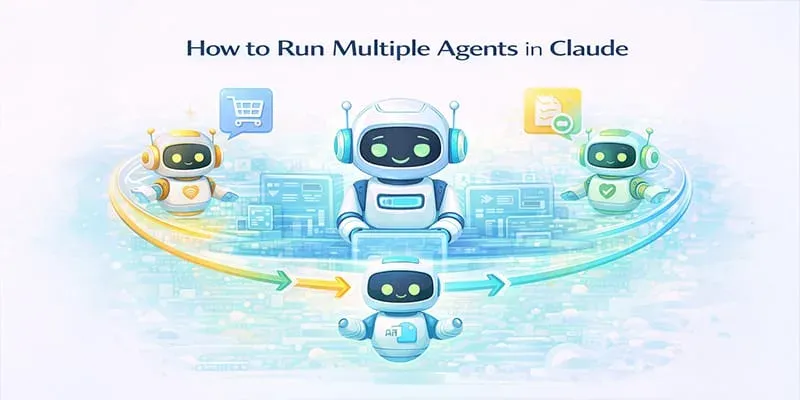
- Claude Code supports both subagents and agent teams for dividing work across specialised AI workers.
- Subagents use separate context windows and return their findings to the main conversation.
- Agent teams go further by giving each teammate an independent Claude Code session, a shared task list, and direct inter-agent messaging.
- Agent teams are currently experimental and must be enabled before use.
- Parallel agents work best when tasks are independent, such as separate frontend, backend, testing, and security reviews.
- Avoid assigning multiple agents to edit the same file, as their changes can overwrite one another.
- Running several agents also increases token usage and coordination overhead, so it is unnecessary for small or sequential tasks.
Claude Code can divide suitable development tasks across specialised agents instead of handling every concern within one conversation. In my testing, this was particularly useful when research, implementation, testing, and review could be separated into independent workstreams.
Here’s how this changes the way AI fits into real development workflows.
The Bottleneck: The Problem with Single-Context AI
Traditional AI coding sessions often feel like a juggling act. I’ve experienced this firsthand when debugging issues, tuning performance, reviewing security concerns, and designing features inside a single conversation thread. This "Single-Context" approach creates distinct challenges:

- Context Overload: The AI struggles to maintain focus when it is forced to juggle multiple concerns at once.
- Sequential Bottlenecks: Tasks that should run in parallel are pushed into a linear workflow.
- Reduced Clarity: Constant switching between debugging, design, and review weakens reasoning quality.
The Solution: The /agents Command
Claude Code provides two related ways to divide work: subagents and agent teams. Subagents handle focused tasks in separate context windows and report their results to the main session.
Agent teams are better suited to longer parallel workflows where independent teammates need to communicate and coordinate work.
Think of it as spinning up different members of a software team, each with their own deep expertise:
- Debugger Agents: Focus exclusively on identifying and fixing errors.
- Security Agents: Review code specifically for vulnerabilities.
- Frontend Agents: Specialize in UI/UX implementation.
- Backend Agents: Handle server-side logic and database operations.
How It Works Under the Hood
Each agent operates within its own isolated context, which I’ve found enables deeper reasoning and real parallel problem-solving without context leakage.
When you assign a project, like a refactor, Claude can automatically generate collaborative agents. For example, one handles the backend, another manages the frontend, and a third acts as a code reviewer.

Walk away with actionable insights on AI adoption.
Limited seats available!

In an agent team, teammates can communicate directly and coordinate through a shared task list. However, the work still needs clear boundaries. Assigning multiple teammates to edit the same file can cause changes to be overwritten, so each agent should ideally own a separate module or set of files.
A Real-World Scenario
When I’m building something like an authentication feature, I no longer approach it sequentially. Instead, I orchestrate a parallel workflow.
- Spin up a Backend Agent to implement the auth logic.
- Launch a Security Agent to review that implementation for vulnerabilities.
- Have a Frontend Agent build the login UI in parallel.
- Deploy a Testing Agent to validate the full flow.
All four AI code editors work concurrently, dramatically reducing development time while maintaining high quality. Because the Security Agent isn't distracted by feature requests, it maintains an unwavering focus on vulnerabilities, producing more thoughtful results.
Quick Start Guide: Deploying Your Team
Ready to try it? Here is the step-by-step workflow.
1. Initialize the Interface
Open Claude Code and simply type the command:
/agents

2. Create Specialized Agents
In the interface, you can create new agents based on your needs (e.g., "frontend-ui-revamp" or "structured-logger").
- Configuration: You can select specific tools, configure memory (Project scope is common), and choose the model (e.g., Sonnet, Opus, or Haiku).
- Description: Be comprehensive. For example, instruct a frontend agent to use available design skills to make an extension look novel.


Similarly, I created another agent:

3. Run in Parallel
Once your agents are defined, assign a broad task, such as "Revamp the UI and logging in the extension".
Walk away with actionable insights on AI adoption.
Limited seats available!
Launch: Claude will launch relevant agents in parallel (e.g., one for UI, one for logging).

Monitor: You will see the agents running in the background. You can expand their views and manage them using the Shift+Up arrow keys.
Completion: When finished, you receive a full summary of what was shipped, notifying you exactly when tasks like "Revamp extension UI/UX" are complete.

Conclusion
From my experience, multiple agents are most useful when a development task can be divided into independent areas such as research, implementation, testing, and review. They help keep each workstream focused, but they do not remove the need for clear requirements, human oversight, and final verification.
For smaller changes or tasks with tightly connected steps, one Claude Code session may still be the simpler and more efficient option.

Walk away with actionable insights on AI adoption.
Limited seats available!



