Zomato has released an official MCP (Model Context Protocol) Server that allows AI assistants to securely interact with its food-ordering ecosystem. Instead of manually browsing restaurants, comparing menus, and checking delivery times, users could simply give a prompt like: “Find the best butter chicken under ₹400 within 3 km and order it.”
With the Zomato MCP Server, developers can connect LLM-based assistants directly to Zomato’s platform without building custom API bridges. This enables structured and secure workflows for restaurant discovery, menu browsing, cart creation, and food ordering through natural language prompts.
In this article, we explore what MCP is, the problem the Zomato MCP Server solves, its architecture, supported features, and how to integrate it with tools like ChatGPT, VS Code, and Claude.
What is MCP (Model Context Protocol)?
Model Context Protocol (MCP) is a standard that allows large language models (LLMs) to interact with external systems through structured tools instead of direct API calls. It provides a controlled way for AI assistants to perform actions such as searching data, placing orders, or retrieving information.
With MCP, the LLM handles the reasoning, deciding which tool should be used, while the MCP server executes the actual API request securely. By using predefined tool schemas, validated inputs, and proper authentication, MCP makes AI integrations safer, more predictable, and easier to manage in production environments.
What Problem Does the Zomato MCP Server Solve Compared to Custom API Bridges?
Integrating large language models directly with APIs can introduce security and reliability risks. With traditional custom API bridges, the model may generate incorrect API requests, expose API tokens, or attempt unsupported actions, leading to inconsistent or unsafe behavior.
The Zomato MCP Server solves these challenges by providing a structured and secure interface between the AI model and Zomato’s platform.
Without MCP
- LLMs cannot securely access Zomato APIs
- API tokens may be exposed
- No structured validation for requests
- High risk of hallucinated API calls
- No safe user-authenticated workflows
With the Zomato MCP Server
- Predefined and structured tools for each action
- OAuth-based authentication handled securely
- Safe execution of carts, orders, and payments
- No direct API key exposure to the model
- Consistent and predictable responses
This approach allows AI assistants to perform real food-ordering operations through natural language while keeping the system secure and controlled.
Overview of the Official Zomato MCP Server
The Zomato MCP Server provides a structured interface that allows AI assistants to interact with Zomato’s food-ordering platform safely. Instead of giving an AI model direct access to Zomato’s internal APIs, the MCP server exposes a set of predefined tools that the model can use to perform specific tasks.
Developers can connect AI systems to the MCP endpoint:
Repository: Zomato/mcp-server-manifest
Endpoint: https://mcp-server.zomato.com/mcp
Through these tools, an assistant can handle the entire food-ordering workflow, from discovering restaurants to placing an order, while keeping authentication, validation, and execution controlled on the server side.
Supported Features
The Zomato MCP Server currently supports several key capabilities that enable real-world ordering workflows.
Restaurant Discovery
AI assistants can search for nearby restaurants based on location, user preferences, ratings, and distance filters. This allows users to find suitable options without manually browsing through multiple listings.
Menu Browsing
The system can retrieve detailed restaurant menus, including item descriptions, prices, and ratings. This helps the assistant present relevant food options to the user before placing an order.
Cart Creation
Users can add items to a cart, adjust quantities, and modify selections through natural language prompts. The MCP server validates these actions to ensure menu items and quantities are correct.
Food Ordering
Once a cart is finalized, the assistant can place the order and track its status through structured tool calls.
QR Code Payments
The platform also supports secure QR-based payment workflows, allowing transactions to be completed safely through the MCP interface.
Together, these capabilities allow AI assistants to act as a fully functional conversational interface for food ordering, reducing the need for manual browsing and menu navigation.
Zomato MCP Server Architecture
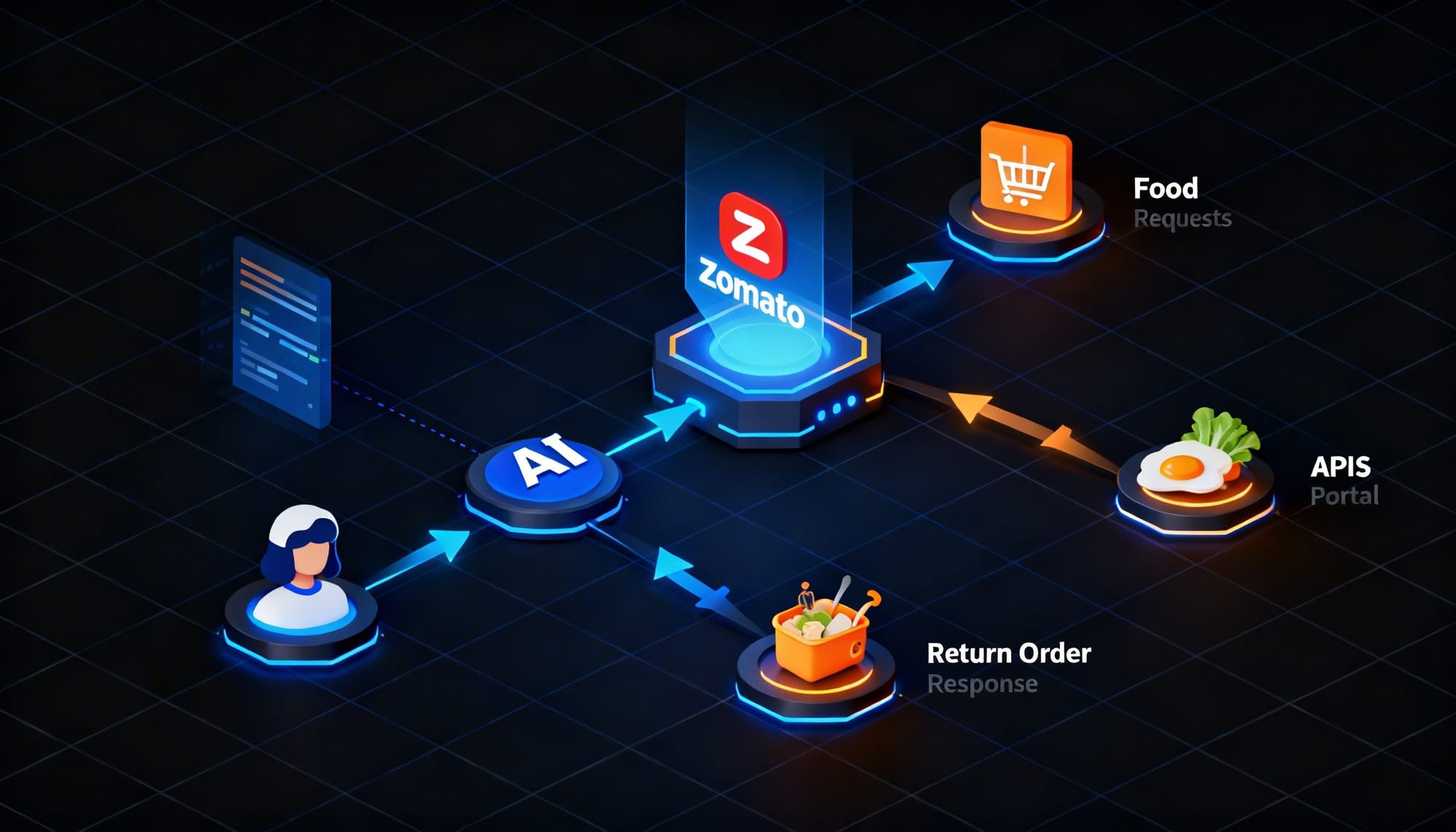
The Zomato MCP Server follows a structured architecture that separates AI reasoning from backend execution. The large language model interprets the user’s request, while the MCP server securely performs the actual operations within Zomato’s platform.
How the Flow Works
User Prompt
The user sends a natural language request to the AI assistant, such as searching for nearby restaurants or ordering a dish.

Walk away with actionable insights on AI adoption.
Limited seats available!

LLM Tool Selection
The language model analyzes the request and selects the appropriate Zomato MCP tool required to complete the action.
MCP Client Request
The MCP client forwards the selected tool call to the Zomato MCP Server.
Validation and Authentication
The MCP server validates the request and performs authentication before executing the operation.
Backend Processing
Zomato’s backend systems handle the request, such as retrieving restaurant data, updating a cart, or placing an order.
Structured Response
The MCP server returns a structured response to the language model.
Natural Language Output
The LLM converts the structured response into a clear, conversational reply for the user.
In this architecture, all sensitive operations remain on the server side, ensuring that authentication, order processing, and payment actions are handled securely.
OAuth Authentication and Security Model of Zomato MCP
The Zomato MCP Server uses OAuth-based authentication to ensure that AI assistants access user accounts and platform resources securely. Instead of exposing API keys directly to the language model, authentication is handled through controlled OAuth flows managed by the MCP server.
Currently, the server supports a set of whitelisted redirect URIs for authorized integrations, including:
- https://chatgpt.com/connector_platform_oauth_redirect
- https://claude.ai/api/mcp/auth_callback
- https://insiders.vscode.dev/redirect
- https://oauth.pstmn.io/v1/callback
- https://vscode.dev/redirect
If developers want to integrate the MCP server with a custom client, the redirect URI must be explicitly whitelisted by Zomato as part of the authentication setup.
The official repository also notes that third-party applications are not currently allowed to build commercial integrations on top of the Zomato MCP Server. At present, it is intended primarily for testing, experimentation, and controlled integrations, mainly through supported platforms and development environments.
How to Integrate the Zomato MCP Server
Option 1: ChatGPT Setup
The Zomato MCP Server already supports a ChatGPT OAuth redirect URI, which allows it to authenticate through ChatGPT connectors.
This makes ChatGPT one of the simplest ways to test the integration without building a custom client.
https://chatgpt.com/connector_platform_oauth_redirectOnce connected, ChatGPT can use Zomato MCP tools for tasks such as restaurant discovery, menu browsing, cart creation, and order placement.
All of these actions are executed through the MCP server, which means the language model handles the request while the actual operations remain structured and server-side.
Option 2: VS Code
The Zomato MCP Server can also be integrated with VS Code using the MCP client configuration. This allows developers to test MCP tools directly within their development environment.
To set it up, add the Zomato MCP endpoint to your mcp.json configuration file:
{
 "servers": {
   "zomato-mcp-server": {
     "url": "https://mcp-server.zomato.com/mcp",
     "type": "http"
   }
 }
}
After updating the configuration, restart VS Code and make sure the MCP client extension is enabled. Once the environment reloads, the Zomato MCP tools will be automatically discovered and available for use.
Option 3: Claude (Connectors)
Steps:
- Open Claude
- Go to Settings → Connectors
- Add custom connector
- Use:
https://mcp-server.zomato.com/mcpAfter setup, Claude will be able to access the Zomato MCP tools for actions such as restaurant search, menu browsing, cart creation, and food ordering.
Option 4: Claude Manual Setup
For manual configuration in Claude Desktop, the Zomato MCP Server can be added directly to the MCP configuration file.
Edit the claude_desktop_config.json file and include the following server configuration:
{
 "mcpServers": {
   "zomato-mcp": {
     "command": "npx",
     "args": [
       "mcp-remote",
       "https://mcp-server.zomato.com/mcp"
     ]
   }
 }
}
For manual configuration in Claude Desktop, the Zomato MCP Server can be added directly to the MCP configuration file.
Edit the claude_desktop_config.json file and include the following server configuration:
Example Prompts for Zomato MCP
Once integrated, users can interact with the assistant using simple natural language prompts. The LLM interprets the request and selects the appropriate MCP tool automatically.
Walk away with actionable insights on AI adoption.
Limited seats available!
Some example prompts include:
- “Show me the best rated restaurants near me.”
- “Find pizza places within 3 km.”
- “Show me vegan restaurants in my area.”
- “Add 2 margherita pizzas from Domino’s to my cart.”
- “Order my usual coffee.”
- “Reorder from my last order.”
- “Order butter chicken with naan from a nearby restaurant.”
The assistant automatically selects the correct tool based on the user’s request.
How Zomato MCP Executes Orders Internally
When a user sends a prompt like “Reorder from my last order,” the request is processed through structured MCP tools instead of direct API calls.
The process typically works as follows:
- The LLM detects the user’s intent (reorder request).
- It calls the appropriate structured tool, such as reorder_last_order.
- The MCP server authenticates the user.
- The system retrieves the user’s order history and recreates the cart.
- A structured confirmation response is returned to the LLM.
- The LLM converts the response into a natural language reply for the user.
This structured workflow helps prevent issues such as incorrect restaurant IDs, invalid menu selections, and unauthorized ordering.
Practical Use Cases
The Zomato MCP Server enables several practical applications powered by AI assistants.
- Conversational food ordering assistants
- Voice-enabled restaurant search
- Smart reordering bots
- AI-powered cart builders
- Automated restaurant discovery agents
These use cases become even more powerful when combined with technologies such as speech-to-text, location services, and preference-based recommendation systems.
Why MCP Is Important for Commerce Platforms
Commerce platforms involve sensitive operations such as authentication, payments, and order processing, which require strict validation and secure execution.
MCP addresses these requirements by providing structured tool execution, schema validation, OAuth-based authentication, and a clear separation between the LLM and backend systems. This ensures that transactions are handled in a controlled and predictable way.
For systems like food ordering, this architecture is much safer than allowing an LLM to generate direct API requests.
Frequently Asked Questions
What is the Zomato MCP Server?
The Zomato MCP Server is an implementation of Model Context Protocol (MCP) that allows AI assistants to interact with Zomato’s food-ordering platform through structured tool calls.
How does the Zomato MCP Server work?
The user sends a prompt to an AI assistant. The LLM selects the appropriate MCP tool, and the MCP server securely executes the request through Zomato’s backend APIs.
What can AI assistants do using the Zomato MCP Server?
AI assistants can discover restaurants, browse menus, create carts, place orders, and handle QR-based payments through natural language prompts.
Is the Zomato MCP Server available for third-party developers?
Currently, Zomato states that third-party commercial integrations are not permitted. The MCP server is mainly intended for testing and controlled integrations.
Why does Zomato use MCP instead of direct APIs for AI?
MCP provides structured tool execution, schema validation, and secure authentication, which prevents LLMs from generating unsafe or incorrect API requests.
Which platforms support Zomato MCP integration?
The server currently supports integrations with platforms such as ChatGPT, VS Code, Claude, and other MCP-compatible clients.
Conclusion
The Zomato MCP Server is an important step toward enabling secure AI-powered commerce workflows. It allows AI assistants to handle tasks such as restaurant discovery, cart management, order placement, and QR-based payments through structured and authenticated interactions.
By using the Model Context Protocol (MCP), Zomato ensures that AI systems can interact with its platform in a controlled and secure way. As AI assistants increasingly move from answering questions to performing real-world actions, architectures like MCP will play a key role in building safe and scalable integrations.

shanmugapriyan.M
Just a tech bloke who enjoys building software, exploring AI, and getting slightly too excited about new tools and frameworks. I write about coding, cloud, and the occasional tech experiment that actually works.
Walk away with actionable insights on AI adoption.
Limited seats available!