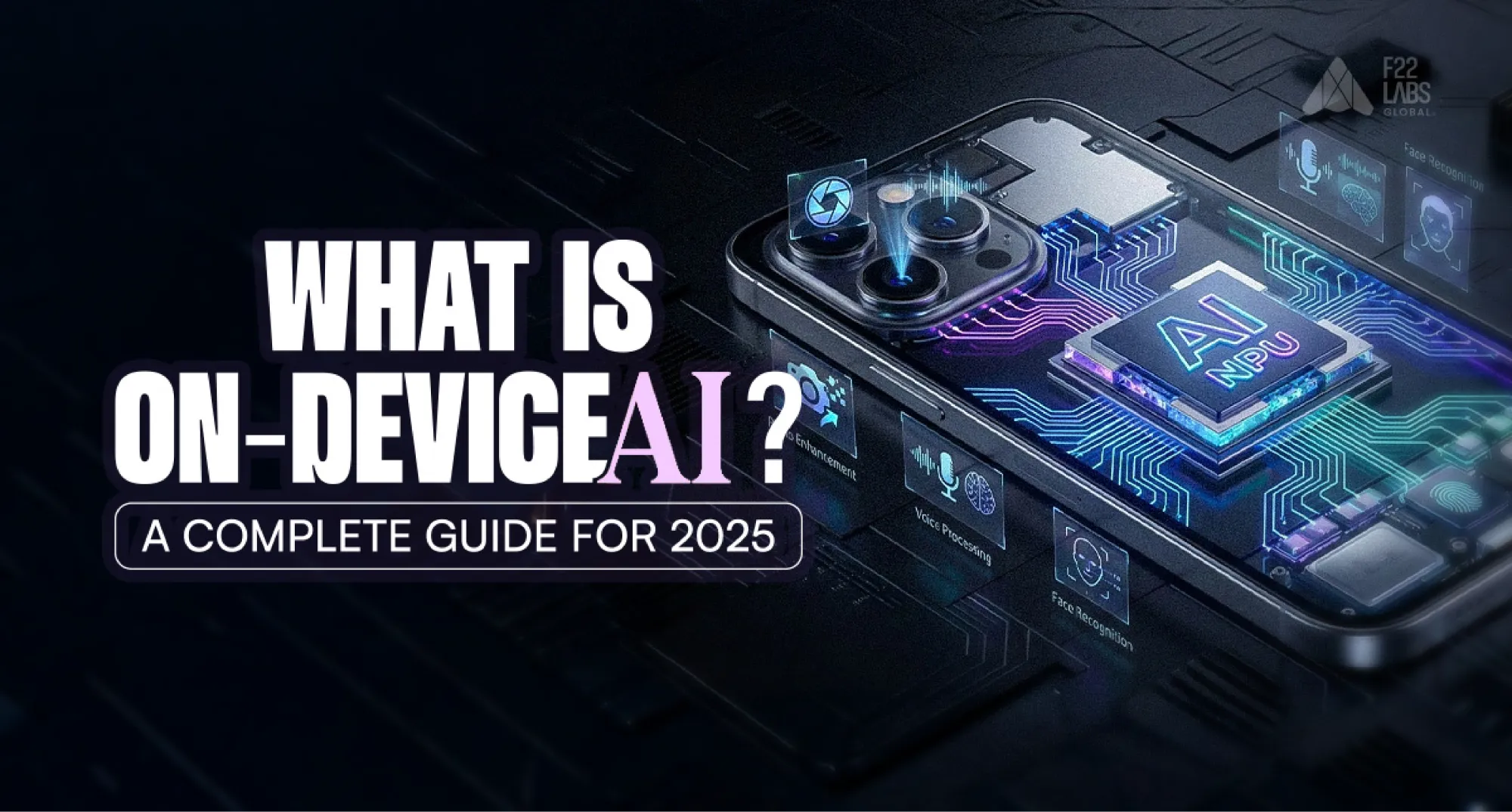
- On-device AI runs machine-learning models directly on phones, laptops, wearables, vehicles, and other local hardware instead of relying entirely on cloud servers.
- Local processing can reduce network latency, enable offline features, and limit how much data needs to leave the device.
- CPUs, GPUs, and specialised NPUs perform inference, while runtimes such as ExecuTorch and TensorFlow Lite help models operate across supported hardware.
- Quantisation, pruning, knowledge distillation, and operator fusion reduce model size and resource usage.
- On-device deployment is constrained by memory, storage, battery consumption, thermal limits, and differences between devices.
- Some products use a hybrid architecture, handling suitable tasks locally while sending more demanding workloads to cloud infrastructure.
- Performance, privacy, and cost benefits depend on the model, device, implementation, and workload rather than on-device processing alone.
On-device AI refers to artificial intelligence that runs directly on your phone, laptop, wearable, car, or other local hardware instead of sending every request to the cloud.
This shift is changing how modern AI products are built. Instead of waiting for server responses, devices can process tasks instantly, work offline, and keep sensitive data private.
For example, your smartphone can enhance photos in real time, your smartwatch can detect health signals locally, and your car can make split-second driving decisions without internet access.
As AI models become smaller and chips become more powerful, on-device AI is moving from a niche feature to a core product strategy in 2026.
In this guide, we’ll break down what on-device AI is, how it works, its benefits, challenges, and where it fits in the future of AI products.
What is On-Device AI?
On-device AI refers to running machine learning models directly on local hardware such as smartphones, wearables, IoT devices, laptops, or edge systems instead of sending requests to cloud servers.
This means the device processes data locally, allowing faster responses, stronger privacy, and reduced dependence on internet connectivity. In many cases, an on-device AI model can deliver results instantly without external data transfer.
It marks a shift from traditional cloud AI:
- Cloud AI: Device → Internet → Cloud Server → Response
- On-Device AI: Device → Local AI Chip (NPU/CPU/GPU) → Result
Key advantages include:
- Low Latency – Faster responses for real-time tasks
- Better Privacy – Sensitive data stays on the device
- Offline Capability – Works without internet access
- Lower Operating Cost – Fewer cloud inference expenses at scale
Examples include live photo enhancement, voice assistants, real-time translation, health monitoring, and smart cameras.
As chips become more powerful and models more efficient, on-device AI is becoming a core part of modern AI product development.
Why ExecuTorch Matters for On-Device AI Deployment
Deploying AI models from cloud training environments to edge devices is often difficult. Teams must deal with memory limits, hardware differences, operator compatibility, and platform-specific optimization.
ExecuTorch helps solve this by enabling direct PyTorch model deployment to local devices with less manual work and more consistent performance across platforms.
Instead of rebuilding models for each environment, developers can export once and run across multiple devices, making on-device AI deployment faster and more practical.
Key advantages include:
- Built for Constrained Devices – Optimized for phones, wearables, and embedded hardware
- Cross-Platform Deployment – Supports iOS, Android, Linux, and edge systems
- Dynamic Input Support – Handles changing input sizes without constant rework
- PyTorch Native Workflow – Reduces conversion issues and compatibility loss
- Better Production Readiness – Helps move models from training to real devices faster
For teams building mobile AI apps or edge products, ExecuTorch reduces deployment friction and speeds up real-world adoption of on-device AI.
ExecuTorch vs Traditional Edge AI Deployment
Traditional edge deployment often involves multiple conversions, manual optimizations, and separate builds for each platform.
ExecuTorch simplifies this workflow by enabling a single, optimized export that runs consistently across devices while improving hardware utilization and reducing binary size.
The table below compares how ExecuTorch streamlines on-device AI deployment compared to traditional edge workflows, highlighting improvements in build time, performance, and binary size.
| Metric | Traditional | ExecuTorch |
Export time | 2-4 hours manual | 5-15 min automated |
Platform builds | 3-5 separate | 1 universal file |
NPU utilization | 40-60% | 85-95% |
Binary overhead | 50-150 MB | 15-30 MB |
How On-Device AI Works? Architecture, Hardware, and Optimization
How On-Device AI Evolved to Run Modern Models?
Understanding on-device AI requires examining the convergence of hardware acceleration, model compression, and runtime optimization. Over the past decade, improvements in NPUs, memory bandwidth, and quantization techniques have enabled increasingly complex models to operate locally.
2015-2018 (Novelty Era): Simple face filters, basic voice recognition. Models limited to 30-50MB. Inference: 200-500ms. Battery drain: 30% per hour.
2019-2022 (Acceleration Era): Dedicated NPUs (Apple A11: 600 billion ops/sec). Models grew to 500MB. Real-time translation, photo enhancement, face recognition became possible.
2023-2025 (Intelligence Explosion): 70+ TOPS NPUs, 8-24GB unified memory. 4B+ parameter LLMs run locally at conversational speeds. Multimodal models process vision + language + audio simultaneously with <5ms latency.
Hardware improvement: ~50% more TOPS yearlyModel size growth: ~200% larger models yearlyResult: Performance gap narrowing through optimization breakthroughs
Core Components of On-Device AI Systems
On-device AI systems consist of four interlocking layers:
1. Model Runtime (ExecuTorch, TensorFlow Lite): Executes models, manages memory, handles dynamic inputs
2. Operator Library: 300+ optimized kernels with hardware-specific implementations. Fused operations deliver 3-5x speedup by eliminating data movement.
3. Quantization Engine: Converts FP32 to INT8/INT4, achieving 4-8x memory reduction with 95%+ accuracy retention
4. Scheduler & Compiler: Performs dynamic fusion, memory planning, and backend delegation for optimal hardware utilization
Hardware That Powers On-Device AI
Modern on-device AI is made possible by specialized hardware accelerators designed for high-performance, low-power inference. Platforms such as on-device qualcomm NPUs enable complex models to run efficiently without relying on cloud infrastructure.
| Processor | TOPS | Key Devices | Efficiency |
Apple Neural Engine | 35-40 | iPhone 16, M4 | 15 TOPS/Watt |
Qualcomm Hexagon | 45 | Snapdragon 8 Gen 4 | 15 TOPS/Watt |
Google Tensor G4 | 40 | Pixel 9 | 13 TOPS/Watt |
MediaTek Dimensity | 50+ | Flagship Androids | 16 TOPS/Watt |
Cloud GPU (H100): 5.7 TOPS/Watt despite being 10,000x largerResult: Edge NPUs are 2.6x more power-efficient than cloud GPUs
Memory Architecture: The real bottleneck isn't compute, it's memory bandwidth. Llama 8B (4.5GB INT4) must read all weights for each token, limited by DRAM bandwidth (30-50 GB/s), yielding 6-11 tokens/sec bandwidth-limited performance.
Model Optimization Techniques for On-Device AI
Running AI models on local devices requires aggressive optimization. These techniques reduce model size, improve inference speed, and lower power consumption, without significantly sacrificing accuracy.
Quantization
Quantization converts high-precision weights (FP32) into lower-precision formats such as INT8 or INT4, significantly reducing memory usage and improving inference speed on constrained hardware.
| Method | Size Reduction | Speedup | Accuracy Impact |
INT8 (per-tensor) | 4x | 2.5x | -1-2% |
INT8 (per-channel) | 4x | 2.3x | -0.5-1% |
INT4 (GPTQ/AWQ) | 8x | 2.8x | -2-3% |
INT4 + Mixed Precision | 7x | 2.5x | -1-2% |
Pruning: Removing 70-90% of weights with <2% accuracy loss for specialized models
Knowledge Distillation: Training smaller "student" models to mimic larger "teacher" models (e.g., DistilBERT: 5.1x smaller, 4.2x faster, 97% accuracy retention)
Operator Fusion: Combining operations into single kernels reduces memory transfers by 3x, delivering 3-5x speedup
Key Benefits of On-Device AI
Running AI directly on local hardware transforms system performance, compliance posture, and operational economics. The benefits below demonstrate why on-device AI is shifting from experimental to foundational architecture. The benefits below show why on-device AI is becoming the preferred approach for modern applications.

Walk away with actionable insights on AI adoption.
Limited seats available!

Privacy and Data Security
Cloud AI Problem: Data transmitted → processed on remote servers → vulnerable to breaches, subpoenas, compliance headaches
On-Device Solution: Data never leaves device → zero transmission = zero interception risk → automatic GDPR/HIPAA compliance
Real Impact:
- Healthcare apps analyze medical images without privacy violations
- Financial apps detect fraud without transmitting transaction data
- Personal assistants process voice without human review
Regulatory Advantages: On-device AI eliminates compliance burden for GDPR (€20M fines), HIPAA (patient data), CCPA (consumer privacy), and China's PIPL (data localization).
User Trust: 78% refuse cloud AI features, 91% would pay more for on-device processing, resulting in 3x higher feature adoption rates.
Low Latency & Offline Capability
Latency Comparison:
- Cloud AI: 150-6000ms (avg 400ms)
- On-Device: 5-28ms (avg 15ms)
Real-Time Requirements:
| Application | Required | Cloud Reality | On-Device |
AR overlay | <16ms (60fps) | 400ms ✗ | 8ms ✓ |
Voice conversation | <200ms | 500ms ✗ | 35ms ✓ |
Autonomous vehicle | <50ms | 400ms ✗ | 12ms ✓ |
Real-time translation | <100ms | 600ms ✗ | 45ms ✓ |
Offline Capability: Works perfectly in airplanes, rural hospitals, disaster zones, underground facilities, and military applications, enabling AI for 2.6 billion people without reliable internet.
Energy Efficiency
Energy Comparison per Inference:
- Cloud AI: 2.5-5.9 Joules (device transmission + network + data center)
- On-Device: 0.15-0.40 Joules (local processing only)
- Result: 8-15x more energy efficient
Battery Impact (8-hour continuous translation):
- Cloud: 38,400J = 10.7Wh (30% of battery)
- On-Device: 8,640J = 2.4Wh (7% of battery)
- Result: 4.5x better battery life
Environmental Impact (1 billion daily users):
- Cloud: 7,045 GWh/year = 3.5M metric tons CO₂
- On-Device: 219 GWh/year = 0.11M metric tons CO₂
- Result: 97% lower carbon footprint
Cost Savings
Cloud AI Costs (1M users, 20 queries/day, $0.01/query):
- Monthly: $6 million
- Annual: $72 million
On-Device Costs:
- Development: $400k (one-time)
- Maintenance: $400k/year
- Annual: $800k total
Savings: $71.2M/year (8,900% ROI)
Scale Economics: Costs don't scale with users
| Users | Cloud Annual | On-Device Annual | Savings |
1M | $7.2M | $600K | $6.6M |
10M | $72M | $800K | $71.2M |
100M | $720M | $1.2M | $718.8M |
Enhanced User Experience
On-device AI eliminates loading spinners, creating instant gratification that increases:
- Feature usage by 40-60%
- User satisfaction by 2.3x
- Session length by 35%
- Retention rates by 25%
Contextual Personalization: Models adapt to individual users without privacy concerns, achieving 3x higher prediction accuracy.
Always-Available Reliability: Consistent performance regardless of network conditions increases feature usage by 2-3x.
On-Device AI Deployment Challenges: Architectural and Operational Constraints
Hardware Limitations
Device Constraints:
| Resource | Flagship | Mid-Range | Impact |
RAM | 16-24 GB | 4-8 GB | Large models crash |
NPU TOPS | 40-70 | 5-15 | Slow inference |
Storage | 256+ GB | 32-64 GB | Limited capacity |
Thermal | ~8W | ~3W | Throttling after 30s |
Reality: Llama 8B runs smoothly on flagships but is impossible on most mid-range devices, wearables, and IoT hardware.
Model Complexity Gap
State-of-the-art models grow 200% yearly while hardware improves 50% yearly—the gap is widening. Multimodal models require 6+ GB peak memory, crashing on mid-range devices.
Common Compromises:
- Reduce from 8B to 3B parameters (15-25% capability loss)
- Aggressive INT4 quantization (3-8% accuracy loss)
- Remove multimodal support or long context windows
- Hybrid cloud-device approach (inconsistent experience)
Development Hurdles
Fragmentation Problem: Android has 5,000+ device variants with different NPU architectures, creating testing nightmares.
Real Development Cycle:
- Week 1: Model trains perfectly on cloud GPU
- Weeks 2-7: Fix crashes on Samsung, slow performance on MediaTek, accuracy issues on Qualcomm, memory problems on 6GB devices
- Weeks 8-12: Repeat for iOS
- Reality: 40-60% of dev time is device-specific fixes
Testing Matrix: 5 SoC vendors × 5 RAM tiers × 4 Android versions × 3 iOS versions = 900 configurations. Practical testing: 20-40 devices costing $15K-40K in hardware plus 2-4 weeks per iteration.
Cross-Platform Compatibility
Operator Support Varies:
| Platform | Runtime | Coverage | Binary Size | Dynamic Shapes |
iOS | Core ML | 80-85% | +20-60 MB | Yes |
Android | ExecuTorch/TFLite | 90-95% | +15-30 MB | Limited |
Linux | ExecuTorch | 100% | Minimal | Yes |
MCU | ExecuTorch Lite | 60-70% | <5 MB | No |
Maintenance Burden: 72% of companies maintain 2+ separate builds, 45% maintain 3+, consuming 20-30% of team bandwidth for ongoing updates.
ExecuTorch: PyTorch for Edge and On-Device AI
What Makes ExecuTorch Revolutionary
Before ExecuTorch (Traditional Approach):
Traditional edge deployment workflows often introduce conversion overhead, operator loss, and fragmented builds across platforms. ExecuTorch simplifies this by maintaining PyTorch fidelity while optimizing execution for constrained environments.
- Train in PyTorch
- Convert to TorchScript (often breaks)
- Convert to ONNX (loses operators)
- Convert to platform format (more loss)
- Fix bugs, manually optimize
- Hope it runs acceptably
Success rate: ~40% | Time: 4-12 weeks | Team: 3+ engineers
With ExecuTorch: The process is remarkably simple. First, you train your model normally using standard PyTorch workflows. Then, you export it directly using torch.export with your example inputs, convert it to an edge-optimized format, and transform it into an ExecuTorch program, all in just a few lines of code.
Finally, you save the model as a single .pte file. This same file runs seamlessly on iOS, Android, Linux, and microcontrollers without any modifications.
Success rate: ~95% | Time: 1-3 days | Team: 1 ML engineer
Key Features
1. Dynamic Shape Support: Handles variable input sizes without recompilation (revolutionary for edge frameworks)
2. Intelligent Backend Delegation: Automatically routes operations to optimal processors (CPU/GPU/NPU), achieving 3-6x speedup
3. Built-In Quantization: INT8 (4x smaller, 2.5-3x faster) and INT4 (8x smaller, 1.8-2.2x faster) with minimal code
4. Operator Fusion: Automatically combines operations into single kernels for 3-5x speedup
5. Minimal Binary Overhead: 15-30 MB vs 40-150 MB for competitors—critical for mobile install rates
6. Cross-Platform Consistency: Same .pte file achieves near-identical performance across all platforms
Supported Platforms
Mobile:
- iOS: iPhone 8+, Core ML delegation, 35-40 TOPS on A18, 18-25 MB overhead
- Android: 8.0+, Qualcomm QNN/MediaTek/Tensor support, 15-30 MB overhead
Desktop:
- macOS: M-series chips, 11-38 TOPS depending on generation
- Linux: x86/ARM64, XNNPACK CPU optimization, optional CUDA
Embedded:
- Raspberry Pi: Pi 4/5, 0.2-3.5 tokens/sec (1-3B models)
- NVIDIA Jetson: Orin series, 40-275 TOPS, runs up to 30B models
- Microcontrollers: Cortex-M/ESP32/RISC-V, 256KB-8MB RAM, up to 50M parameters
Walk away with actionable insights on AI adoption.
Limited seats available!
LLM Performance (2025)
| Model | Size (INT4) | iPhone 16 Pro | Snapdragon 8 Gen 4 | Raspberry Pi 5 |
Phi-3-mini | 2.2 GB | 45 tok/s | 42 tok/s | 4.2 tok/s |
Llama 3.2 3B | 2.0 GB | 48 tok/s | 44 tok/s | 5.1 tok/s |
Llama 3.1 8B | 4.7 GB | 35 tok/s | 32 tok/s | 2.5 tok/s |
Mistral 7B | 4.2 GB | 33 tok/s | 31 tok/s | 2.7 tok/s |
On-Device AI Frameworks Comparision
| Framework | Ecosystem | Best For | LLM Support | Binary Size | Maturity |
ExecuTorch | PyTorch | Full-stack PyTorch→edge | Excellent | Minimal | 9.5/10 |
TensorFlow Lite | TensorFlow | Classic ML + vision | Good | +15-40 MB | 8.5/10 |
Core ML | Apple-only | iOS/macOS native | Very good | +20-60 MB | 9.0/10 |
ONNX Runtime | Multi-framework | Cross-platform | Strong | +30-80 MB | 8.8/10 |
MediaPipe | Ready-made pipelines | Limited | +50-100 MB | 8.0/10 |
Quick Verdict:
- PyTorch + cutting-edge LLMs everywhere → ExecuTorch (clear winner)
- Pure Apple ecosystem → Core ML
- Existing TensorFlow/Keras → TensorFlow Lite
- Maximum hardware coverage → ONNX Runtime
- Out-of-box face/hand/pose detection → MediaPipe
How to Install and Run Your First Model with ExecuTorch
Installation
# One-liner (Dec 2025) |
Basic Model Export
import torch |
Model Optimization Techniques for On-Device AI Deployment
| Technique | Configuration | Size ↓ | Speed ↑ |
INT8 PTQ | default in to_edge() | 4× | 2.5-3× |
INT4 weights | EdgeCompileConfig(_quantize_weights_int4=True) | 7-8× | 1.8-2.2× |
Full QAT | Train with torch.ao.quantization | 4× | 3-4× |
NPU delegation | Automatic (QNN, Core ML, XNNPACK) | — | 3-6× |
Deployment Examples
Android (Kotlin):
val module = ExecutorchModule(context.assets, "model.pte") |
iOS (Swift):
let module = try ExecutorchModule(fileAtPath: modelPath) |
Linux / Raspberry Pi:
./run_model --model model.pte --input input.bin |
Best Practices
- Always start with torch.export.export (never TorchScript)
- Provide multiple example_inputs for dynamic shapes
- Run program.dump_profile() early to verify NPU usage
- Ship separate .pte files per ABI (arm64-v8a, armeabi-v7a)
- Use official export scripts for production LLMs
Production Deployment Checklist for On-Device AI
A quick checklist to ensure your on-device AI models are production-ready, stable, and optimized across devices.
Model Versioning:
model_version = "llama-3.1-8b-v1.2-int4" |
Error Handling:
try: |
Battery Management:
def should_use_ai(): |
Conclusion
On-device AI is changing how intelligent systems are built. By running models directly on local hardware, businesses gain lower latency, stronger privacy, offline reliability, and better cost efficiency compared to cloud-only architectures.
Challenges still exist around hardware limits, model optimization, and cross-platform deployment. However, modern runtimes like ExecuTorch are making local AI deployment faster, simpler, and more practical.
As users expect real-time and privacy-first experiences, on-device AI is moving from an optional feature to a core product strategy.
In practice, running AI locally offers a scalable and resilient path for building the next generation of intelligent applications.
Frequently Asked Questions (FAQs)
1. What is on-device AI in simple terms?
On-device AI means running artificial intelligence directly on a phone, laptop, wearable, or other local device instead of sending data to the cloud for processing.
2. How is on-device AI different from cloud AI?
Cloud AI processes requests on remote servers, while on-device AI runs models locally. This usually provides faster responses, better privacy, and offline functionality.
3. What devices can run on-device AI?
Smartphones, laptops, smartwatches, IoT devices, cars, cameras, drones, and other edge devices can run on-device AI if they have enough compute power.
4. What are the benefits of on-device AI?
The main benefits are lower latency, stronger privacy, offline access, reduced cloud costs, and better real-time performance.
5. What are examples of on-device AI?
Examples include voice assistants, real-time translation, face unlock, photo enhancement, health monitoring, smart cameras, and autonomous navigation systems.
6. What is ExecuTorch used for?
ExecuTorch is a runtime that helps developers deploy PyTorch models efficiently on mobile and edge devices such as Android, iPhone, and embedded systems.
7. Is on-device AI the future of AI products?
For many use cases, yes. As chips become more powerful and users expect private, instant AI experiences, on-device AI is becoming a key part of modern product architecture.
8. Does on-device AI work without internet?
Yes. Many on-device AI features can run fully offline because the model is stored and executed locally.

Walk away with actionable insights on AI adoption.
Limited seats available!



