I used to think running a large language model was just about loading it and generating text. In reality, inference is where most systems break. It’s where GPU memory spikes, latency creeps in, and performance drops fast if things aren’t optimised.
In fact, inference accounts for nearly 80–90% of the total cost of AI systems over time. That means how efficiently you run a model matters more than the model itself.
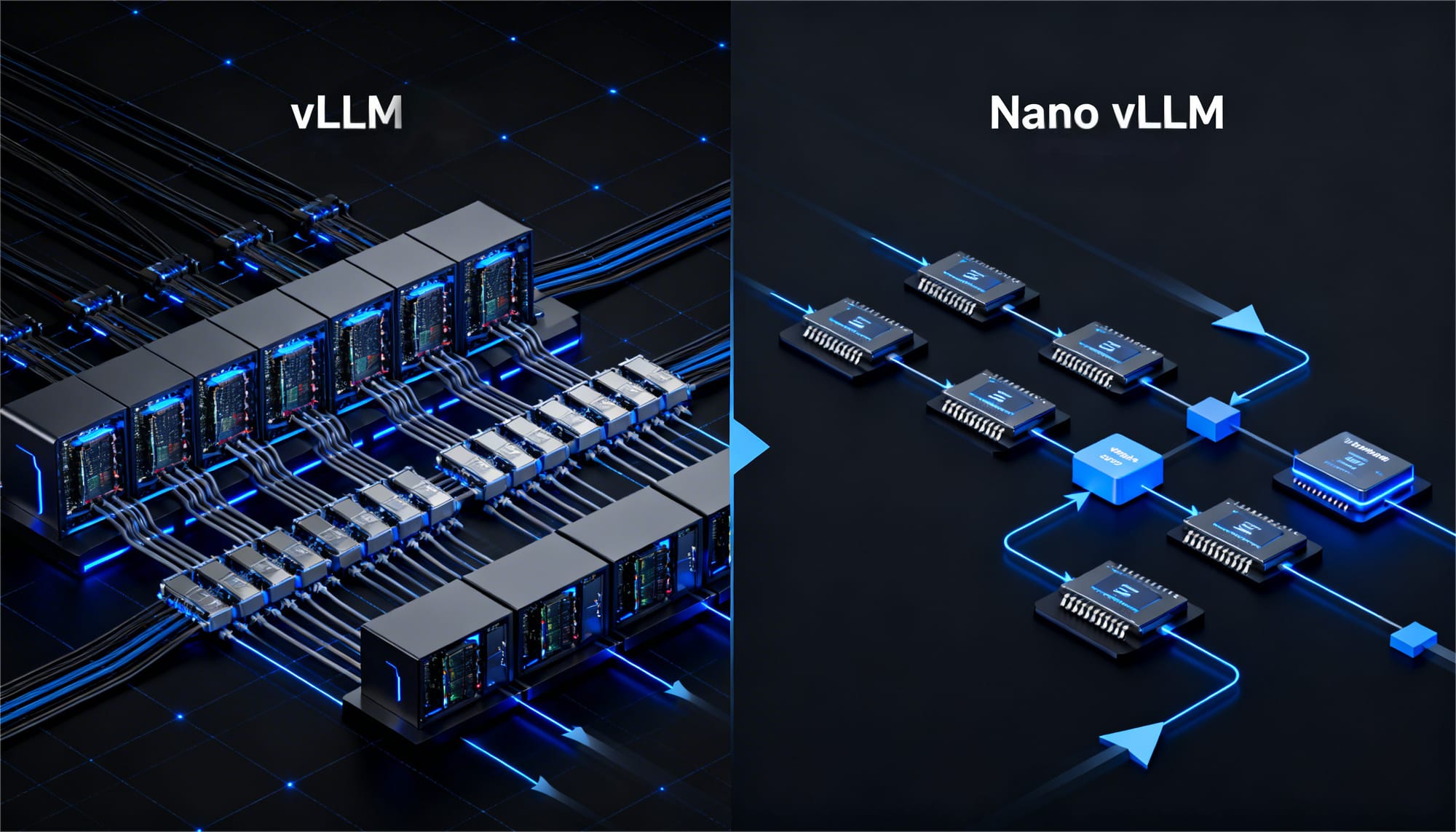
That’s where inference engines come in. Tools like vLLM are built to maximize throughput and memory efficiency using techniques like PagedAttention. But not every use case needs that level of scale.
I’ve also seen growing interest in Nano vLLM, a lightweight alternative designed for simpler setups, local environments, and faster experimentation.
In this guide, I’ll break down how vLLM and Nano vLLM actually work, where each one fits, and how to choose the right inference engine based on your use case.
What is vLLM?
vLLM is an open-source inference engine designed to run large language models efficiently by improving memory usage, token processing, and request handling. It makes it easier to serve models like LLaMA and Mistral at scale.
One of its key features is PagedAttention, which manages the key-value (KV) cache more efficiently during text generation. This reduces memory fragmentation and improves overall performance.
In many real-world systems, inference becomes the bottleneck due to poor memory handling and inefficient token processing. vLLM addresses this by making better use of GPU resources, enabling faster responses and higher concurrency.
Because of these optimizations, vLLM is widely used in production environments where large models need to handle multiple users reliably.
What is Nano vLLM?
Nano vLLM is a lightweight inference engine inspired by vLLM, designed to run large language models efficiently in smaller environments like local machines or limited GPU setups.
It focuses on simplicity and ease of use, making it easier to experiment with efficient inference and memory handling without complex infrastructure.
Unlike vLLM, which is built for large-scale production systems, Nano vLLM is better suited for learning, prototyping, and running models on a smaller scale.
Why Efficient LLM Inference Matters?
Running a large language model is not just about loading it and generating responses. In practice, most performance issues come from how the model is served, not the model itself.
Inference often becomes the biggest bottleneck due to:
- high GPU memory usage
- slow response times
- inefficient request handling
Even small inefficiencies at this stage can significantly increase costs and reduce user experience at scale.
This is why inference engines like vLLM and Nano vLLM are critical. They optimize how models use memory, process tokens, and handle multiple requests, making AI systems faster, more scalable, and more cost-efficient.
Key Differences Between vLLM and Nano vLLM
| Feature | vLLM | Nano vLLM |
Primary Goal | High-performance inference for large-scale deployments | Lightweight inference for smaller setups |
Architecture | Advanced memory optimization with PagedAttention | Simplified architecture |
Hardware Usage | Designed for GPUs and production environments | Works well on limited hardware |
Scalability | Supports high concurrency and large models | Better suited for experimentation |
Deployment Complexity | Moderate to complex | Very simple |
In short, vLLM focuses on performance and scalability, while Nano vLLM focuses on simplicity and accessibility.
Architecture Overview
vLLM is designed to maximize GPU efficiency by improving how memory and token processing are handled during inference. Instead of treating requests one by one, it optimizes how multiple requests share resources in real time.
Key Components
PagedAttention
PagedAttention manages the key-value (KV) cache in smaller memory blocks instead of large continuous chunks. This reduces memory fragmentation and allows the system to reuse GPU memory more efficiently across multiple requests.
Continuous Batching
Instead of waiting for one batch to finish before starting another, vLLM dynamically schedules incoming requests. This keeps the GPU consistently active, improving throughput and reducing idle time.

Walk away with actionable insights on AI adoption.
Limited seats available!

Token-Level Scheduling
vLLM processes tokens at a granular level, allowing multiple requests to run in parallel. This ensures better resource utilization and faster response times, especially under high load.
Together, these optimizations make vLLM highly efficient for production systems where multiple users interact with models at the same time.
Nano vLLM simplifies many of these mechanisms to make deployment easier. While it doesn’t include the full complexity of vLLM, it still provides faster and more efficient inference compared to basic implementations.
When to Use vLLM?
vLLM is best suited for scenarios where performance, scalability, and efficient resource usage are critical. It’s designed for systems where multiple users interact with large models in real time.
Use vLLM if:
- You are building production AI applications or APIs
If your application needs to serve real users consistently, vLLM helps ensure stable performance and reliable response times.
- You need to handle high concurrency or user traffic
vLLM is optimised for multiple simultaneous requests, making it ideal for chat platforms, SaaS tools, or enterprise systems.
- Low latency and high throughput are important
If response speed directly impacts user experience, vLLM’s scheduling and batching help keep outputs fast even under load.
- You are running large models on GPUs
For models with billions of parameters, vLLM improves how GPU memory is used, reducing bottlenecks and improving efficiency.
- You want to optimise memory usage and reduce inference costs
Better memory management means fewer hardware requirements and lower costs, especially at scale.
In real-world systems, even small inefficiencies in inference can significantly increase costs and slow down applications. vLLM helps avoid that by making better use of available resources.
When to Use Nano vLLM?
Nano vLLM is best suited for scenarios where simplicity, flexibility, and quick setup matter more than large-scale performance. It’s ideal for developers who want to run and experiment with models without complex infrastructure.
Use Nano vLLM if:
- You are experimenting with LLMs locally
If you’re testing prompts, workflows, or model behavior, Nano vLLM gives you a lightweight setup without needing full production infrastructure.
- You have limited hardware or smaller GPU resources
Nano vLLM is designed to work efficiently on local machines or smaller GPUs, making it accessible without high-end hardware.
- You want a simple and quick deployment setup
Unlike production-grade systems, Nano vLLM reduces setup complexity, allowing you to get started faster with minimal configuration.
- You are building prototypes or early-stage applications
For MVPs, internal tools, or proofs-of-concept, Nano vLLM helps you validate ideas before scaling to more complex systems.
- You want to understand how LLM inference works
Its simplified architecture makes it easier to learn and experiment with how models handle memory, tokens, and generation.
Nano vLLM is not built for heavy production workloads, but it provides a fast and accessible way to work with LLM inference in smaller environments.
vLLM vs Nano vLLM Performance Comparison
The performance of vLLM and Nano vLLM depends heavily on the scale of your workload, hardware, and concurrency requirements. They are optimized for different scenarios, so comparing them directly requires context.
| Metric | vLLM | Nano vLLM |
Throughput | Very high, optimized for concurrent users | Moderate, best for smaller workloads |
Latency | Low at scale due to batching and scheduling | Low for single or small requests |
Memory Efficiency | Highly optimized with advanced memory management | Moderately optimized |
Scalability | Designed for high-traffic systems | Limited scalability |
Deployment Complexity | Higher, requires setup and tuning | Very simple and quick to deploy |
A Simple Python Demo
Here’s a minimal Python example to run LLM inference using vLLM.
Step 1: Install
pip install -q vllm transformers accelerate

Step 2: vLLM Inference
from vllm import LLM, SamplingParams
# IMPORTANT: use a smaller instruct model to avoid memory crash
model_name = "TinyLlama/TinyLlama-1.1B-Chat-v1.0"
# Load model
llm = LLM(
    model=model_name,
    dtype="float16",   # required for GPU
    trust_remote_code=True
)
# Sampling settings
sampling_params = SamplingParams(
    temperature=0.7,
    top_p=0.9,
    max_tokens=150
)
# Prompt
prompts = ["Explain AI in simple terms"]
# Generate
outputs = llm.generate(prompts, sampling_params)
# Print output
for output in outputs:
    print("Prompt:", output.prompt)
    print("Response:", output.outputs[0].text)


Batch Demo
prompts = [
    "What is machine learning?",
    "Explain neural networks simply",
    "What is NLP?"
]
outputs = llm.generate(prompts, sampling_params)
for output in outputs:
    print("\nPrompt:", output.prompt)
    print("Response:", output.outputs[0].text)
Here’s a minimal Python example to run LLM inference using nano vLLM.
Step 1: Install Required Libraries
# Install nano-vLLM and required dependencies
import sys


!{sys.executable} -m pip install -U pip
!{sys.executable} -m pip install git+https://github.com/GeeeekExplorer/nano-vllm.git --no-deps
!{sys.executable} -m pip install transformers huggingface_hub xxhash torch
Step 2: Run a Simple nano-vLLM Inference Example
# Import libraries
import torch
import os
import pathlib
from huggingface_hub import snapshot_download


# Download Qwen3 model
model_path = snapshot_download(
    repo_id="Qwen/Qwen3-0.6B",
    local_dir="./Qwen3-0.6B",
    local_dir_use_symlinks=False
)


print("Model downloaded to:", model_path)


# Patch nano-vLLM RoPE incompatibility with Qwen3
file_path = pathlib.Path("/usr/local/lib/python3.11/dist-packages/nanovllm/models/qwen3.py")


code = file_path.read_text()


patched_code = code.replace(
"rope_scaling=rope_scaling,",
"""
# Patch for nano-vLLM compatibility
rope_scaling=None,
"""
)


file_path.write_text(patched_code)


print("nano-vLLM patched successfully")


# Import nano-vLLM after patch
from nanovllm import LLM, SamplingParams


# Verify GPU
print("CUDA available:", torch.cuda.is_available())


# Load model
llm = LLM(
    "./Qwen3-0.6B",
    enforce_eager=True,
    tensor_parallel_size=1
)


# Sampling parameters
sampling_params = SamplingParams(
    temperature=0.6,
    max_tokens=128
)


# Run inference
prompts = [
    "Explain nano-vLLM in one paragraph.",
    "Write a simple Python hello world program."
]


outputs = llm.generate(prompts, sampling_params)


for i, out in enumerate(outputs):
    print(f"\n---- Output {i+1} ----")
    print(out["text"])
Example Output
Prompt:
Walk away with actionable insights on AI adoption.
Limited seats available!
"Explain how large language models generate text."
Output:
Large language models generate text by predicting the most probable next token based on the context of previously generated tokens. The model uses transformer architecture and attention mechanisms to understand relationships between words and produce coherent responses.
Frequently Asked Questions
What is vLLM used for?
vLLM is used to run large language models efficiently in production systems. It helps improve throughput, reduce latency, and optimize GPU memory usage when serving models at scale.
What is Nano vLLM?
Nano vLLM is a lightweight inference engine inspired by vLLM. It is designed for smaller setups, making it ideal for local development, experimentation, and prototyping.
Is Nano vLLM faster than vLLM?
Not necessarily. Nano vLLM can feel fast for small workloads, but vLLM performs better in high-concurrency environments due to its advanced batching and memory optimization.
When should developers use Nano vLLM?
Developers should use Nano vLLM when working on local projects, testing ideas, or building prototypes where simplicity and quick setup matter more than scalability.
Does vLLM support large models?
Yes, vLLM is designed to efficiently run large transformer-based models, including models with billions of parameters, making it suitable for production use.
Which one is better for production systems?
vLLM is generally the better choice for production systems because it is optimized for scalability, performance, and handling multiple users simultaneously.
Conclusion
Choosing the right inference engine is just as important as choosing the model itself. In many real-world applications, performance issues come from how the model is served, not the model.
vLLM and Nano vLLM solve this problem in different ways. vLLM is built for scale, making it ideal for production systems that require high throughput and efficient resource usage. Nano vLLM, on the other hand, focuses on simplicity, making it a great choice for experimentation, local development, and smaller workloads.
The right choice depends on your use case. If you’re building systems for real users at scale, vLLM is the better option. If you’re exploring, prototyping, or working with limited resources, Nano vLLM provides a faster and more accessible starting point.
Understanding these trade-offs helps you build AI applications that are not just powerful, but also efficient and practical to run.

Tejaswini Baskar
Walk away with actionable insights on AI adoption.
Limited seats available!