Healthcare App Development: Complete Guide & Features
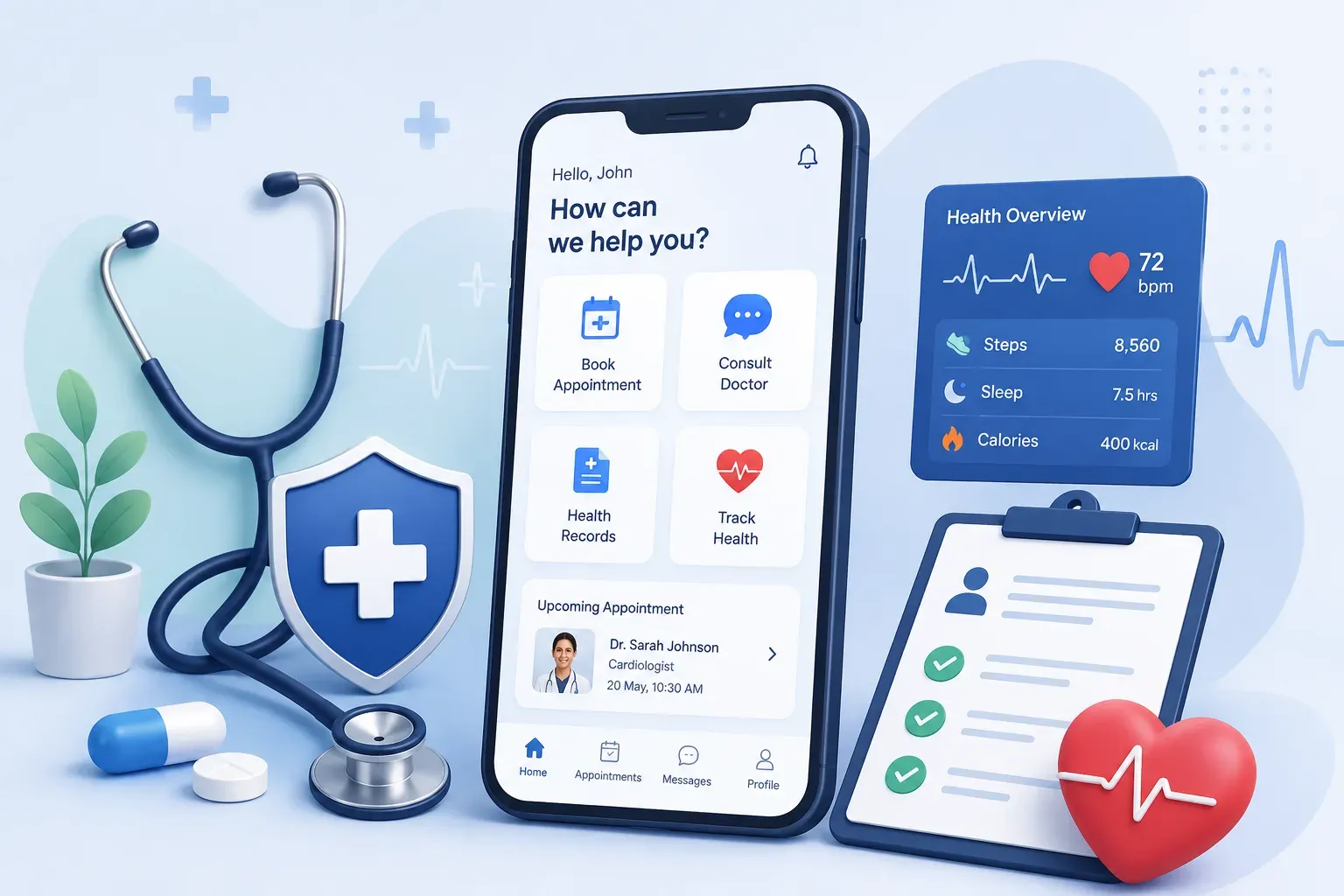
Healthcare app development is not just about building an app with appointments, chat, and payments. A healthcare app handles sensitive patient data, real care workflows, compliance requirements, and user trust.
This is where many healthcare products become difficult to build. Patients need a simple experience, doctors need accurate information, and businesses need secure systems that can scale without creating operational risk.
In this guide, we’ll break down healthcare app development, including types of healthcare apps, must-have features, advanced features, the development process, compliance, cost, and common mistakes to avoid.
What Is Healthcare App Development?
Healthcare app development is the process of designing and building secure digital platforms for patients, doctors, clinics, hospitals, and healthcare businesses. These apps help manage care workflows such as appointments, teleconsultations, medical records, prescriptions, billing, patient monitoring, and communication.
Unlike regular app development, healthcare application development must account for sensitive health data, role-based access, regulatory compliance, secure integrations, and high user trust. A well-built healthcare app should make care easier to access while keeping patient information protected.
Types of Healthcare Apps
Healthcare apps can be built for different users and workflows. The right type depends on whether the app is meant for patients, doctors, clinics, hospitals, pharmacies, or healthcare businesses.
Common types of healthcare apps include:
- Patient apps: Help users book appointments, access reports, track health records, receive reminders, and communicate with providers.
- Doctor and provider apps: Help doctors manage schedules, view patient history, conduct consultations, and update treatment notes.
- Telemedicine apps: Allow patients and doctors to connect through video calls, chat, prescriptions, and follow-up care.
- Remote patient monitoring apps: Track patient vitals, symptoms, or recovery data using connected devices or manual inputs.
- Hospital and clinic management apps: Support appointments, billing, staff workflows, patient records, and administrative operations.
- Pharmacy and medication apps: Help users order medicines, manage prescriptions, track refills, and receive dosage reminders.
- Wellness and fitness apps: Support preventive care through habit tracking, fitness plans, nutrition, sleep, and lifestyle monitoring.
Each app type has different feature, compliance, and integration needs. That is why healthcare mobile app development should begin with the user, workflow, and care outcome the app is meant to improve.
Essential Features of Healthcare Apps
The features of a healthcare app depend on the type of product, user, and care workflow. Still, most healthcare apps need a few core features to make the experience useful, secure, and easy to manage.
| Feature | What It Does |
User Registration and Login | Allows patients, doctors, admins, or staff to create accounts and access the app securely. It should include secure authentication and role-based access. |
User Profiles | Stores important user details such as patient information, doctor profiles, contact details, medical history, or clinic information. |
Appointment Booking | Helps patients schedule consultations with doctors based on availability, specialty, location, or consultation type. |
Doctor Availability Management | Allows doctors or clinics to manage schedules, consultation slots, leaves, and appointment changes from one place. |
Teleconsultation | Enables video or audio consultations between patients and healthcare providers, especially for remote care and follow-ups. |
Secure Chat and Messaging | Lets patients and doctors communicate safely for follow-ups, quick questions, reports, or care instructions. |
Electronic Health Records Access | Helps users view medical history, prescriptions, lab reports, diagnosis notes, and treatment records in one place. |
Prescription Management | Allows doctors to create digital prescriptions and patients to access, download, or share them when needed. |
Medication Reminders | Sends reminders for medicines, dosage schedules, refills, follow-ups, or upcoming appointments. |
Payment Integration | Allows users to pay for consultations, tests, subscriptions, or other healthcare services securely through the app. |
Notifications and Alerts | Keeps users updated about appointments, reports, prescriptions, payment status, reminders, and care instructions. |
Admin Dashboard | Helps healthcare businesses manage users, doctors, appointments, payments, reports, content, and operational activity. |
Role-Based Access Control | Ensures patients, doctors, admins, and staff can only access the information and features relevant to their role. |
Data Security and Privacy Controls | Protects sensitive patient information through encryption, secure APIs, access control, and privacy-focused design. |
These essential features create the foundation for reliable healthcare mobile app development. The goal is not to add every feature at once, but to choose the features that support the app’s core healthcare workflow.
Healthcare App Development Process
Healthcare app development should not start with screens or features. It should start with the healthcare workflow that the app is expected to improve.
The process must consider patients, providers, compliance, data security, integrations, and long-term scalability from the beginning.
Step 1: Define the Healthcare Workflow
Start by identifying the exact care workflow the app will support. This could be appointment booking, teleconsultation, prescription management, patient monitoring, lab report access, or clinic operations.
The clearer the workflow, the easier it becomes to decide features, user roles, integrations, and compliance needs.
Step 2: Identify User Roles and Permissions
Healthcare apps usually have multiple users, such as patients, doctors, nurses, admins, caregivers, or pharmacy teams. Each user needs different access, actions, and information.
For example, a patient may view reports and book appointments, while a doctor may access medical history, write prescriptions, and update consultation notes.
Step 3: Choose MVP Features
Select only the features needed to make the first version useful. A healthcare MVP should not try to include every possible feature from day one.
Start with the features that support the main workflow, such as secure login, appointment booking, teleconsultation, patient records, reminders, payments, or admin management.
Step 4: Plan Compliance and Data Security
Security and compliance should be planned before development starts, not added later. Healthcare apps may handle sensitive patient data, medical records, prescriptions, payments, and doctor-patient communication.
Plan for encryption, role-based access, consent management, secure APIs, audit logs, data backup, and compliance requirements based on the market you operate in.
Step 5: Design Simple Healthcare UX
Healthcare users need clarity, speed, and trust. Patients should be able to book appointments, upload reports, join consultations, or view prescriptions without confusion.
Doctors and admins also need efficient workflows. If the app slows them down, they may avoid using it even if the features are useful.
Step 6: Build and Integrate the App
Once the workflow, features, and security plan are clear, the development team can build the app. This includes frontend, backend, database, APIs, admin panels, and third-party integrations.
Build Lean. Learn Fast.
Launch an MVP that saves money while proving your concept works.
Depending on the product, integrations may include payment gateways, video consultation tools, EHR/EMR systems, lab systems, pharmacy platforms, wearable devices, or notification services.
Step 7: Test for Security, Usability, and Reliability
Healthcare apps need deeper testing than regular apps. The app should be tested for performance, usability, access control, data flow, payments, notifications, video calls, and security risks.
Testing should also check whether each user role can complete their workflow correctly without accessing information they should not see.
Step 8: Launch, Monitor, and Improve
After launch, monitor how users interact with the app. Track appointment completion, consultation success, drop-offs, support issues, bugs, response times, and feature usage.
The best healthcare apps improve based on real user behavior. Post-launch updates should focus on better usability, stronger security, smoother workflows, and features that users actually need.
Healthcare App Compliance and Security
Healthcare app compliance and security should be planned from the first stage of development. Since these apps handle patient records, prescriptions, reports, payments, and doctor-patient communication, even a small security gap can affect trust and legal safety.
1. Data Privacy
Healthcare apps must protect sensitive patient information such as medical history, lab reports, prescriptions, personal details, and consultation records. Data should only be collected, stored, and used for clear healthcare purposes.
2. Secure User Authentication
The app should verify users before giving access to medical data. Features like strong passwords, OTP login, multi-factor authentication, and session management help reduce unauthorized access.
3. Role-Based Access Control
Patients, doctors, nurses, admins, and support teams should not have the same access. Role-based access ensures each user can only view or manage the information required for their role.
4. Data Encryption
Patient data should be encrypted while stored and while moving between systems. This helps protect sensitive information during login, consultation, report sharing, payment, and API communication.
5. Consent Management
Users should know what data is being collected and how it will be used. Consent management is especially important when sharing records with doctors, labs, pharmacies, or third-party systems.
6. Audit Logs
Healthcare apps should keep records of important actions, such as who accessed patient data, when records were updated, or when prescriptions were shared. This helps with accountability and issue tracking.
7. Secure Integrations
Many healthcare apps connect with EHR systems, payment gateways, video tools, labs, pharmacies, or wearable devices. These integrations should use secure APIs and follow proper data protection standards.
8. Compliance Requirements
Depending on the market, healthcare apps may need to follow regulations such as HIPAA in the US or GDPR in Europe. These rules guide how sensitive health data should be stored, accessed, shared, and protected.
Security should not be treated as a final checklist before launch. It should be part of the app architecture, user access, database design, integrations, testing, and long-term maintenance.
Healthcare App Development Cost
Healthcare app development cost depends on the app type, feature complexity, platform, compliance needs, integrations, and development team. A simple healthcare MVP usually costs less than a telemedicine platform, EHR-integrated system, or AI-powered medical app.
Based on 2026 industry estimates, healthcare app development can range from $40,000 to $300,000+, depending on complexity. Basic apps with appointment booking and patient profiles may fall on the lower side, while telemedicine apps, remote monitoring platforms, and compliance-heavy systems cost more.
Cost by App Complexity
| App Complexity | Estimated Cost | Best For |
Basic Healthcare MVP | $40,000 – $80,000 | Appointment booking, patient profiles, reminders, basic admin panel |
Mid-Level Healthcare App | $80,000 – $150,000 | Teleconsultation, secure chat, payments, prescriptions, dashboards |
Advanced Healthcare Platform | $150,000 – $300,000+ | EHR/EMR integration, remote monitoring, AI features, multi-role workflows |
Key Factors That Affect Cost
- App type: Telemedicine, pharmacy, patient portal, clinic management, and remote monitoring apps have different development needs.
- Feature complexity: Video calls, prescriptions, reports, payments, analytics, and admin workflows increase cost.
- Compliance and security: HIPAA-ready architecture, encryption, audit logs, access control, and security testing add to the budget.
- Integrations: EHR/EMR systems, labs, pharmacies, payment gateways, wearables, and video APIs can increase development effort.
- Platform choice: Building for web, iOS, Android, or cross-platform affects both cost and timeline.
- Post-launch maintenance: Healthcare apps need ongoing updates, security monitoring, bug fixes, and compliance improvements.
The best way to control cost is to start with a focused healthcare MVP. Build the core workflow first, validate it with users, and then add advanced features like AI, wearables, analytics, or deeper integrations.
Common Mistakes to Avoid in Healthcare App Development
Healthcare app development can become risky when teams build features without thinking through compliance, workflows, usability, and data security. Avoiding these mistakes early can reduce rework and improve adoption after launch.
Mistake 1: Treating Compliance as a Final Step
Compliance should not be added at the end of development. Healthcare apps may handle patient records, prescriptions, reports, and personal health data, so security, consent, access control, and audit logs should be planned from the start.
Mistake 2: Building Too Many Features in the First Version
Adding too many features can make the app harder to use and more expensive to build. A better approach is to start with the core healthcare workflow, validate it with users, and then expand based on real needs.
Mistake 3: Ignoring the User Experience
Patients, doctors, and admins use healthcare apps in different ways. If the app is confusing, slow, or difficult to navigate, users may avoid it even if the features are useful.
Mistake 4: Underestimating Data Security
Healthcare apps need stronger security than regular apps. Weak authentication, poor encryption, unsafe APIs, or unclear access permissions can put sensitive patient information at risk.
Build Lean. Learn Fast.
Launch an MVP that saves money while proving your concept works.
Mistake 5: Not Planning Integrations Early
Many healthcare apps need to connect with EHR systems, labs, pharmacies, payment gateways, video tools, or wearable devices. If integrations are not planned early, the app may face delays, technical issues, or workflow gaps later.
Mistake 6: Skipping Proper Testing
Healthcare apps should be tested for usability, performance, security, data flow, payments, notifications, and role-based access. Testing is important because even small issues can affect trust and care delivery.
Mistake 7: Building Without Understanding Real Healthcare Workflows
A healthcare app should support how patients, doctors, clinics, or hospitals actually work. If the app does not fit the real workflow, it may look good on paper but fail in daily use.
Avoiding these mistakes helps build a healthcare app that is secure, usable, compliant, and easier to scale.
How F22 Labs Helps Build Healthcare Apps
At F22 Labs, we help healthcare businesses build secure, scalable, and user-friendly healthcare apps around real care workflows. We start by understanding the users, app goals, compliance needs, data flow, and core features required for the first version.
Our team supports healthcare app development from product planning to design, development, integrations, testing, and post-launch improvements. Whether you need a patient app, telemedicine platform, clinic management app, or custom healthcare solution, we help you build with usability, security, and scalability in mind.
The goal is to create healthcare apps that are not just functional, but practical for patients, doctors, admins, and healthcare teams to use every day.
Conclusion
Healthcare app development requires more than building a set of digital features. A successful app should support real healthcare workflows, protect sensitive patient data, and make the experience simple for patients, doctors, and admins.
The right approach starts with a clear problem, essential features, secure architecture, compliance planning, and careful testing. This helps reduce risk and build a product users can trust.
Whether you are building a patient app, telemedicine platform, clinic management system, or custom healthcare solution, start with the core workflow first and scale the app based on real user needs.
Frequently Asked Questions
What is healthcare app development?
Healthcare app development is the process of building secure web or mobile apps for patients, doctors, clinics, hospitals, pharmacies, or healthcare businesses.
How much does healthcare app development cost?
Healthcare app development usually costs between $40,000 and $300,000+, depending on features, app type, compliance needs, integrations, and platform.
How long does it take to build a healthcare app?
A basic healthcare MVP can take 3 to 5 months. More complex apps with telemedicine, EHR integration, AI, or remote monitoring may take longer.
What are the must-have features of a healthcare app?
Common features include user profiles, appointment booking, teleconsultation, secure messaging, medical records, prescriptions, payments, notifications, and an admin dashboard.
What types of healthcare apps can be developed?
You can build patient apps, doctor apps, telemedicine apps, remote patient monitoring apps, clinic management apps, pharmacy apps, and wellness apps.
Why is compliance important in healthcare application development?
Compliance helps protect sensitive patient data and reduces legal, security, and trust risks. It should be planned before development begins.
Is healthcare mobile app development different from regular app development?
Yes. Healthcare mobile app development needs a stronger focus on data privacy, security, compliance, role-based access, integrations, and user trust.
Should I build a healthcare MVP first?
Yes. A healthcare MVP helps validate the core workflow, user experience, and business need before investing in advanced features or complex integrations.