- Gemini CLI is an open-source terminal agent that uses a reason-and-act loop, built-in tools, and MCP servers to work with files, shell commands, codebases, and development tasks.
- Change the prerequisite from Node.js 18+ to Node.js 20.0.0+.
- For normal temporary use, recommend
npx @google/gemini-cli. The GitHub URL runs the project directly from its main branch and is better positioned as an option for testing unreleased changes.- Use
npm install -g @google/gemini-cli for the standard global installation. Remove sudo from the main instruction because it is not part of Google’s recommended npm command.- The authentication section requires a major update. Since June 18, 2026, consumer access through Sign in with Google stopped working for free individual, Google AI Pro, and Google AI Ultra accounts. Gemini Code Assist Standard and Enterprise access remains available.
- Remove the fixed claims of 60 requests per minute, 1,000 requests per day, 10 requests per minute, and 250 requests per day. Current limits depend on the authentication method, model, subscription, and Google Cloud project.
- Gemini API keys and Vertex AI remain documented authentication options. Vertex AI can use Application Default Credentials, a service-account key, or a Google Cloud API key.
AI coding assistants are evolving beyond browser tabs and editor plugins. Developers now want AI tools directly inside the terminal, where coding, testing, Git workflows, and deployments already happen. Google Gemini CLI is built for exactly that shift.
Released in June 2025, Gemini CLI brings Google Gemini models into the command line to help with coding, debugging, automation, and understanding large codebases without breaking your workflow. It turns the terminal into a smarter workspace where you can move faster and solve tasks in one place.
In this guide, I’ll explain what Gemini CLI is, how to install it, and how to start using it effectively.
What is Gemini CLI?
Gemini CLI is an AI-powered command-line assistant from Google that runs directly inside your terminal. It is built for developers who want help with coding, debugging, scripting, and project workflows without leaving the command line.
Unlike a standard chatbot, Gemini CLI can understand development tasks, inspect files, generate code, explain errors, assist with Git operations, and automate repetitive commands. It uses a reasoning-and-action approach, allowing it to analyze requests, decide the next step, and interact with local tools or connected servers when needed.
In simple terms, Gemini CLI turns your terminal into a smarter workspace, helping you build and troubleshoot faster while staying inside your normal workflow.
How to Get Started and Install Google CLI?
Before installing Gemini CLI, make sure Node.js version 18 or higher is installed on your system. You can verify this by running:
Option 1: Use without installing
You can try it instantly using:
npx https://github.com/google-gemini/gemini-cliNo setup required.
Option 2: Install it globally
If you plan to use it often, install Google CLI globally so you can launch Gemini anytime from your terminal.
sudo npm install -g @google/gemini-cliAfter installation, just type gemini in your terminal to launch it.
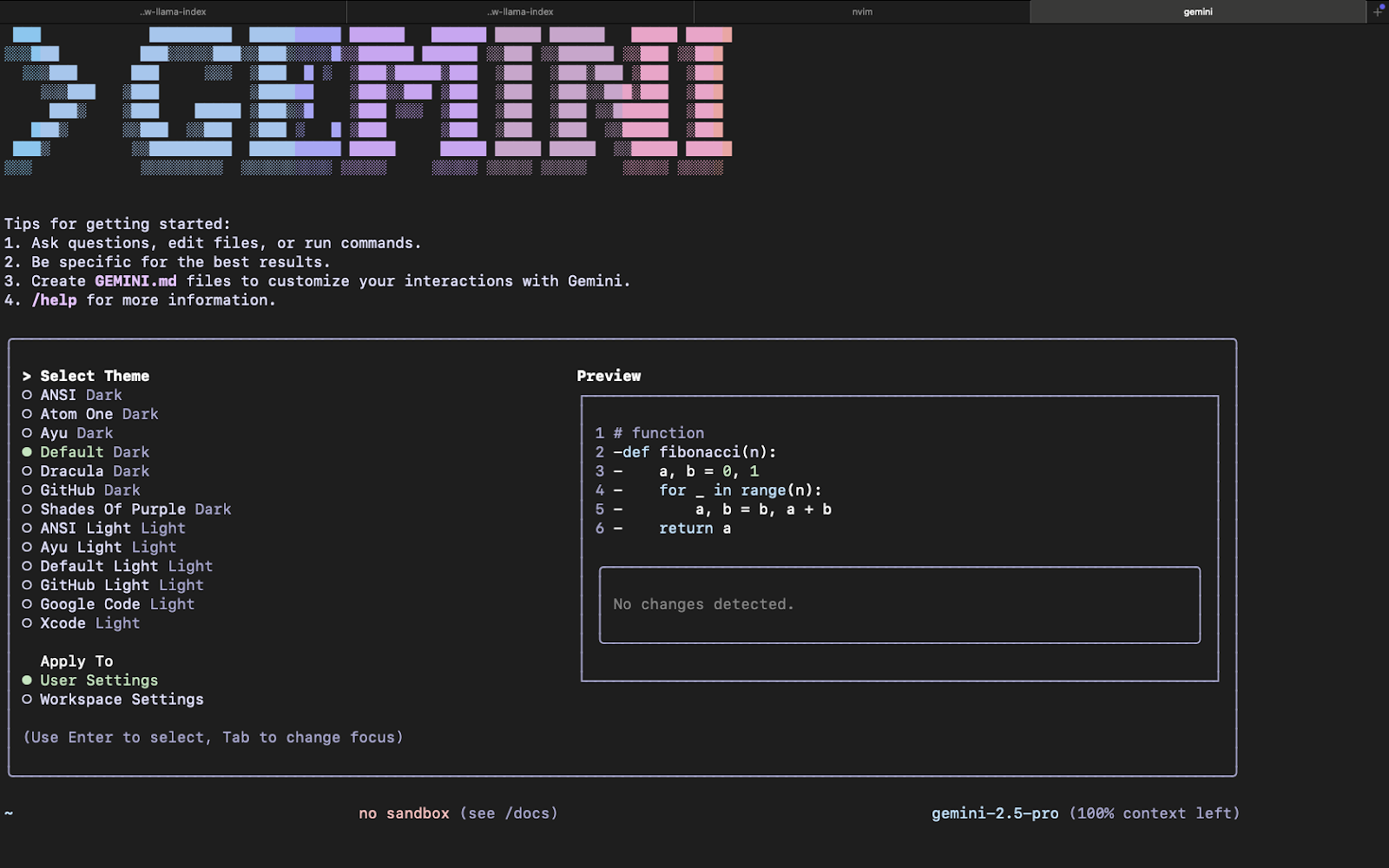
Select your desired theme and press Enter.
When Gemini CLI opens for the first time, it will guide you through authentication. Once completed, you’re ready to start using AI commands directly from your terminal.

Walk away with actionable insights on AI adoption.
Limited seats available!

Authentication Options for Using Gemini CLI
When Gemini CLI starts for the first time, you’ll be asked to sign in. You can choose from three authentication methods depending on your setup and usage needs.
1. Sign in with Google
The easiest option for most users. It gives access to Gemini with a free usage tier.
- 60 requests per minute
- 1,000 requests per day
2. Use a Gemini API Key
Best for developers who want direct API access or higher limits. Add your API key in a .env file:
GEMINI_API_KEY=your_api_keyOr export it directly in your terminal:
export GEMINI_API_KEY=your_api_keyFree Tier:
- Flash model only
- 10 requests per minute
- 250 requests per day
Paid Tier:
- Higher quotas based on your plan
3. Use Vertex AI
Best for enterprise teams already using Google Cloud. It supports production workloads with quotas based on your Google Cloud tier.
Choose the option that matches your workflow, casual use, developer testing, or enterprise deployment.
What Can Gemini CLI Do?
Gemini CLI is more than a terminal chatbot. It can actively assist with real development and workflow tasks directly from the command line. Here are some of its most useful capabilities:
1. Understand Large Codebases
Ask questions about your project files, trace logic across folders, explain unfamiliar code, or quickly understand large repositories without manual digging.
2. Generate Apps from PDFs or Sketches
Use Gemini’s multimodal abilities to turn documents, wireframes, or rough designs into working code and project scaffolds.
3. Automate DevOps Tasks
Handle repetitive engineering work such as pull requests, rebases, shell commands, deployment scripts, and environment setup using simple prompts.
4. Extend with Tools and MCP Servers
Connect external tools and model context servers (MCPs) to unlock workflows like image generation, media creation, or custom automation.
5. Ground Answers with Google Search
Use built-in Google Search integration to fetch fresh information, documentation, and web context directly inside your terminal workflow.
Walk away with actionable insights on AI adoption.
Limited seats available!
6. Write, Debug, and Refactor Code
Generate functions, fix bugs, optimize code, and refactor existing files without leaving the command line.
Conclusion
Gemini CLI brings AI directly into the terminal, helping developers code, debug, automate tasks, and understand projects without leaving their workflow. Its combination of command-line speed, multimodal capabilities, and Google-powered intelligence makes it a practical tool for modern development teams.
Whether you're working on side projects or production systems, Gemini CLI can help reduce repetitive work and improve productivity. Teams adopting Gemini CLI should begin with low-risk development tasks, review every proposed command or file change, and gradually expand its access as the workflow becomes more reliable.
Frequently Asked Questions
1. What is Gemini CLI?
Gemini CLI is Google’s AI-powered command-line tool that helps developers code, debug, automate tasks, and interact with projects directly from the terminal.
2. How do I install Gemini CLI?
You can run it instantly with npx or install it globally using npm install -g @google/gemini-cli On systems with Node.js 18 or higher.
3. Is Gemini CLI free to use?
Yes, Gemini CLI offers free usage options through Google login or API keys, with request limits depending on the authentication method used.
4. What can Gemini CLI do?
It can write code, explain files, debug errors, automate workflows, manage Git tasks, and answer technical questions inside your terminal.
5. Can Gemini CLI understand large codebases?
Yes, Gemini CLI is designed to analyze large projects and help developers navigate unfamiliar code faster.
6. Who should use Gemini CLI?
Developers, DevOps engineers, students, and technical teams who want AI assistance directly in the command line can benefit from Gemini CLI.

Sharmila Ananthasayanam
I'm an AIML Engineer passionate about creating AI-driven solutions for complex problems. I focus on deep learning, model optimization, and Agentic Systems to build real-world applications.
Walk away with actionable insights on AI adoption.
Limited seats available!



