Serving large language models efficiently is a major challenge when building AI applications. As usage scales, systems must handle multiple requests simultaneously while maintaining low latency and high GPU utilization.
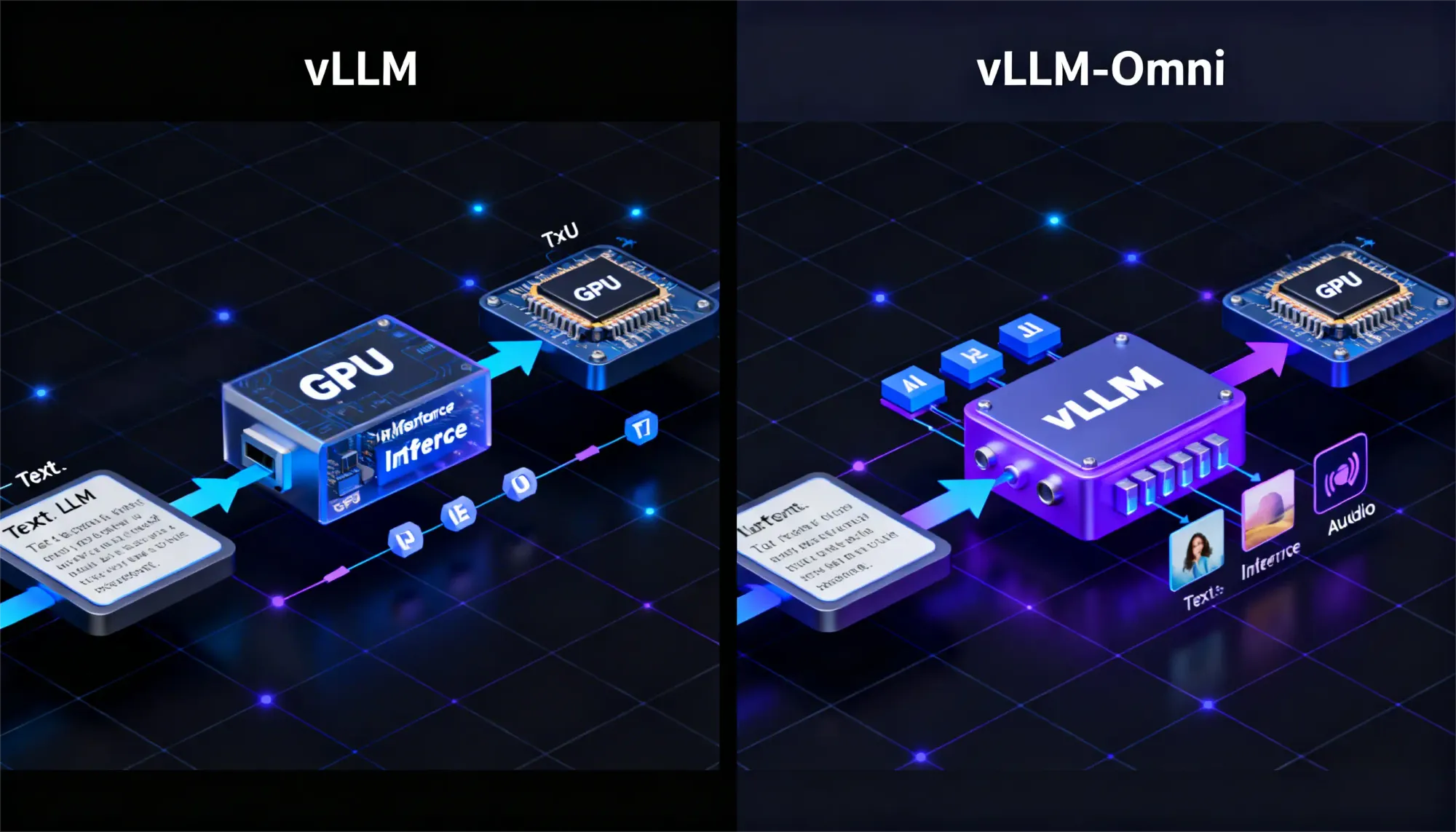
This is where inference engines like vLLM and vLLM-Omni become important. vLLM is designed to maximize performance for text-based LLM workloads, while vLLM-Omni extends the same architecture to support multimodal inputs such as images, audio, and video.
In this guide, we compare vLLM vs vLLM-Omni, exploring their architecture, performance optimizations, and real-world use cases to help you decide which solution fits your AI infrastructure.
What is vLLM?
vLLM is a production-grade inference engine designed to squeeze maximum performance from LLMs. Think of it as a specialized runtime that transforms how models handle concurrent requests, rather than just another model wrapper.
Its secret sauce lies in two breakthroughs:
- PagedAttention: Instead of allocating giant contiguous memory blocks for attention key-value caches, vLLM breaks them into smaller, non-contiguous pages like virtual memory in operating systems. This eliminates fragmentation and lets you serve more requests simultaneously.
- Continuous Batching: Traditional batching waits for fixed-size groups. vLLM dynamically adds new requests to running batches, keeping GPUs saturated without idle time.
This makes it a go-to for busy production apps like APIs or multi-user chats. Hands-on tests confirm it boosts output speed and handles crowds effortlessly, far beyond basic libraries.
What Is vLLM-Omni?
vLLM-Omni expands the capabilities of vLLM by introducing support for multimedia content which includes images,audio and video in addition to text. The system provides ideal functionality for applications which require users to create visual content through textual descriptions.
The system preserves its core efficient architecture while it maintains low system latency through various artistic development options. The testing results demonstrate that it can effectively process multiple input types which makes it suitable for developing future multimodal research tools.
Key Architectural Differences of vLLM and VLLM-Omni
vLLM uses PagedAttention to manage text processing through its system which enables model memory components to be efficiently stored and shared between different user requests while continuous batching keeps GPU processing functioning.
vLLM Omni uses multimodal processing to process input images until the main engine starts its operations. The system enables streaming and decoupling of its processing stages which improves performance while adding new functionalities without needing complete system reconstruction.
| Component | vLLM | vLLM-Omni |
Core Engine | PagedAttention + Continuous Batching | Same + Multimodal Frontend |
Memory Layout | 1D KV cache pages | 1D/2D/3D tensor pages |
Request Scheduling | KV-cache size based | Modality-aware + size based |
Preprocessing | Tokenization only | Vision/audio encoders → tokens |
Output Streaming | Token-by-token | Multimodal streaming |
Performance and Resource Usage of vLLM and vLLM-Omni
The theory behind the speed gains is elegantly simple both engines eliminate GPU waste through smarter organization.
vLLM: Why It's 4x Faster
Core insight: Traditional inference processes prompts sequentially. GPU finishes

vLLM flips this with parallel batching:

PagedAttention : Instead of reserving massive contiguous memory blocks for attention caches (which fragment and waste 50%+ VRAM), vLLM uses non-contiguous "pages." Like OS virtual memory—flexible, efficient, serves 2-3x more requests.

Walk away with actionable insights on AI adoption.
Limited seats available!

Continuous batching: No waiting for fixed batch sizes. New requests join running batches mid-stream. GPU utilization jumps from 30-50% → 90-95%.
vLLM-Omni: Multimodal Efficiency
Same core engine, plus preprocessing pipeline:

Modality-aware batching: Text-only requests don't wait behind image preprocessing. Mixed batches group similar input types.
Memory overhead: Vision/audio create 2D/3D tensors vs text's 1D. PagedAttention extends seamlessly—10-20% more VRAM, but still dramatically leaner than separate pipelines.
Feature Comparison of vLLM and vLLM-Omni
| Feature | vLLM | vLLM-Omni |
Input Types | Text | Text + Image/Audio/Video |
Batching | Continuous | Continuous + Pipelined |
Key Optimization | PagedAttention | Extended for Multi |
Throughput | Very High | High (scales well) |
Latency | Lowest for Text | Strong Overall |
GPU Management | Efficient | Efficient + Streaming |
Use Cases: When to Choose vLLM and vLLM-Omni
The choice between vLLM and vLLM-Omni depends on the type of workloads your application needs to handle.
Choose vLLM when your system focuses on text-based tasks:
- High-volume text generation, summarization, or translation
- APIs serving responses to multiple concurrent users
- Production systems where maximum text inference performance is the primary goal
Choose vLLM-Omni when your application requires multimodal capabilities:
- Text-to-image generation or visual question answering
- Multimodal chatbots that process text, images, or audio
- Interactive demos or applications combining visual and textual outputs
In short, vLLM is ideal for text-heavy production workloads, while vLLM-Omni enables multimodal AI applications that combine different input types.
Setup and Developer Experience of vLLM and vLLM-Omni
Getting vLLM or vLLM-Omni running is relatively simple. Many developers prefer Google Colab because it provides instant GPU access without needing local setup.
Both systems follow a similar workflow: install the package, load a model, and start generating outputs. On Windows machines, Colab is often easier to use since local environments may require additional configuration with Docker or WSL.
vLLM Quickstart (Text-Only Power)
Ready-to-run Colab:
Core steps:
- Enable GPU runtime (Runtime → Change runtime type → T4 GPU)
- Install: !pip install vllm
- Basic serving:
from vllm import LLM, EngineArgs from vllm.utils.argparse_utils import FlexibleArgumentParser def create_parser(): parser = FlexibleArgumentParser() EngineArgs.add_cli_args(parser) parser.set_defaults( model="Qwen/Qwen2.5-1.5B-Instruct", gpu_memory_utilization=0.65, max_model_len=4096, enforce_eager=True, ) sampling_group = parser.add_argument_group("Sampling parameters") sampling_group.add_argument("--max-tokens", type=int, default=64) sampling_group.add_argument("--temperature", type=float, default=0.7) sampling_group.add_argument("--top-p", type=float, default=0.9) sampling_group.add_argument("--top-k", type=int, default=50) return parser def main(args: dict): max_tokens = args.pop("max_tokens") temperature = args.pop("temperature") top_p = args.pop("top_p") top_k = args.pop("top_k") llm = LLM(**args) sampling_params = llm.get_default_sampling_params() sampling_params.max_tokens = max_tokens sampling_params.temperature = temperature sampling_params.top_p = top_p sampling_params.top_k = top_k prompts = [ "Hello, my name is", "The capital of France is", "Explain AI in one sentence", ] outputs = llm.generate(prompts, sampling_params) print("-" * 50) for output in outputs: print(f"Prompt: {output.prompt}") print(f"Generated: {output.outputs[0].text}") print("-" * 50) if __name__ == "__main__": parser = create_parser() args = vars(parser.parse_args()) main(args) |
Both systems begin with fast package installation because the documentation provides complete instructions for configuring models. Testing becomes simple through cloud notebooks which work better than local systems that fail to provide proper support.
vLLM-Omni: Here's where things get exciting. vLLM-Omni follows the exact same pattern as vLLM, but your prompts become {text: "Describe this", image: photo.jpg}.
from vllm_omni.entrypoints.omni import Omni
if __name__ == "__main__":
omni = Omni(model="Tongyi-MAI/Z-Image-Turbo")
prompt = "a cup of coffee on the table"
outputs = omni.generate(prompt)
images = outputs[0].request_output[0].images
images[0].save("coffee.png")
What trips people up (and fixes):- First-run warmup: Normal. Model + KV cache loading takes 1-2 minutes. Subsequent requests? Lightning.
- CUDA memory errors: Add quantization flags or pick smaller models. Both support AWQ/GPTQ.
Limitations of vLLM and vLLM-Omni
- vLLM operates only with text because it requires additional components for multimodal support.
- vLLM-Omni requires users to complete more configuration steps while introducing a small increase in text processing time.
Walk away with actionable insights on AI adoption.
Limited seats available!
The systems function as inference specialists because they do not possess training capabilities. Flexible libraries allow broad research testing whereas these solutions dominate at large-scale operations. Standard methods are sufficient for common low-traffic situations which do not require special tools.
The decision guide assists you in choosing between two options.
- You should consider the following options which require an exclusive text approach because vLLM delivers its maximum performance.
- The requirements for multimodal operations between different systems perform better in vLLM-Omni which provides testing capabilities across various applications.
- The system functions optimally for both high-traffic environments and shared model scenarios because it supports GPU performance enhancements. The first step in quick prototyping requires users to examine documentation which lists all available supported models. The system handles multiple simultaneous requests through its model-dependent splitting mechanism which manages batch operations effectively
IF text_only AND high_concurrency:
    use: vLLM
IF multimodal_inputs:
    use: vLLM-Omni
IF low_traffic OR single_user:
    Use : Transformers/Standard
Conclusion
vLLM establishes itself as the ultimate solution for rapid text delivery because of its exceptional performance in delivering content to users. The multimodal content delivery of vLLM-Omni extends its capabilities to multiple formats, which include audiovisual materials.
The decision between vLLM and Omni depends on your input requirements because vLLM delivers its maximum performance through text input, whereas Omni offers flexible functionality.
The tests demonstrate their ability to transform production processes, which enables you to test your system and expand your operations with full confidence.
Frequently Asked Questions
Can I use vLLM for training models?
No. vLLM is designed for inference and model serving, not for training or fine-tuning language models.
Is vLLM compatible with all LLMs?
vLLM supports many popular open-source models, but not every model is supported. It is best to check the official documentation for the list of compatible models.
Does vLLM-Omni support all modalities?
vLLM-Omni supports text, images, audio, and video, but the exact capabilities depend on the specific multimodal model being used.
How does vLLM handle parallel processing?
vLLM handles parallel processing through continuous batching and efficient memory management, allowing multiple prompts to be processed simultaneously on the GPU.
When is vLLM not necessary?
For small workloads, single-user applications, or low-traffic systems, standard inference frameworks like Transformers may be sufficient.
How can I fix memory errors when starting vLLM?
Memory errors can usually be resolved by enabling model quantization or using smaller models. Both vLLM and vLLM-Omni support multiple quantization methods.

Swathilakshmi B
AI/ML Intern focused on growing, experimenting, and contributing in the field of Artificial Intelligence.
Walk away with actionable insights on AI adoption.
Limited seats available!