Ever wondered why your RAG chatbot returns inconsistent or incomplete answers even when your embeddings and vector database look solid? I faced this exact challenge while refining a Retrieval-Augmented Generation (RAG) pipeline, and the root cause wasn’t the model or retrieval layer; it was chunking.
Chunking determines how documents are split before they are embedded and retrieved, and that single architectural decision directly impacts answer quality, latency, and infrastructure cost.

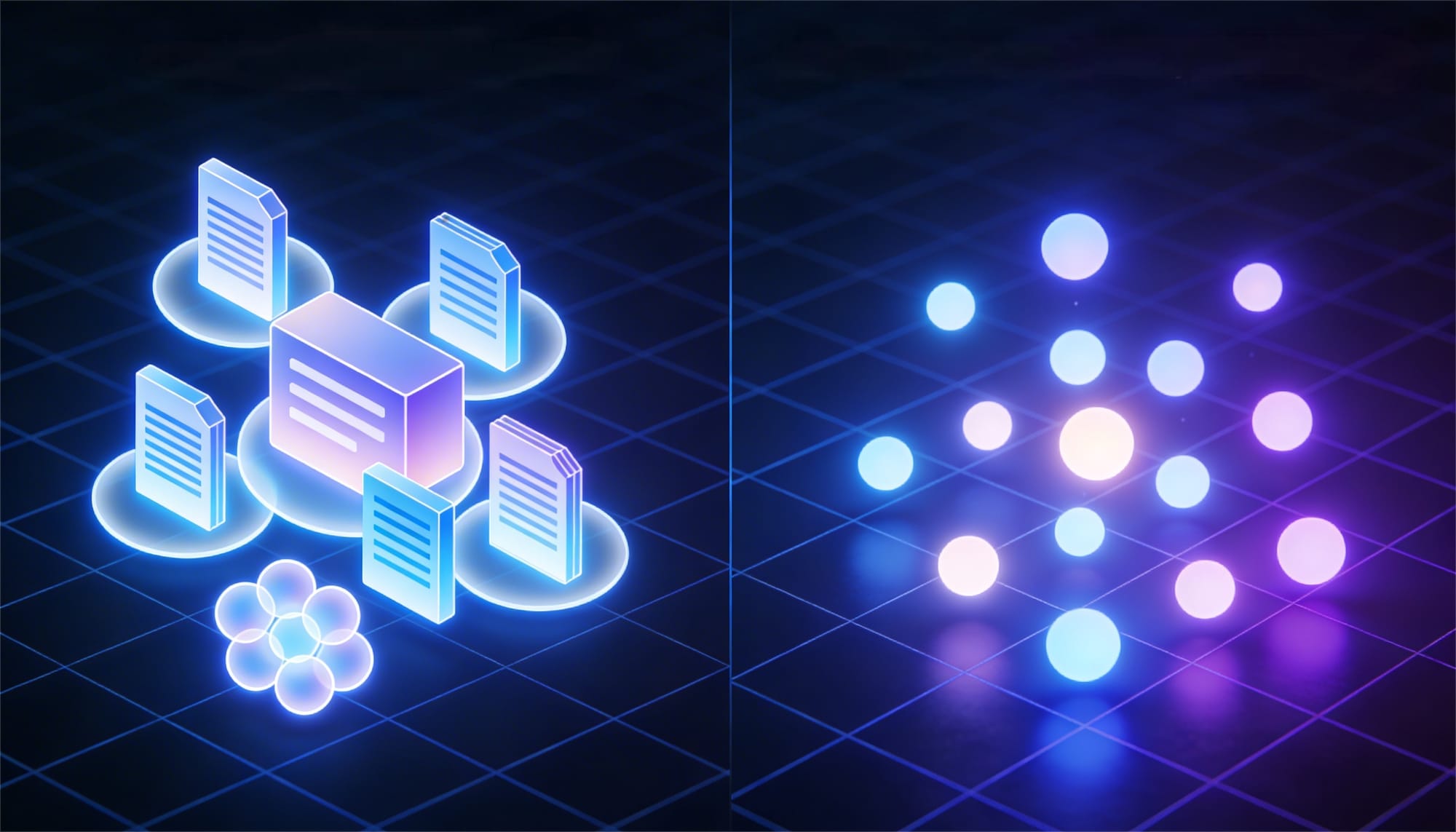
Pre-chunking prepares data upfront (split → embed → store). It delivers fast, predictable queries, but can miss nuance because splits are static.
Post-chunking delays splitting until after retrieval, creating context-aware chunks that improve relevance, but increase first-query latency.
The difference can shift accuracy by 20–30% and add seconds of response time in production systems. If you're building AI agents, enterprise knowledge bases, or experimental Colab RAG pipelines, choosing the wrong strategy leads to endless debugging at the retrieval layer.
This guide breaks down the trade-offs so you can design a chunking strategy that aligns with your document size, query complexity, and performance goals.
What Is Chunking in RAG Systems?
Chunking in RAG systems is a process of breaking large documents, such as PDFs, web pages, or datasets, into smaller, meaningful pieces called chunks. These chunks, typically 200–1,000 tokens long, are converted into vector embeddings and stored in a vector database for fast semantic retrieval.
This step is necessary because Large Language Models (LLMs) have context limits, and embedding models perform best on focused, coherent text. If chunks are too large, relevance weakens. If they are too small, the meaning gets fragmented.
Effective chunking preserves related ideas so that when a user asks a question, the system retrieves complete and contextually accurate information instead of scattered fragments.

What Is Pre-Chunking?
Pre-chunking in RAG systems is a document processing strategy where content is split into smaller chunks before embedding and storage in a vector database. Each chunk is created at ingest time, converted into vector embeddings, and stored for immediate retrieval during queries.
Because the splitting happens before any user question is asked, all documents are processed upfront using fixed chunk sizes and optional overlap. At query time, the system simply performs a similarity search over the pre-generated chunks and sends the most relevant ones to the LLM, resulting in fast and predictable retrieval performance.
Pre-Chunking Workflow in 4 Steps
- Load raw docs → PDFs, reviews, code files (your IMDB dataset).
- Split into chunks → Fixed size (512 tokens), add overlap (50 tokens) to preserve context.
- Embed each chunk → Convert to vectors using your embedding model (e.g., sentence-transformers).
- Store in vector DB → Pinecone, FAISS, Weaviate ready for instant queries.
Why It's Called "Pre"?
- Pre = Before queries. Everything's prepared upfront via batch jobs (run overnight).
- Query time? Just search vectors → return pre-made chunks → feed to LLM.
Core Characteristics of Pre-Chunking
Pre-chunking is defined by its predictable structure, upfront processing, and fast retrieval performance.
- Static chunk boundaries – Fixed size and overlap applied uniformly across all documents and queries.
- High upfront computation – Entire corpus is chunked and embedded during ingest, which can be costly for large datasets.
- Low query-time latency – Retrieval is fast (often sub-100ms) since no chunking happens at runtime.
Pre-Chunking Example in a RAG Pipeline
This example shows how documents are split and embedded upfront, enabling fast retrieval at query time.
text
Raw IMDB review (2000 tokens): "This movie was amazing... [long plot summary]... loved the acting!"
↓ Pre-chunk (512 tokens each)
Chunk 1: "This movie was amazing... [first 512]"
Chunk 2: "[Overlap 50] ...loved the acting! [next 512]"
→ Embed → Store
Query: "Was the acting good?" → Retrieves Chunk 2 instantly.
Pre-Chunking Workflow Diagram

What Is Post-Chunking?
Post-chunking in RAG systems is a document processing strategy where full documents are embedded first, and chunking happens only after relevant documents are retrieved during a query. Instead of splitting everything upfront, the system retrieves the most relevant document at the document level and then dynamically divides it into smaller, context-aware chunks.
Because chunking occurs at query time, the process adapts to the user’s question, often improving contextual relevance while increasing initial latency.
Post-Chunking Workflow in 5 Steps
- Embed full documents at ingest – Store document-level vectors without pre-splitting into chunks.
- Retrieve relevant documents at query time – Perform semantic search to identify the most relevant full documents.
- Apply dynamic chunking – Split only the retrieved documents using semantic or query-aware boundaries.
- Embed refined chunks – Generate fine-grained vectors from the newly created chunks.
- Pass relevant chunks to the LLM – Select the top matching chunks for generation and optionally cache them for future queries.

Walk away with actionable insights on AI adoption.
Limited seats available!

Why "Post"?
- Post = After retrieval, at query time
- Lazy processing → Only chunk what users actually need
- Cache chunks → Gets faster with repeated queries
Core Characteristics of Post-Chunking
Post-chunking is defined by query-driven processing and delayed refinement.
- Dynamic chunk boundaries – Chunk size and splitting strategy adapt to the query and document structure.
- Lower upfront processing cost – Only full documents are embedded at ingest, avoiding corpus-wide chunk creation.
- Higher initial query latency – First-time queries may be 2–5× slower due to runtime chunking.
- Context-aware refinement – Uses document-level retrieval to guide more precise, relevance-driven splits.
Post-Chunking Example in a RAG Pipeline
text
Query: "Acting quality in Inception?"
1. Retrieve full IMDB review (2000 tokens)
2. Post-chunk → "Nolan's direction... [acting paragraph]" (query aware)
3. LLM gets perfect context → "Outstanding ensemble cast"
Post-Chunking Example in a RAG Pipeline

8 Key Differences Between Pre-Chunking and Post-Chunking
The following comparison highlights the structural and operational differences between pre-chunking and post-chunking in RAG systems.
| # | Aspect | Pre-Chunking | Post-Chunking |
1 | When you chop | BEFORE any questions asked | AFTER finding relevant docs |
2 | What gets chunked | EVERYTHING (230 chunks upfront) | ONLY relevant docs (14 chunks) |
3 | What gets stored | 230 tiny chunks = 230 vectors | 2 full docs = 2 vectors |
4 | Speed | Instant (<100ms every time) | Slow first time (300ms+), fast after cache |
5 | Storage Cost | ₹230/month (230 vectors) | ₹2/month (2 vectors) |
6 | Total Upfront | 115x MORE EXPENSIVE | 95% CHEAPER |
7 | Setup | Super simple (1 step) | 2 steps (coarse → fine) |
8 | Best for | Small docs + demos | Production + large docs |
Advantages of Pre-Chunking
Pre-chunking shines when speed and simplicity matter most. Here are its key strengths:
- Lightning-fast queries: Everything's pre-processed, so retrieval takes <100ms every time no waiting at query time. Perfect for chatbots handling 1000s of users.
- Predictable performance: Fixed chunk sizes mean consistent latency. No surprises in production.
- Super simple setup: One-step pipeline (split → embed → store). No complex caching or 2-phase logic. Great for Colab prototyping.
- Batch processing: Run overnight on your entire IMDB dataset. Query forever without reprocessing. Zero runtime compute cost.
- Perfect for small docs: IMDB reviews (1.5K tokens) = just 3 chunks each. "Chunk everything" costs pennies, not dollars.
- Stable corpora: Docs don't change often (FAQs, manuals, your training data)? Pre-chunk once, done.
- High-traffic apps: Vellum chat interface with 1000s queries/sec? Pre-chunk scales effortlessly.
Limitations of Pre-Chunking
Pre-chunking isn't perfect here's where it falls short:
- Massive compute waste: Chunks 100% of your data upfront, but queries only use ~2-5%. A dataset of 10,000 IMDb reviews→ 30K chunks stored, 29K+ never retrieved.
- Blind splitting: Fixed boundaries (512 tokens) cut mid sentence or split related ideas. "DiCaprio's acting was brilliant but the plot dragged" → acting & plot in different chunks.
- Poor relevance for complex queries: "Acting quality in Inception?" might retrieve plot chunks instead of cast reviews. Static chunks can't adapt.
- Storage explosion: 10K reviews × 3 chunks each = 30K vector embeddings. Costs $$ in Pinecone/Weaviate.
- No context awareness: Can't use document structure (headings, paragraphs) or query intent. All chunks treated equally.
- Bad for long documents: 50K-token research paper → 100 chunks. 97 wasted, plus context gets fragmented across arbitrary boundaries.
- Reprocessing pain: Add 100 new reviews? Re-run the entire pipeline. No incremental updates.
Advantages of Post-Chunking
Post-chunking improves contextual precision by aligning chunk creation with query intent. Its advantages become clearer in large or complex document environments:
- Processes only relevant content – Typically operates on 2–5% of the corpus per query, avoiding unnecessary chunk generation.
- Query-aware splitting – Uses the user’s question to guide chunk boundaries, preserving complete ideas instead of arbitrary segments.
- Reduced embedding overhead – Avoids upfront processing of the entire dataset, lowering compute cost for large collections.
- Improved contextual relevance – Dynamic splitting captures full semantic units, reducing mid-sentence fragmentation.
- Well-suited for long documents – Enables targeted refinement within large files (e.g., 50K-token documents) instead of uniformly chunking everything.
- Structure-aware boundaries – Can leverage headings, paragraphs, and logical sections during dynamic chunking.
- Supports incremental growth – New documents can be embedded at the document level without reprocessing the entire corpus.
Limitations of Post-Chunking
Post-chunking improves contextual precision, but it introduces operational trade-offs:
- Higher initial latency – Cold queries typically take 300–500ms due to dynamic chunking, compared to sub-100ms retrieval in pre-chunking.
- More complex architecture – Requires a two-stage pipeline (document retrieval → fine-grained chunking).
- Additional infrastructure – A caching layer is often necessary to maintain consistent performance.
- Increased memory overhead – Full documents, coarse representations, and cached fine chunks may all need to be stored.
- Harder to debug – Two retrieval stages introduce more failure points and observability challenges.
- Inefficient for small documents – Adds unnecessary processing for short texts (e.g., 1K-token reviews) with minimal accuracy gains.
Performance Comparison in RAG Pipelines
To evaluate both strategies, I implemented pre-chunking and post-chunking in the same RAG pipeline using LangChain, FAISS, OpenAI’s text-embedding-3-small, and GPT-4o-mini, exposed through a Gradio interface for controlled testing.
With pre-chunking, all documents were split and embedded at ingest. Uploading two documents generated 230 chunks, all stored in the vector database. At query time, only the top 3 chunks were retrieved. Retrieval was fast, but the cost of embedding every chunk had already been paid upfront.
With post-chunking, only full documents were embedded during ingest. At query time, the system retrieved the most relevant document first and then dynamically split it. For the test query, only one document was selected and divided into 14 chunks, of which 3 were used for generation. Irrelevant documents were never chunked.
Answer quality was evaluated using GPT-4o-mini as an LLM judge. Both approaches scored 9/10, showing comparable accuracy.
The key difference was operational: 230 chunks versus 14, with identical output quality. Pre-chunking favors simplicity and predictable latency. Post-chunking reduces redundant computation and preserves document-level coherence for targeted queries.
Code snippet
# =========================
# INSTALL
# =========================
!pip install -q langchain langchain-community langchain-openai faiss-cpu gradio openai


# =========================
# IMPORTS
# =========================
import os, time, gradio as gr
from langchain_core.documents import Document
from langchain_community.vectorstores import FAISS
from langchain_text_splitters import RecursiveCharacterTextSplitter
from langchain_openai import OpenAIEmbeddings, ChatOpenAI


# =========================
# API KEY
# =========================
os.environ["OPENAI_API_KEY"] ="open AI key"


# =========================
# MODELS
# =========================
embeddings = OpenAIEmbeddings(model="text-embedding-3-small")
llm = ChatOpenAI(model="gpt-4o-mini", temperature=0)


# =========================
# STORES
# =========================
doc_store = None        # full docs (post-chunk)
chunk_store = None      # all chunks (pre-chunk)
all_chunks = []


# =========================
# INGEST
# =========================
def ingest(files):
    global doc_store, chunk_store, all_chunks


    docs = []
    for f in files:
        docs.append(
            Document(
                page_content=open(f.name).read(),
                metadata={"filename": f.name}
            )
        )


    # ---- POST-CHUNK: embed full documents ----
    doc_store = FAISS.from_documents(docs, embeddings)


    # ---- PRE-CHUNK: chunk everything ----
    splitter = RecursiveCharacterTextSplitter(
        chunk_size=300, chunk_overlap=40
    )
    all_chunks = splitter.split_documents(docs)
    chunk_store = FAISS.from_documents(all_chunks, embeddings)


    names = "\n".join(d.metadata["filename"] for d in docs)
    return f"Ingested {len(docs)} documents:\n{names}\n\nPre-chunk created {len(all_chunks)} chunks."


# =========================
# ANSWER HELPER
# =========================
def answer(question, docs):
    context = "\n\n".join(d.page_content for d in docs)
    return llm.invoke(
        f"Context:\n{context}\n\nQuestion:\n{question}"
    ).content


# =========================
# ACCURACY JUDGE
# =========================
def judge_accuracy(question, answer_text, docs):
    context = "\n\n".join(d.page_content for d in docs)
    score = llm.invoke(
        f"""
Context:
{context}


Question:
{question}


Answer:
{answer_text}


Score the accuracy from 0 to 10.
Return ONLY the number.
"""
    ).content.strip()
    return score


# =========================
# PRE-CHUNK
# =========================
def pre_chunk(question, k=3):
    start = time.time()


    top_chunks = chunk_store.similarity_search(question, k=k)
    used_docs = set(c.metadata["filename"] for c in top_chunks)


    ans = answer(question, top_chunks)
    latency = round(time.time() - start, 2)
    acc = judge_accuracy(question, ans, top_chunks)


    return (
        ans,
        latency,
        len(all_chunks),
        k,
        ", ".join(used_docs),
        acc
    )


# =========================
# POST-CHUNK
# =========================
def post_chunk(question, k_docs=1, k_chunks=3):
    start = time.time()


    docs = doc_store.similarity_search(question, k=k_docs)


    splitter = RecursiveCharacterTextSplitter(
        chunk_size=300, chunk_overlap=40
    )


    chunks = []
    chunked_docs = []


    for d in docs:
        c = splitter.split_documents([d])
        chunks.extend(c)
        chunked_docs.append(
            f"{d.metadata['filename']} → {len(c)} chunks"
        )


    temp_store = FAISS.from_documents(chunks, embeddings)
    top_chunks = temp_store.similarity_search(question, k=k_chunks)


    ans = answer(question, top_chunks)
    latency = round(time.time() - start, 2)
    acc = judge_accuracy(question, ans, top_chunks)


    return (
        ans,
        latency,
        "\n".join(chunked_docs),
        len(chunks),
        k_chunks,
        acc
    )


# =========================
# PIPELINE
# =========================
def run(question):
    pa, pl, pt, pu, pdocs, pacc = pre_chunk(question)
    po, pol, pdocs_post, pct, pcu, poacc = post_chunk(question)


    return (
        pa, pl, pt, pu, pdocs, pacc,
        po, pol, pdocs_post, pct, pcu, poacc
    )


# =========================
# UI
# =========================
with gr.Blocks() as demo:
    gr.Markdown("## 🔬 Pre-Chunk vs Post-Chunk (Accuracy + Chunk Proof)")


    gr.Markdown(
        "- 🔵 **Pre-chunk**: chunks ALL documents at ingest\n"
        "- 🟢 **Post-chunk**: chunks ONLY relevant document at query\n"
        "- 📊 Accuracy scored using GPT-4o-mini"
    )


    files = gr.File(file_count="multiple", label="Upload TWO TXT documents (Ctrl/Cmd + select)")
    ingest_btn = gr.Button("Ingest")
    ingest_out = gr.Textbox(label="Ingest Status")


    ingest_btn.click(ingest, files, ingest_out)


    q = gr.Textbox(label="Question")
    run_btn = gr.Button("Compare")


    with gr.Row():
        with gr.Column():
            gr.Markdown("### 🔵 Pre-Chunk")
            pre_ans = gr.Textbox(lines=6)
            pre_lat = gr.Number(label="Latency (s)")
            pre_total = gr.Number(label="Total Chunks Created")
            pre_used = gr.Number(label="Chunks Used")
            pre_docs = gr.Textbox(label="Docs Used")
            pre_score = gr.Number(label="Accuracy (0–10)")


        with gr.Column():
            gr.Markdown("### 🟢 Post-Chunk")
            post_ans = gr.Textbox(lines=6)
            post_lat = gr.Number(label="Latency (s)")
            post_docs = gr.Textbox(label="Docs Chunked (Query Time)")
            post_total = gr.Number(label="Chunks Created")
            post_used = gr.Number(label="Chunks Used")
            post_score = gr.Number(label="Accuracy (0–10)")


    run_btn.click(
        run,
        q,
        [
            pre_ans, pre_lat, pre_total, pre_used, pre_docs, pre_score,
            post_ans, post_lat, post_docs, post_total, post_used, post_score
        ]
    )


demo.launch(debug=True)


When Should You Use Pre-Chunking?
Use pre-chunking when:
- Your data is stable and queries are predictable
- Low-latency retrieval is critical
- You need consistent, deterministic performance
- Documents are short or moderately sized
- Chunking rules are simple and mechanical
- You want a straightforward ingest pipeline
When Should You Use Post-Chunking?
Use post-chunking when:
- Documents are long (10K+ tokens) and require context preservation
- Queries are complex or highly varied
- Answer accuracy matters more than raw speed
- You’re working with large document collections
- Document structure (sections, headings, logic) is important
- You want to avoid embedding the entire corpus upfront
Hybrid Chunking: The Best of Both Worlds
A hybrid chunking approach combines the strengths of pre-chunking and post-chunking. Instead of splitting documents into small pieces at ingest, it first divides them into larger semantic sections such as chapters or logical groupings. These sections are embedded and stored in the vector database.
At query time, the system retrieves only the relevant sections. Fine-grained chunking is then applied to those sections, and the most relevant chunks are passed to the language model. Chunk creation is therefore driven by query intent, not document length.
By filtering at the section level and refining only what matters, hybrid chunking reduces unnecessary computation while preserving context. In practice, this means fewer chunks created, controlled latency, and stronger answer quality compared to pure pre- or post-chunking.
Walk away with actionable insights on AI adoption.
Limited seats available!
Why Hybrid Chunking Works Better in Practice?
Pre-chunking prioritizes speed and simplicity. Post-chunking improves contextual alignment at query time. Hybrid chunking combines both by filtering broadly first and refining only what is relevant.
By splitting documents into larger semantic sections at ingest and applying fine-grained chunking only to retrieved sections, hybrid systems reduce unnecessary embeddings while preserving local context. This lowers storage overhead, limits redundant processing, and maintains retrieval precision.
As a result, hybrid chunking is particularly effective for large document collections, enterprise knowledge bases, and long-form question answering systems where both latency and answer quality must be controlled.
Hybrid Chunking Workflow
Ingest:
Document → LARGE sections → embed

Query:
Question → relevant sections → SMALL chunks → answer
Code snippet
# =========================
# INSTALL
# =========================
!pip install -q langchain langchain-community langchain-openai faiss-cpu gradio openai langchain-text-splitters


# =========================
# IMPORTS
# =========================
import os, time, gradio as gr
from langchain_core.documents import Document
from langchain_community.vectorstores import FAISS
from langchain_text_splitters import RecursiveCharacterTextSplitter
from langchain_openai import OpenAIEmbeddings, ChatOpenAI


# API KEY


os.environ["OPENAI_API_KEY"] = "ApI key"


embeddings = OpenAIEmbeddings(model="text-embedding-3-small")
llm = ChatOpenAI(model="gpt-4o-mini", temperature=0)


# STORES


section_store = None      # coarse sections (hybrid pre)
all_sections = []


# INGEST (HYBRID PRE-CHUNK)


def ingest(files):
    global section_store, all_sections


    docs = []
    for f in files:
        text = open(f.name).read()


        # ---- COARSE SECTION SPLIT (HYBRID PRE) ----
        section_splitter = RecursiveCharacterTextSplitter(
            chunk_size=1200,   # BIG sections
            chunk_overlap=150
        )


        sections = section_splitter.split_text(text)


        for i, sec in enumerate(sections):
            docs.append(
                Document(
                    page_content=sec,
                    metadata={
                        "filename": f.name,
                        "section_id": i
                    }
                )
            )


    all_sections = docs
    section_store = FAISS.from_documents(all_sections, embeddings)


    return (
        f"Ingested {len(files)} documents\n"
        f"Created {len(all_sections)} coarse sections (hybrid pre)"
    )


# =========================
# ANSWER HELPER
# =========================
def answer(question, docs):
    context = "\n\n".join(d.page_content for d in docs)
    return llm.invoke(
        f"Context:\n{context}\n\nQuestion:\n{question}"
    ).content


def judge_accuracy(question, answer_text, docs):
    context = "\n\n".join(d.page_content for d in docs)
    return llm.invoke(
        f"""
Context:
{context}


Question:
{question}


Answer:
{answer_text}


Score the accuracy from 0 to 10.
Return ONLY the number.
"""
    ).content.strip()


# =========================
# HYBRID QUERY (SECTION → CHUNK)
# =========================
def hybrid_chunk(question, k_sections=2, k_chunks=3):
    start = time.time()


    # 1. Retrieve relevant SECTIONS (question-driven)
    sections = section_store.similarity_search(question, k=k_sections)


    # 2. Fine-grained chunking ONLY on retrieved sections
    fine_splitter = RecursiveCharacterTextSplitter(
        chunk_size=300,
        chunk_overlap=40
    )


    chunks = []
    section_info = []


    for s in sections:
        fine_chunks = fine_splitter.split_documents([s])
        chunks.extend(fine_chunks)
        section_info.append(
            f"{s.metadata['filename']} | section {s.metadata['section_id']} → {len(fine_chunks)} chunks"
        )


    # 3. Chunk-level retrieval
    temp_store = FAISS.from_documents(chunks, embeddings)
    top_chunks = temp_store.similarity_search(question, k=k_chunks)


    # 4. Answer + metrics
    ans = answer(question, top_chunks)
    latency = round(time.time() - start, 2)
    acc = judge_accuracy(question, ans, top_chunks)


    return (
        ans,
        latency,
        "\n".join(section_info),
        len(chunks),
        k_chunks,
        acc
    )


with gr.Blocks() as demo:
    gr.Markdown("## 🟣 Hybrid Chunking (Question-Driven Chunk Creation)")


    gr.Markdown(
        "- 🟣 **Hybrid**: pre-split into large sections\n"
        "- 🟣 **Query-time**: chunk ONLY relevant sections\n"
        "- 🟣 Best balance of scale + accuracy"
    )


    files = gr.File(
        file_count="multiple",
        label="Upload TXT documents (Ctrl/Cmd + select)"
    )


    ingest_btn = gr.Button("Ingest")
    ingest_out = gr.Textbox(label="Ingest Status")


    ingest_btn.click(ingest, files, ingest_out)


    q = gr.Textbox(label="Question")
    run_btn = gr.Button("Ask (Hybrid)")


    hybrid_ans = gr.Textbox(label="Answer", lines=6)
    hybrid_lat = gr.Number(label="Latency (s)")
    hybrid_sections = gr.Textbox(label="Sections Used")
    hybrid_total = gr.Number(label="Chunks Created (Query Time)")
    hybrid_used = gr.Number(label="Chunks Used")
    hybrid_score = gr.Number(label="Accuracy (0–10)")


    run_btn.click(
        hybrid_chunk,
        q,
        [
            hybrid_ans,
            hybrid_lat,
            hybrid_sections,
            hybrid_total,
            hybrid_used,
            hybrid_score
        ]
    )


demo.launch(debug=True)


RAG Chunking Mistakes
Even well-designed RAG systems can underperform when chunking decisions are rushed or poorly evaluated. The following mistakes are common and often subtle, but they directly affect retrieval quality and system efficiency:
- Using the wrong chunk size – Below 256 tokens fragments meaning; above 1,024 tokens weakens semantic focus.
- Skipping overlap entirely – Zero overlap leads to context loss across chunk boundaries.
- Splitting by fixed characters – Character-based cuts often break sentences and disrupt meaning.
- Ignoring document structure – Tables, code blocks, and headings lose coherence when chunked blindly.
- Applying one-size-fits-all rules – Short reviews and long research papers require different chunking strategies.
- Skipping evaluation – Adjusting chunk size without measuring retrieval quality leads to blind optimization.
- Using excessive overlap – Overlap above ~30% increases redundancy and storage cost without improving relevance.
Conclusion
Chunking sits at the core of how a RAG system behaves. The way documents are split influences retrieval precision, response time, and infrastructure cost more than most teams initially expect.
There isn’t a single best approach. Pre-chunking favors speed and operational simplicity. Post-chunking improves contextual alignment at the cost of latency. Hybrid strategies balance both by filtering broadly first and refining only what matters.
The right choice depends on your document size, query complexity, and performance requirements. Systems designed with this awareness tend to scale more predictably and deliver more reliable answers.
In practice, improving RAG performance often has less to do with changing the model and more to do with designing the retrieval layer carefully. When chunking is intentional, the model receives cleaner context and produces stronger outputs.
Frequently Asked Questions
1. What is chunking in a RAG system?
Chunking in a RAG system is the process of splitting large documents into smaller, semantically meaningful segments before embedding and retrieval. Proper chunking improves retrieval precision, reduces context fragmentation, and helps LLMs generate more accurate responses.
2. What is the difference between pre-chunking and post-chunking?
Pre-chunking splits and embeds all documents during ingest, enabling fast query-time retrieval. Post-chunking embeds full documents first and creates chunks only after retrieving relevant documents, improving contextual alignment at the cost of higher initial latency.
3. Which chunk size works best for RAG pipelines?
There is no universal chunk size, but most systems perform well between 300–800 tokens with 10–20% overlap. The optimal size depends on document length, query complexity, and the embedding model being used.
4. When should I use hybrid chunking?
Hybrid chunking is ideal for long documents or large collections where both performance and contextual accuracy matter. It pre-splits documents into larger sections and applies fine-grained chunking only to relevant sections at query time.
5. Does chunk overlap improve retrieval accuracy?
Yes, moderate overlap (typically 10–20%) helps preserve context across chunk boundaries. However, excessive overlap increases storage cost and redundancy without significantly improving relevance.
6. Why does chunking impact RAG answer quality?
Chunking determines how context is retrieved and passed to the LLM. Poor chunking can fragment meaning or retrieve irrelevant sections, which directly affects answer coherence and accuracy.
7. Is chunking more important than choosing a larger model?
In many cases, yes. Even strong models struggle when retrieval provides fragmented or irrelevant context. Thoughtful chunking and retrieval design often improve RAG performance more than upgrading the model alone.

guna varsha
Walk away with actionable insights on AI adoption.
Limited seats available!