How to Create a Food Delivery App (Step-by-Step Guide)
I’ve noticed something about food delivery apps: most people think it’s about menus and payments, but the real challenge is making everything work together in real time without breaking as you scale.
The opportunity is massive. The global online food delivery market is expected to cross $500 billion by 2030, which is why more businesses are building their own platforms instead of relying only on aggregators.
In this guide, I’ll break down how to create a food delivery app step by step, what actually drives cost, and how to build something that works in real conditions, not just in a demo.
How to Create a Food Delivery App (Step-by-Step)
1. Define the Business Model and Target Users
Before getting into features or development, the first step is to decide how your food delivery app will actually work. Most teams skip this and jump straight into building, which is where things usually start going wrong.
At a basic level, every food delivery app is built around two things:how orders are handled, and who the platform is serving.
That’s where the business model comes in.
| Category | Type | Description | Best For |
Business Model | Order-Only | App handles ordering, restaurants manage delivery | Small restaurants |
Business Model | Order + Delivery | Platform manages both orders and delivery | Startups, aggregators |
Business Model | Cloud Kitchen | Owns kitchen and delivery, no dine-in | Food brands |
Business Model | Aggregator | Connects multiple restaurants to users | Scalable platforms |
Once this is clear, the next step is understanding the users involved. A food delivery app isn’t built for just one group, it’s a system that needs to work for multiple users at the same time.
| Category | Type | Description | App Impact |
Target Users | Customers | Want fast ordering, tracking, easy payments | Simple UX, smooth checkout |
Target Users | Restaurants | Need order management and visibility | Dashboard, controls, analytics |
Target Users | Delivery Partners | Need routing, earnings, flexibility | Driver app, navigation |
If either the model or users are unclear, the product usually becomes overbuilt or misaligned. Getting this right early keeps the app focused and avoids unnecessary development costs.
2. Choose the Right App Type
Once the business model and users are clear, the next step is choosing the type of app you want to build. This decision shapes the overall architecture, feature set, and development cost.
Most food delivery platforms fall into a few common types. The key is to choose one that aligns with your business goals instead of trying to build everything at once.
| App Type | How It Works | Complexity | Best For |
Single Restaurant App | Built for one restaurant or brand | Low | Local restaurants, small businesses |
Multi-Restaurant App | Lists multiple restaurants on one platform | Medium | Startups, aggregators |
Delivery-Focused App | Focuses on logistics and delivery management | High | Platforms managing delivery fleets |
Cloud Kitchen App | Owned kitchen with direct delivery | Medium–High | Food brands, virtual kitchens |
Each type comes with different requirements. A single restaurant app is faster to build and easier to manage, while a multi-restaurant or delivery-focused app requires more complex systems like vendor management, real-time tracking, and scalable infrastructure.
The common mistake here is trying to combine multiple app types in the first version. That usually increases cost and slows down launch.
It’s better to start with one clear app type, validate the idea, and expand based on real demand.
3. Plan the Core Features
Once the app type is clear, the next step is deciding what actually needs to be built. This is where most teams overcomplicate things by trying to include too many features too early.
Instead of thinking in terms of “features”, it’s more useful to think in terms of flows.
At a minimum, a food delivery app needs to support one complete flow:
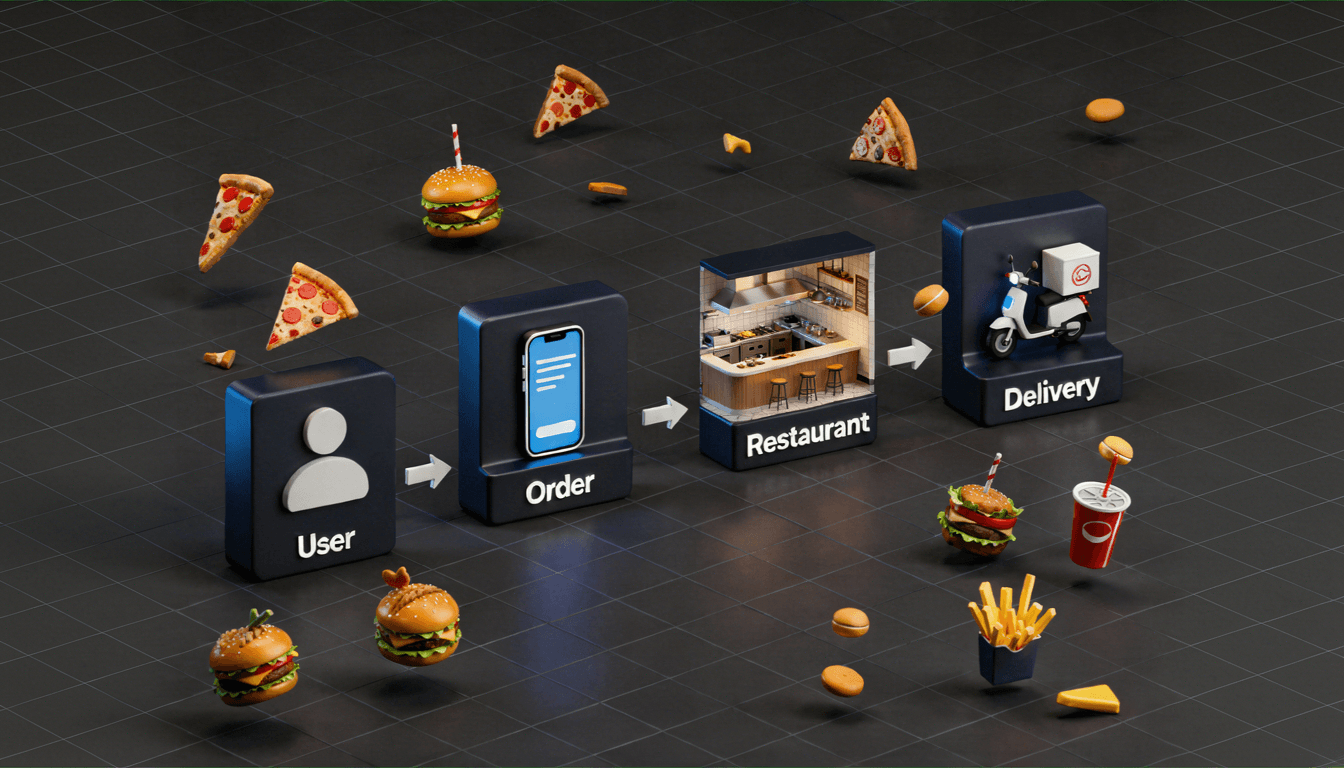
User browses → places order → restaurant processes → delivery completes
Everything you build should support this.
Core Flow Breakdown
| Step | What Happens | Required Features |
Discovery | User finds food | Search, filters, listings |
Ordering | User places order | Cart, checkout, payments |
Processing | Restaurant prepares order | Order management panel |
Delivery | Order is delivered | Assignment, tracking, navigation |
Once this flow works end to end, the app becomes usable.
What to Avoid Early
Most apps fail here by adding features that don’t improve the core flow:
| Feature | Why It Can Wait |
AI recommendations | Not needed for initial validation |
Loyalty programs | Useful later, not critical early |
Advanced analytics | No data to analyze yet |
The focus should be on making the core experience reliable. If the basic flow breaks, adding more features only increases complexity without improving the product.
4. Design the User Experience
Once the core features are planned, the next step is shaping how users interact with the app. This is where many food delivery apps lose users without realizing it.
A user doesn’t open a food delivery app to explore, they open it to complete a task quickly. If it takes too long to find a restaurant, add items, or place an order, they drop off.
So instead of thinking about design as screens, think of it as reducing friction at every step.
A good food delivery experience usually comes down to three things:

First, how quickly users can find what they want.
Search, filters, and categories should help users decide fast, not slow them down.
Second, how simple the ordering process is.
The fewer steps between selecting food and placing the order, the better the conversion.
Third, how clearly the app communicates after the order is placed.
Users should always know what’s happening, whether the food is being prepared, picked up, or delivered.
Most mistakes happen when apps try to do too much. Adding more options, more screens, or more decisions usually makes the experience worse, not better.
The best food delivery apps feel simple because they remove unnecessary thinking. If a user can open the app, place an order, and track it without confusion, the experience is working.
5. Build the Customer, Restaurant, and Driver Flows
Once the experience is defined, the next step is connecting everything into working flows. A food delivery app isn’t a single product, it’s three systems running together.
If even one of them breaks, the whole experience fails.
Start with the customer flow.
This is the front-facing journey, browsing, ordering, and tracking. It needs to feel fast and predictable, with minimal steps between opening the app and placing an order.
Then comes the restaurant flow.
This is where orders are received, accepted, and prepared. The system should be real-time, with clear updates and no delays. Even small lags here can affect delivery time and customer satisfaction.
Build Lean. Learn Fast.
Launch an MVP that saves money while proving your concept works.
Finally, the driver flow.
This is what powers delivery. Drivers need clear order details, pickup and drop locations, and navigation that updates in real time. Any confusion here directly impacts delivery speed.
What matters is not just building these flows individually, but making sure they stay in sync.
When a customer places an order:
- the restaurant should receive it instantly
- the driver should be assigned without delay
- the customer should see accurate status updates
Most issues in food delivery apps happen because these flows are not properly connected. Orders get delayed, tracking becomes inaccurate, or communication breaks between systems.
The goal is to build a system where every action updates all three sides in real time. When that works, the app starts feeling reliable.
6. Set Up Payments, Tracking, and Notifications
Once the flows are connected, the next step is making the system reliable in real usage. This comes down to three things: payments, tracking, and communication.
These are not just features, they are the parts users trust the most.
Start with payments.
The system should support multiple payment options like cards, UPI, wallets, and cash on delivery. The key here is not just integration, but reliability. Failed or delayed transactions break trust immediately, so payment confirmation should be instant and clearly communicated.
Next is tracking.
This is what users constantly look at after placing an order. Real-time tracking depends on continuous updates from both the restaurant and the delivery partner. Even small delays or incorrect statuses can make the app feel unreliable.
Finally, notifications.
Users should not have to open the app repeatedly to check updates. Notifications should inform them when the order is confirmed, being prepared, picked up, and delivered.
A simple way to think about this:
| System | What It Does | Why It Matters |
Payments | Handles transactions | Builds trust and ensures completion |
Tracking | Shows order progress | Reduces uncertainty |
Notifications | Sends real-time updates | Keeps users informed |
Most issues in food delivery apps happen here, not because features are missing, but because these systems are not consistent.
If payments fail, tracking is inaccurate, or updates are delayed, users lose confidence quickly. Getting these three right makes the app feel reliable even before adding advanced features.
7. Test the App End-to-End
Once everything is built, the next step is to test the app the way real users would use it. This is not just about checking features individually, but validating the entire system from start to finish.
A food delivery app involves multiple moving parts. Testing only one side, like the customer app, is not enough. The real issues usually appear when all flows run together.
Start by simulating complete order journeys.
- Place an order as a customer
- Accept and process it from the restaurant side
- Assign and complete it from the driver side
- Track updates at every step
This helps identify gaps between systems, not just within them.
Focus on what actually breaks in real usage:
| Area | What to Check |
Order Flow | Does the order move smoothly across all stages |
Payment | Are transactions successful and confirmed instantly |
Tracking | Are status updates accurate and timely |
Notifications | Are updates sent at the right moments |
Failure Cases | What happens if something goes wrong |
Testing should also include edge cases. Orders getting delayed, drivers not accepting requests, payment failures, or app crashes. These are the situations users remember the most.
Internal testing is not enough. Running the app with a small group of real users helps uncover issues that are easy to miss during development.
The goal is not to make the app perfect, but to make sure it works reliably under real conditions.
8. Launch, Measure, and Improve
Once the app works end to end, the next step is launching it in a controlled way. This is where the product moves from testing to real usage, and where most learning actually begins.
The goal is not a perfect launch. It’s to validate how the app performs with real users.
Start with a limited rollout. Launch in one city, a small area, or with a controlled set of users. This makes it easier to monitor issues, gather feedback, and fix problems quickly without affecting a large user base.
After launch, focus on what users actually do, not what you expect them to do.
| Area | What to Measure |
Orders | Are users completing orders successfully |
Drop-offs | Where users leave the flow |
Delivery Time | How long orders take end to end |
Repeat Usage | Are users coming back |
Failures | Payment issues, delays, cancellations |
These signals tell you whether the app is working or just functioning.
Based on this, start improving the product.
- Fix friction in the ordering flow
- Improve delivery coordination
- Optimize performance and speed
- Add features only where needed
Most successful food delivery apps are not built in one go. They evolve based on real usage patterns.
The focus at this stage is simple:
observe → learn → improve
That loop is what turns a working app into a scalable product.
Types of Food Delivery Apps (Choose Before You Build)
Before building the app, it’s important to decide what type of platform you’re creating. This choice affects everything, features, cost, operations, and how the system scales.
Most food delivery apps fall into a few clear categories. The key is to pick one that matches your business goal instead of trying to combine everything from the start.
| App Type | How It Works | Complexity | Best For |
Order-Only | App handles ordering, restaurants manage delivery | Low | Small restaurants |
Order + Delivery | Platform manages both orders and delivery | Medium–High | Startups, aggregators |
Cloud Kitchen | Owns kitchen and delivery, no dine-in | Medium–High | Food brands |
Aggregator | Connects multiple restaurants on one platform | High | Large-scale platforms |
Each type comes with different requirements.
- Order-only apps are faster to build but offer less control over delivery experience
- Order + delivery apps provide better user experience but require logistics management
- Cloud kitchens give full control over operations but need higher upfront investment
- Aggregators scale well but are more complex to build and manage
The common mistake here is trying to build a hybrid of all types in the first version. That usually increases cost and slows down launch.
It’s better to start with one clear model, validate it, and expand later based on real demand.
Key Features of a Food Delivery App
A food delivery app works only if the entire ordering flow is smooth. Instead of thinking in features, think in steps the user goes through.
| Step | What Happens | Key Features |
1. Discover | User looks for food | Search, filters, restaurant listings |
2. Order | User selects items and pays | Cart, checkout, payment options |
3. Confirm | Restaurant receives order | Order management, status updates |
4. Deliver | Driver picks and delivers | Assignment, navigation, tracking |
5. Track | User follows the order | Live status, notifications |
This is the core system. If this flow works smoothly, the app is already useful.
Everything else can come later.
- AI recommendations
- Loyalty programs
- Advanced analytics
The goal is simple:
make each step fast, clear, and reliable.
Cost to Build a Food Delivery App
The cost of building a food delivery app depends on how complex the product is and how many systems it needs to handle in real time.
Instead of looking at random numbers, it’s easier to think in terms of stages.
| App Stage | Estimated Cost | What You Get |
MVP (Basic App) | $20,000 – $50,000 | Ordering flow, payments, basic tracking |
Mid-Level App | $50,000 – $120,000 | Real-time tracking, notifications, multi-user flows |
Advanced App | $120,000 – $250,000+ | AI features, analytics, multi-city scaling |
As the app grows, the cost increases not just because of features, but because of real-time systems, integrations, and scalability requirements.
Ongoing Costs of Running a Food Delivery App
Building the app is only part of the cost. Once the app is live, there are ongoing expenses required to keep it running and scaling smoothly.
| Cost Area | What It Covers | Estimated Monthly Cost |
Infrastructure | Servers, cloud hosting, database usage | $500 – $5,000+ |
Payment Fees | Gateway charges (2%–3% per transaction) | Depends on volume |
Maintenance | Bug fixes, updates, improvements | $1,000 – $5,000 |
Delivery Operations | Driver payouts, logistics support | $5,000 – $50,000+ |
Customer Support | Handling queries, refunds | $1,000 – $4,000 |
Marketing | Ads, discounts, promotions | $2,000 – $20,000+ |
These costs grow as the app scales, especially with more users, orders, and delivery activity.
Build Lean. Learn Fast.
Launch an MVP that saves money while proving your concept works.
A common mistake is planning only for development cost and ignoring operational expenses. In reality, long-term success depends on how efficiently these ongoing costs are managed.
Tech Stack Required for Food Delivery Apps
The tech stack behind a food delivery app needs to support real-time ordering, payments, tracking, and multiple user flows at the same time. It does not need to be overly complex, but it does need to be reliable.
A simple way to look at it is by layers:
| Layer | Purpose | Common Options |
Frontend | Customer, restaurant, and driver app interfaces | Flutter, React Native, Swift, Kotlin |
Backend | Handles orders, users, logic, and APIs | Node.js, Python |
Database | Stores users, menus, orders, and app data | PostgreSQL, MongoDB |
Real-Time Tracking | Keeps order and delivery status updated | Firebase, WebSockets |
Maps and Navigation | Supports delivery routing and live tracking | Google Maps, Mapbox |
Payments | Processes transactions securely | Stripe, Razorpay, PayPal |
Notifications | Sends order and delivery updates | Firebase Cloud Messaging, Twilio |
Cloud and Hosting | Runs the app and handles scaling | AWS, Google Cloud, Azure |
The right stack depends on how complex the app needs to be. For an MVP, cross-platform tools and managed services usually make more sense because they reduce cost and speed up launch.
The goal is not to pick the most advanced stack. It is to choose one that can support ordering, delivery, and tracking smoothly without creating unnecessary technical overhead.
Challenges in Food Delivery App Development
Building a food delivery app is not just about adding features, it’s about making multiple systems work together reliably in real time. Most challenges show up only when the app is used at scale.
Here are the ones that matter most:
| Challenge | What Goes Wrong | Why It’s Difficult |
Real-Time Coordination | Orders, restaurants, and drivers fall out of sync | Multiple systems updating at once |
Delivery Logistics | Late deliveries, wrong routing | Depends on location, traffic, availability |
Scaling the System | App slows down during peak hours | High concurrent users and orders |
Payment Reliability | Failed or delayed transactions | External gateway dependencies |
Order Accuracy | Wrong items or missed updates | Poor communication between systems |
User Experience | Drop-offs during ordering | Too many steps or slow performance |
These challenges are not isolated. One issue usually affects the entire flow. For example, a delay in restaurant confirmation can impact delivery time and tracking accuracy.
Most teams try to solve these by adding more features, but that rarely works. The real solution is making the core system more reliable, faster updates, better syncing, and fewer failure points.
If ordering, delivery, and tracking work consistently, most of these challenges are already handled.
How to Monetize a Food Delivery App
Once the app is live, the next question is how it generates revenue. Most successful food delivery apps don’t rely on a single model, they combine multiple revenue streams.
Here are the most common ways:
| Revenue Model | How It Works | Typical Range |
Commission from Restaurants | Charge a percentage per order | 10% – 30% per order |
Delivery Fee | Users pay for delivery | $1 – $5 per order |
Surge Pricing | Higher fees during peak demand | Varies by demand |
Subscription Plans | Monthly plan for free/discounted delivery | $5 – $15/month |
Featured Listings | Restaurants pay for visibility | $100 – $1,000+/month |
Ads and Promotions | Paid promotions inside the app | Depends on traffic |
Each model works differently depending on the scale.
- Early-stage apps usually rely on delivery fees and small commissions
- As the platform grows, subscriptions and promotions become more effective
- Larger platforms combine all models to maximize revenue
The key is not to over-monetize too early. High fees can reduce user adoption and restaurant participation.
A balanced approach works best, start simple, validate demand, and expand revenue streams as the platform grows.
How to Launch and Scale Your Food Delivery App
Once the app is ready, the focus shifts to how it performs in real conditions, not just how it works in testing. Most issues only appear after real users start placing orders.
- Start by launching in a limited area or city so issues can be identified and fixed without affecting a large user base.
- Onboard a small group of restaurants and delivery partners to keep operations manageable in the early stage.
- Track whether users can complete orders smoothly from browsing to delivery, since this validates the core flow.
- Monitor delivery time and delays closely, as even small delays impact user satisfaction.
- Identify and fix issues like payment failures, tracking inaccuracies, or order drop-offs early before scaling.
- Improve app performance and backend stability as order volume starts increasing.
- Expand to new locations gradually only after the system proves reliable under real usage.
What matters most at this stage is not growth, but consistency. If the app cannot handle a small volume reliably, it will struggle at scale.
Conclusion
Building a food delivery app is not just about features, it’s about making the entire system work smoothly from order to delivery.
Most apps fail not because they lack functionality, but because the core flow breaks under real usage. If users can’t order quickly, track clearly, or receive deliveries on time, adding more features won’t fix the problem.
The right approach is to keep things simple in the beginning. Start with a clear model, build the core flow, test it in real conditions, and improve based on what actually happens.
As the app grows, focus on reliability, speed, and coordination across systems. That’s what turns a working app into a scalable product.
The goal is not to build everything at once, but to build something that works, and then make it better over time.
Frequently Asked Questions
1. How much does it cost to create a food delivery app?
The cost usually ranges from $20,000 to $250,000+, depending on features, app type, and complexity. MVPs cost less, while advanced apps with real-time systems cost more.
2. How long does it take to build a food delivery app?
A basic app can take 2–3 months, while a more advanced platform may take 4–8 months depending on features and integrations.
3. What features are essential for a food delivery app?
Core features include search, ordering, payments, order management, delivery tracking, and notifications. These are enough to launch an MVP.
4. Do I need separate apps for customers, restaurants, and drivers?
Yes, most platforms require separate interfaces for each to handle their specific workflows efficiently.
5. What is the best tech stack for a food delivery app?
Common choices include Flutter or React Native for frontend, Node.js or Python for backend, and cloud services like AWS or Google Cloud.
6. How do food delivery apps make money?
They earn through commissions, delivery fees, subscriptions, featured listings, and in-app promotions.
7. Can I start with a basic version of the app?
Yes, starting with an MVP helps validate the idea and reduce risk before investing in advanced features.
8. What is the biggest challenge in building a food delivery app?
Managing real-time coordination between users, restaurants, and delivery partners is the most complex part.

Murtuza Kutub
A product development and growth expert, helping founders and startups build and grow their products at lightning speed with a track record of success. Apart from work, I love to Network & Travel.