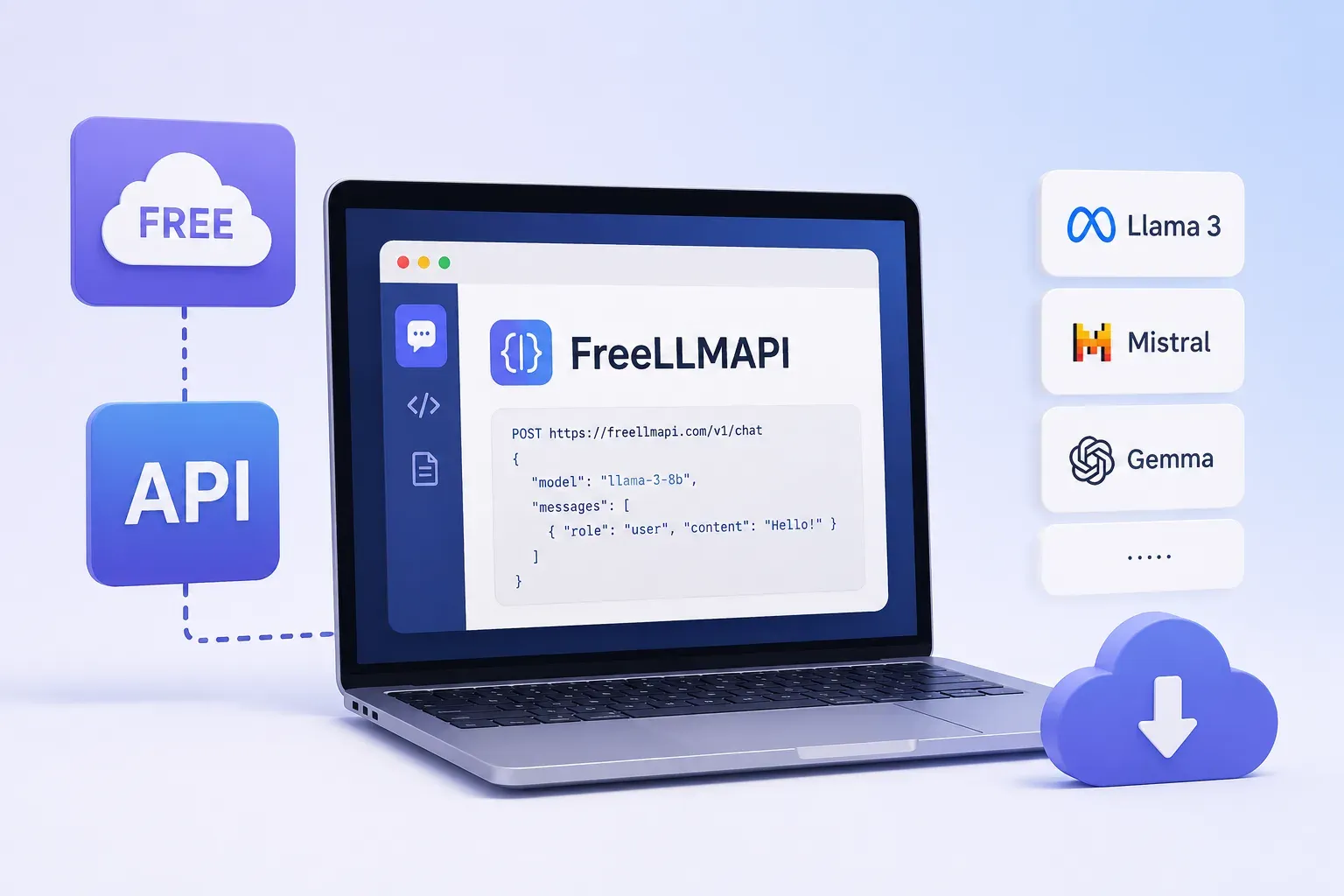
- FreeLLMAPI is a self-hosted proxy that gives you one OpenAI-compatible endpoint across 15+ free LLM providers (Gemini, Groq, Cerebras, OpenRouter, and more), instead of managing separate formats, keys, and rate limits for each.
- It routes around rate-limited or failed providers automatically, retrying up to 20 times, and tracks each provider's limits in real time to prevent 429 errors before they happen, not just recover from them.
- In a 100-request stress test, it delivered a 99% success rate, shifting automatically from Groq's GPT-OSS 120B to Gemini 2.5 Flash to Llama 3.3 70B as rate limits kicked in, with zero client-facing 429 errors.
- It's a genuine tradeoff, not a free lunch: you're running your own server, and free tiers can change limits, model access, or data policies at any time.
- Best suited for prototyping, internal tools, multi-model benchmarking, and rate-limit-resilient pipelines, not a guaranteed substitute for paid infrastructure at real scale.
Free LLM APIs are useful when you want to build AI features without paying for tokens from day one. But once you use more than one provider, things can get messy. Each provider has its own API format, key, rate limit, and fallback behavior.
FreeLLMAPI makes this easier by giving you one OpenAI-compatible endpoint for multiple free LLM providers. Your app sends requests to one place, and FreeLLMAPI handles routing, failover, and rate-limit tracking in the background.
I implemented FreeLLMAPI, tested it with 100 requests, and built a small Gradio tester to check how it behaves under load. This article covers how it works, how to set it up, and what I found during testing.
What Is FreeLLMAPI?
FreeLLMAPI is a self-hosted proxy that lets you access multiple free LLM providers through one OpenAI-compatible endpoint.
Instead of connecting your app separately to Gemini, Groq, Cerebras, OpenRouter, and other providers, you send requests to FreeLLMAPI. It manages the provider keys, routes requests, tracks rate limits, and switches models when one provider is unavailable.
In simple terms, FreeLLMAPI gives developers one place to access and manage multiple free LLM models.
Why Developers Use Multiple LLM Models
The easy answer is cost. Free LLM APIs help developers build and test without paying for tokens early. But cost is not the only reason to use multiple providers.
Quality varies by task
Some models are better at reasoning, some are faster for simple completions, and some work better for coding, long context, or structured outputs. Using multiple models helps developers choose the right model for the right job.
Rate limits are a real constraint
Free tiers usually come with limits on requests per minute, requests per day, and token usage. If one provider hits its limit, a single-provider setup can stop working quickly.
Benchmarking becomes easier
When choosing a model for a product, developers need to test outputs on their own prompts, not just rely on public benchmarks. Multiple models make side-by-side comparison easier.
Reliability improves
If one provider is slow, unavailable, or rate-limited, another provider can handle the request. This reduces the chance of the AI feature failing for users.
Specialization matters
No single model is best for every use case. Access to multiple LLM models lets developers route coding, reasoning, summarization, chat, or long-context tasks to the model that performs best.
Problems With Managing Multiple LLM APIs
Managing multiple LLM providers sounds useful, but without a proxy layer, it quickly becomes hard to maintain.
Every provider has a different API format
Some providers follow the OpenAI-style format, while others use different request structures, role names, base URLs, authentication methods, and error responses. This means developers need separate integration logic for each provider.
API key management becomes messy
When you use providers like Gemini, Groq, Cerebras, OpenRouter, GitHub Models, and Mistral, you end up managing several keys across your codebase. Each key needs to be stored, secured, rotated, and updated when it changes.
Rate limits need constant tracking
Free LLM APIs usually limit requests per minute, requests per day, and token usage. Without tracking and retry logic, your app can quickly run into 429 errors.
Provider downtime can affect users
If one provider becomes slow, unavailable, or rate-limited, your AI feature can fail unless another provider can take over.
Maintenance keeps increasing
Every new provider, model update, API change, or rate-limit change adds more work. Over time, developers spend more time maintaining provider-specific code than building AI features.
How FreeLLMAPI Solves Multi-Model Access
FreeLLMAPI addresses each of these problems with a single unified layer.
One OpenAI-compatible interface for everything. You send a standard OpenAI chat completion request to http://your-server:3001/v1/chat/completions and get back a standard OpenAI chat completion response. The provider translation happens entirely inside FreeLLMAPI. Google's different format, Cohere's quirks, Cloudflare's account-id-colon-token key format, none of that is visible to your application.
One unified API key. Your application authenticates with one key that FreeLLMAPI generates. FreeLLMAPI manages your provider keys internally, encrypted at rest using AES-256-GCM. You never put provider keys in your application code.
Automatic routing and failover. FreeLLMAPI maintains a priority-ordered list of models. When you send a request, it picks the best available model based on priority, current rate limit status, and a dynamic penalty system. If the first choice is rate-limited or unavailable, it retries with the next option up to 20 times before returning an error to you. In most cases, this happens faster than a human-visible delay.
Rate limit awareness without external infrastructure. FreeLLMAPI tracks requests per minute, requests per day, tokens per minute, and tokens per day for every provider key in memory. Before routing a request to a provider, it checks whether that provider's limits allow it. This prevents 429s rather than just recovering from them.
The penalty and decay system. When a provider does return a 429, FreeLLMAPI increases its penalty score. This sinks it in the priority list so subsequent requests route around it automatically. Penalties decay over time two minutes per point so providers recover and rejoin the rotation as their rate limit windows reset. No manual intervention, no configuration changes.

Walk away with actionable insights on AI adoption.
Limited seats available!

Supported Free LLM Models in FreeLLMAPI
FreeLLMAPI comes pre-configured with models from 15 platforms, all with ongoing free tiers that don't require a credit card.
| Platform | Standout Free Model | Monthly Token Budget |
Google AI Studio | Gemini 2.5 Pro | 12M (Pro), 120M (Flash-Lite) |
Groq | Llama 3.3 70B, GPT-OSS 120B | 15–60M |
Cerebras | Qwen3 235B | 30M |
OpenRouter | DeepSeek V3.1, Kimi K2 | 6M |
GitHub Models | GPT-5 | 18M |
SambaNova | Llama 3.3 70B | 6M |
Mistral | Mistral Large 3 | 50–100M |
Cohere | Command R+ | 4M |
Cloudflare Workers AI | Llama 3.1 70B | 18–45M |
Zhipu | GLM-4.5 Flash | 30M |
NVIDIA NIM | 100+ models | 50–100M |
Ollama Cloud | Various | GPU-time quota |
Pollinations | GPT-OSS 20B | Unlimited (anonymous) |
LLM7 | GPT-OSS, Llama | 100 req/hr |
Kilo Gateway | Various | 200 req/hr |
The model catalog includes 90+ individual models across these platforms. FreeLLMAPI ships with all of them pre-configured with their current rate limits and ranks them by intelligence score to inform routing priority.
How To Access Multiple Free LLM Models Using FreeLLMAPI
Here's how to get FreeLLMAPI running from scratch and make your first request through it.
Prerequisites
- Node.js 18+ and npm
- Git
- API keys from whichever free providers you want to use (Google AI Studio, Groq, etc.)
Step 1: Clone and install
git clone https://github.com/your-org/freellmapi.git
cd freellmapi
npm install
Step 2: Start the server
npm run dev

The server starts on port 3001 by default. You'll see:
Database initialized at server/data/freeapi.db
Server running on http://0.0.0.0:3001
Proxy endpoint: http://0.0.0.0:3001/v1/chat/completions
Step 3: Open the dashboard
Navigate to http://localhost:3001 in your browser. The React dashboard is served from the same port.Step 4: Add your API keys
In the dashboard, go to the Keys section. Add at least one API key for a provider you have access to. For example:
- Google AI Studio key: Get one at aistudio.google.com
- Groq key: Get one at console.groq.com
FreeLLMAPI encrypts your keys immediately; they're never stored in plaintext.
Step 5: Configure your fallback order
In the Fallback section, you'll see your models ranked by priority. The order determines which model gets tried first. You can drag to reorder. The default ranking by intelligence score is a reasonable starting point.
Step 6: Get your unified API key
Go to Settings > API Key. Copy the key shown there. This is the only key your application needs.
Step 7: Make a request
You can now make requests exactly like you would to OpenAI:
from openai import OpenAI

client = OpenAI(
  base_url="http://localhost:3001/v1",
  api_key="your-unified-key-from-settings"
)

response = client.chat.completions.create(
  model="auto",  # let FreeLLMAPI pick the best available
  messages=[
    {"role": "user", "content": "Explain how neural networks learn in simple terms."}
  ]
)

print(response.choices[0].message.content)
print(response._routed_via)  # shows which provider served this request

Setting model="auto" tells FreeLLMAPI to route to the best available provider. You can also request a specific model:
response = client.chat.completions.create(
  model="gemini-2.5-flash",  # pin to this specific model
  messages=[...]
)
Streaming works the same way:
stream = client.chat.completions.create(
  model="auto",
  messages=[{"role": "user", "content": "Write a short story about a robot."}],
  stream=True
)

for chunk in stream:
  print(chunk.choices[0].delta.content or "", end="", flush=True)

The response headers include X-Routed-Via showing which provider served the request, and X-Fallback-Attempts showing how many providers were tried before success.
Switching Between Models and Comparing Outputs
One of the most useful things FreeLLMAPI enables is comparing the same prompt across providers without changing your code. Here's what I observed during testing with three models that appeared in my stress test:
GPT-OSS 120B (via Groq)
Model ID: openai/gpt-oss-120b<line-break/>This model showed up as the primary choice during the first 61 requests of my 100-request stress test. It consistently delivered 230–234 tokens per response at around 3.5–5 seconds of latency.
Response quality was solid, with well-structured, coherent answers to factual prompts. The Groq infrastructure makes this fast even for a 120B parameter model.
Gemini 2.5 Flash (via Google AI Studio)
Model ID: gemini-2.5-flash<line-break/>This took over at request 62 when Groq's rate limit kicked in. Latency was slightly higher at 5–6.5 seconds, which reflects Google's API response time rather than model quality. Gemini Flash produced shorter, more concise answers around 161 tokens for the same prompts. If you're optimizing for conciseness or working with longer contexts, Gemini Flash is a strong option.
Llama 3.3 70B (via Groq)
Model ID: llama-3.3-70b-versatile<line-break/>This became the primary model from request 67 onward once both Groq's GPT-OSS and Google's Gemini Flash hit their limits. Latency was actually better, 3.3–4.5 seconds, and token output was consistent at around 70 tokens per response. Groq's LPU hardware gives Llama 70B surprisingly fast throughput. For chat-style applications where you want fast, reliable responses, this model performs well.
How to compare outputs yourself:
You don't need to change any code between providers. Just specify the model in your request:
models_to_test = [
  "gemini-2.5-flash",
  "llama-3.3-70b-versatile",
  "openai/gpt-oss-120b"
]

prompt = "Explain the difference between supervised and unsupervised learning in two sentences."

for model in models_to_test:
  response = client.chat.completions.create(
    model=model,
    messages=[{"role": "user", "content": prompt}]
  )
  print(f"\n--- {model} ---")
  print(response.choices[0].message.content)
Same code, three different models, three different outputs, no API format changes, no credential switching.
Testing Results and Findings
To verify FreeLLMAPI's behavior under real load, I built a Gradio-based testing interface (tester/app.py) that fires requests directly against the proxy using httpx so I could read raw response headers including X-Routed-Via and X-Fallback-Attempts that the OpenAI SDK would hide.
Stress Test: 100 Requests, 0.2s Delay
Setup: 100 sequential requests, 0.2 seconds between each, same prompt every time ("Give me one interesting fact about space in exactly 20 words."), model set to auto.
What happened:
| Phase | Request Range | Model Served | Why |
Phase 1 | Req 1–61 | groq/openai/gpt-oss-120b | Primary model, not yet rate-limited |
Phase 2 | Req 62–65 | google/gemini-2.5-flash | Groq TPM/RPM exhausted, router penalized GPT-OSS, switched to Google |
Phase 3 | Req 67–100 | groq/llama-3.3-70b-versatile | Google also rate-limited, settled on Llama 70B |
Key numbers:
- Success rate: 99% (1 failure from a non-retryable network error, not a rate limit)
- Client-facing 429s: 0
- Model distribution: GPT-OSS 120B (61), Llama 70B (34), Gemini Flash (4), error (1)
- Average latency: 3.5–9.7s depending on provider and load
The most interesting finding: The stress test summary showed X-Fallback-Attempts: 0 on every successful request, even during the model-switching phases. This is because the penalty system had already demoted the exhausted provider before the next request arrived. The router picked the next best option on the first internal attempt. This is the ideal behavior: proactive rerouting rather than reactive recovery.
The one 502 error (request 66) came from a non-retryable network failure on the Llama 3.3 70B provider endpoint. FreeLLMAPI correctly classified it as non-retryable (not a rate limit) and passed the error through rather than wasting retries. Request 67 went straight to a working provider.
Walk away with actionable insights on AI adoption.
Limited seats available!
Streaming Verification
Streaming requests worked correctly:
- X-Routed-Via header was set before the first SSE chunk arrived
- Content is streamed progressively, chunk by chunk
- The [DONE] terminator was handled cleanly
- Mid-stream errors sent an error SSE frame rather than cutting the connection silently
Overall System Behavior
What stood out most from the testing is that FreeLLMAPI behaved gracefully under pressure. The system never crashed.
Client applications never received a 429 during the 100-request run despite completely exhausting two providers. The only failure was a non-retryable network error that the system correctly passed through rather than masking.
Practical Use Cases for FreeLLMAPI
Development and prototyping. Most developers don't need production-grade LLM infrastructure while building a feature. FreeLLMAPI gives you access to high-quality models without spending anything, with enough throughput to build and test real features.
AI-powered tools and internal apps. If you're building an internal tool for your team, a writing assistant, a code reviewer, or a document summarizer, FreeLLMAPI can run it on free-tier capacity with automatic failover. For low-to-moderate usage, the combined free tier across 15 providers is substantial.
Multi-model evaluation and benchmarking. Researchers and engineers comparing model outputs across providers can route identical prompts to different models through a single interface. No separate integrations, no format normalization code, just change the model parameter.
Rate-limit-resilient pipelines. Data processing pipelines that need to run LLM inference on large batches can use FreeLLMAPI to spread requests across providers automatically. Instead of hitting one provider's daily limit and stopping, the pipeline continues on the next available provider.
Learning and experimentation. If you want to learn how different LLMs behave without committing to a paid tier, FreeLLMAPI gives you access to Gemini 2.5 Pro, GPT-5 (via GitHub Models), Qwen3 235B, and dozens more under a single interface.
Cost optimization for production. For teams that do have paid API access, FreeLLMAPI can route less critical requests to free tiers while reserving paid capacity for high-priority workloads.
FreeLLMAPI vs Individual LLM Providers
Here's a direct comparison of what you get with FreeLLMAPI versus managing individual provider integrations:
| Feature | FreeLLMAPI | Single Provider |
Unified API format | Yes | No each provider differs |
Automatic failover | Yes up to 20 retries | Manual retry logic required |
Rate limit awareness | Built-in RPM/RPD/TPM/TPD tracking | You get 429s and handle them |
Multiple providers | 15+ providers pooled | One provider per integration |
Sticky sessions | SHA1-based, 30-min TTL | Depends on provider |
Penalty-based routing | Automatic, self-healing | No equivalent |
Encrypted key storage | AES-256-GCM in SQLite | Your responsibility |
Analytics dashboard | Built-in, real-time | Build your own |
OpenAI SDK compatible | Drop-in replacement | For OpenAI-compatible providers |
Self-hosted | Runs locally | N/A |
Cost | Free (use free provider tiers) | Free or paid |
The main tradeoff is operational: you're running a server. FreeLLMAPI is a Node.js application with a SQLite database, so it's not heavy, but it does need to be running somewhere for your application to use it.
Limitations of Using Free LLM Models
FreeLLMAPI is useful, but free LLM models still come with limits.
Rate limits still apply
FreeLLMAPI can pool free-tier capacity across providers, but it cannot create extra capacity. High-volume workloads can still exhaust available limits.
Output quality can vary
Different models may respond with different tone, length, structure, and accuracy. If your product needs consistent output, automatic model switching may need extra control.
Free tiers can change
Providers can update free limits, pricing, model access, or credit policies at any time. What works today may need changes later.
Provider issues can still happen
If a provider is down or returns errors, FreeLLMAPI can route around it, but that provider is still unavailable for that period.
Data policies matter
Some free tiers may use API data for training or improvement. Avoid sending sensitive or private data unless you have reviewed the provider’s policy.
Local hosting adds responsibility
FreeLLMAPI runs on your machine or server. If your server goes down, the proxy goes down too.
Context limits are different
Each provider has different context window limits. Long prompts or large conversation histories may not work across every free model.
Final Thoughts
FreeLLMAPI solves a practical problem for developers who want to use multiple free LLM providers without managing separate APIs, keys, rate limits, and fallback logic.
What stood out during testing was how smoothly the routing worked. When one provider hit its limit, FreeLLMAPI moved to another model without breaking the flow. The OpenAI-compatible setup also made it easy to use with existing code.
For developers building AI features without moving to a paid API tier immediately, FreeLLMAPI is a useful option. In the 100-request stress test, it delivered a 99% success rate while routing requests across three different providers.

Walk away with actionable insights on AI adoption.
Limited seats available!



