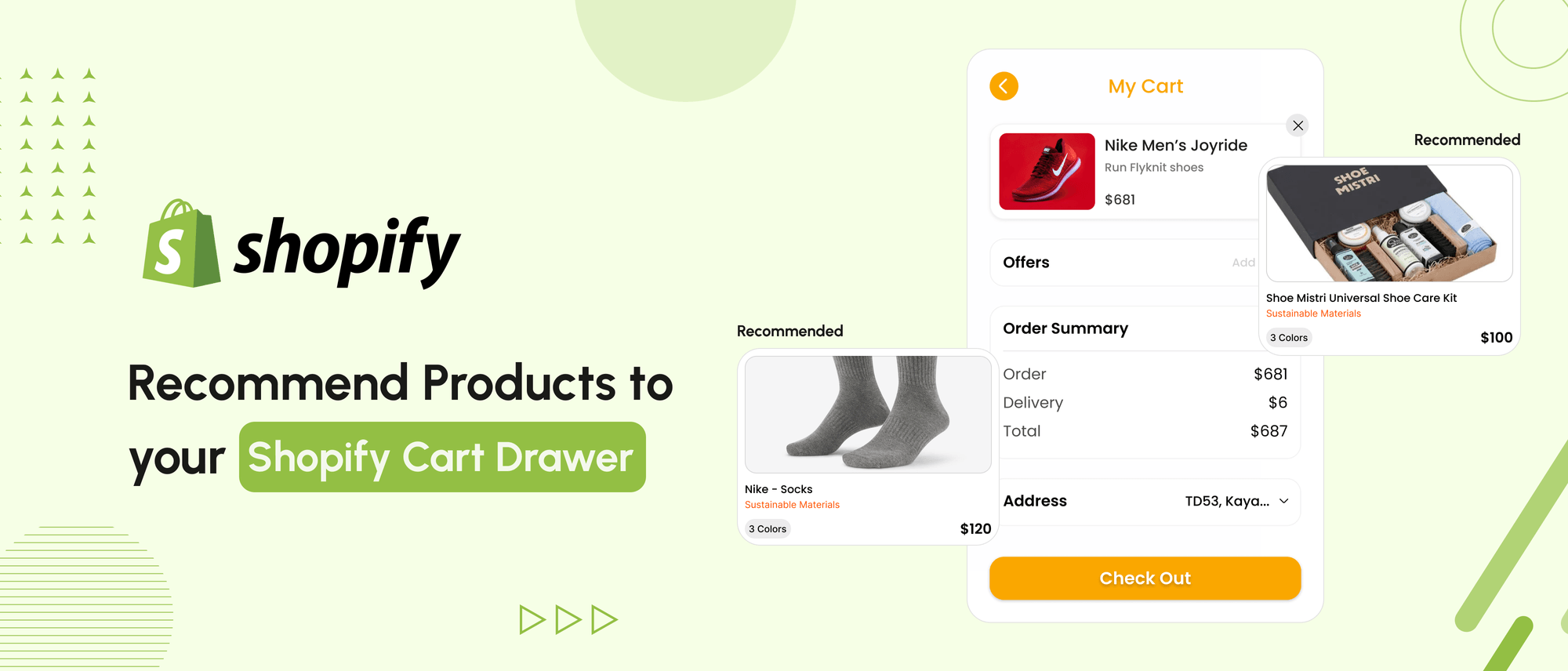
Maximizing every opportunity to increase sales matters most at the moment when users are closest to conversion. I’m writing this because cart drawers are often treated as a checkout utility, not a conversion surface, despite being one of the highest-intent touchpoints in a Shopify store.
Product recommendations inside the cart drawer help guide purchase decisions when shoppers are already committed. By showing relevant add-ons or alternatives at this stage, stores can increase average order value without disrupting the buying flow.
One of the ways to approach this is by:
- Select complementary or alternative products that logically extend the cart contents.
- Rotate recommendations periodically to measure performance changes over time.
- Keep the process iterative, as product relevance evolves with seasonality and demand.

While optimizing conversion flows, this implementation was created to demonstrate how cart-level recommendations can improve product visibility without interrupting checkout momentum.
In the demo store, recommendations adapt dynamically based on cart contents, increasing exposure to relevant products and encouraging additional purchases.
Here is the link to a dummy store to see a demonstration -
Store Url - https://sahil-teststore.myshopify.com/
Password - tewblo

Loom Rec. - https://www.loom.com/share/bc13f3a48b924b23972083c9dc946b3b?sid=cc6c505e-3b36-431b-ae13-ac9dff6be454
This product-recommended block made it easy to improve the visibility of the products by making it easy for customers to complete their setup.
Consider an example of clothing. If someone purchased tops, it showed them related bottoms and another product of our own recommendation.
Every time people visit the cart drawer in a new session, they would see different pairs of recommended products, which improves the chances of your product visibility and better conversion.
Bonus - In order to monitor, we integrated it with Slack
Your Store, Open for Business - Fast
Custom Shopify builds that convert browsers into buyers.
How You Can Integrate Product Recommendation into the Cart Drawer of Your Shopify Store
1. Create a JavaScript file with the name ‘cro-cart_recomendation’ in the theme code asset folder
// Product Collections these are just dummy products replace them with yours
const ProdCollections = {
    s1: {
        tops: {
            title: 'Long Sleeve Swing Shirt',  // product title
            handle: 'long-sleeve-swing',  // product handle
        },
        bottoms: {
            title: 'Cydney Plaid',
            handle: 'cydney-plaid',
        }
    },
    s2: {
        tops: {
            title: 'Chevron',
            handle: 'chevron',
        },
        bottoms: {
            title: 'Lodge',
            handle: 'lodge-womens-shirt',
        }
    },
    s4: {
        tops: {
            title: 'Red Wing Iron Ranger Boot',
            handle: 'redwing-iron-ranger',
        },
        bottoms: {
            title: 'Scout Backpack',
            handle: 'scout-backpack',
        }
    }
  //if want to add more product replicate the same object given above sn: { tops: {title: '', handle: ''}, bottoms: {title: '', handle: ''} }
};


let cartCheckInterval;

function handleCartDrawerMutation(mutationsList, observer) {
    for (let mutation of mutationsList) {
        if (mutation.type === 'attributes' && mutation.attributeName === 'class') {
            if (mutation.target.classList.contains('active')) {
                startCartCheck();
            } else {
                stopCartCheck();
            }
        }
    }
}

function startCartCheck() {
    stopCartCheck();

    checkAndFetchCartItems();

    cartCheckInterval = setInterval(() => {
        checkAndFetchCartItems();
    }, 4000);
}

function stopCartCheck() {
    if (cartCheckInterval) {
        clearInterval(cartCheckInterval);
        cartCheckInterval = null;
    }
}

function checkAndFetchCartItems() {
    const form1Div = document.getElementById("form1");
    const form2Div = document.getElementById("form2");

    if (form1Div && form2Div) {
        const form1 = form1Div.querySelector("form");
        const form2 = form2Div.querySelector("form");

        const isForm1Empty = !form1 || form1.children.length === 0;
        const isForm2Empty = !form2 || form2.children.length === 0;

        if (isForm1Empty && isForm2Empty) {
            fetchCartItems();
        } else {
            console.log("At least one form has content:");
            if (!isForm1Empty) console.log("Form 1 has content");
            if (!isForm2Empty) console.log("Form 2 has content");
        }
    } else {
        console.log("Form divs not found");
    }
}
const cartDrawerObserver = new MutationObserver(handleCartDrawerMutation);
const cartDrawer = document.querySelector('cart-drawer');
if (cartDrawer) {
    cartDrawerObserver.observe(cartDrawer, { attributes: true });
}

// Function to send a message to Slack
function sendCartMessageToSlack() {
    var slackWebhookUrl = ""; // Add your Slack webhook URL here
    var payload = {
        text: "Item Added From Best Sellers we Recommend"
    };

    fetch(slackWebhookUrl, {
        method: "POST",
        body: JSON.stringify(payload)
    })
    .then(function(response) {
        if (!response.ok) {
            throw new Error("Failed to send message to Slack");
        }
    })
    .catch(function(error) {
        console.error("Error:", error);
    });
}

// Function to create an Add to Cart form
function createAddToCartForm(elementId, product) {
    var cartDrawer = document.querySelector('cart-notification') || document.querySelector('cart-drawer');
    var addToCartForm = document.getElementById(elementId);

    if (!addToCartForm) {
        console.error("Element with ID '" + elementId + "' not found.");
        return;
    }

    var form = document.createElement('form');
    form.className = 'form fromSelector';
    form.setAttribute('data-type', 'add-to-cart-form');

    var ImgContainer = document.createElement('a');
    ImgContainer.href = product.url;
    ImgContainer.className = 'bs__image-container';
    ImgContainer.style.overflow = 'hidden';
    ImgContainer.style.height = '120px';
    ImgContainer.style.width = '110px';

    var imageTag = document.createElement('img');
    imageTag.src = product.featured_image;
    imageTag.alt = product.title;
    imageTag.style.objectFit = 'cover';
    imageTag.style.height = '100%';
    imageTag.style.width = '100%';
    imageTag.style.position = 'relative';
    ImgContainer.appendChild(imageTag);
    form.appendChild(ImgContainer);

    if (product && product.variants && product.variants.length > 0) {
        var productIdInput = document.createElement('input');
        productIdInput.type = 'hidden';
        productIdInput.name = 'id';
        productIdInput.value = product.variants[0].id;
        form.appendChild(productIdInput);

        var quantityInput = document.createElement('input');
        quantityInput.type = 'hidden';
        quantityInput.id = 'quantity';
        quantityInput.name = 'quantity';
        quantityInput.value = '1';
        form.appendChild(quantityInput);

        var infoContainer = document.createElement('div');
        infoContainer.className = 'bs__infoContainer';
        infoContainer.style.display = 'flex';
        infoContainer.style.flexDirection = 'column';
        infoContainer.style.gap = '0.91rem';
        infoContainer.style.fontSize = '1.5rem';

        var name = document.createElement('a');
        name.href = product.url;
        name.style.color = 'black';
        name.innerText = product.title;
        name.style.fontSize = '1.7rem';
        name.style.textDecoration = 'none';
        infoContainer.appendChild(name);

        var price = document.createElement('div');
        price.classList.add('ProductMeta__Price');
        var productPriceInCents = product.price;
        var currencyCode = window.Shopify.currency.active;
        var userLocale = navigator.language || 'en-US';
        var formattedPrice = formatMoney(productPriceInCents, currencyCode, userLocale);
        var textNode = document.createTextNode(formattedPrice);
        price.appendChild(textNode);
        infoContainer.appendChild(price);

        var containerBottom = document.createElement('div');
        containerBottom.style.display = 'flex';
        containerBottom.style.gap = '0.5rem';

        var sizeContainer = document.createElement('div');
        sizeContainer.style.display = 'flex';
        sizeContainer.style.alignItems = 'center';
        sizeContainer.style.border = '1px solid #E1E1DA';

        var size = document.createElement('span');
        size.innerHTML = 'Size';
        size.style.padding = '6px';
        sizeContainer.appendChild(size);

        var select = document.createElement('select');
        select.className = 'bs__select';
        select.name = 'id';
        select.style.border = '0';
        select.style.maxWidth = '42px';
        select.style.backgroundColor = 'white';
        product.variants.forEach(function(variant) {
            var option = document.createElement('option');
            option.className = 'bs__option';
            option.style.fontSize = '10px';
            option.value = variant.id;
            option.textContent = variant.title;
            select.appendChild(option);
        });
        sizeContainer.appendChild(select);

        containerBottom.appendChild(sizeContainer);

        var submitButton = document.createElement('input');
        submitButton.type = 'submit';
        submitButton.className = 'bs__buttonClass';
        submitButton.style.background = 'black';
        submitButton.style.color = 'white';
        submitButton.style.border = 'none';
        submitButton.style.fontSize = '13px';
        submitButton.style.padding = '2px 27px';
        submitButton.value = 'Add';
        containerBottom.appendChild(submitButton);

        infoContainer.appendChild(containerBottom);
        form.appendChild(infoContainer);
        addToCartForm.appendChild(form);

        form.addEventListener('submit', function(event) {
            event.preventDefault();
            event.stopPropagation();
            submitButton.disabled = true;

            var formData = new FormData(form);
            var variantId = formData.get('id');
            var quantity = formData.get('quantity') || 1;

            var payload = {
                id: variantId,
                quantity: quantity,
                sections: cartDrawer.getSectionsToRender().map((section) => section.id),
                sections_url: window.location.pathname
            };

            fetch('/cart/add.js', {
                method: 'POST',
                headers: {
                    'Content-Type': 'application/json'
                },
                body: JSON.stringify(payload)
            })
            .then(response => {
                if (!response.ok) {
                    throw new Error('Network response was not ok');
                }
                return response.json();
            })
            .then(data => {
                sendCartMessageToSlack();
                if (!window.location.search.includes('opencart=true')) {
               window.location = window.location.href + '?opencart=true';
               } else {
              var url = new URL(window.location.href);
              url.searchParams.delete('opencart');
              window.location = url.toString() + '?opencart=true';
              }

            })
            .catch(error => {
                console.error('Error:', error);
            })
            .finally(() => {
                submitButton.disabled = false;
            });
        });

    } else {
        console.error("Product or its variants not found.");
    }
}

//Function to format money
function formatMoney(cents, currency, locale = 'en') {
  if (isNaN(cents) || cents === null) {
    return '0.00';
  }
  const amount = cents / 100;
  return new Intl.NumberFormat(locale, { style: 'currency', currency: currency }).format(amount);
}

// Function to fetch a product by its handle
function fetchProduct(productHandle, elementId) {
    fetch(`/products/${productHandle}.js`)
        .then(response => {
            if (!response.ok) {
                throw new Error('Network response was not ok');
            }
            return response.json();
        })
        .then(product => {
            createAddToCartForm(elementId, product);
        })
        .catch(error => {
            console.error('Error fetching product:', error);
        });
}

// Function to fetch cart items and determine recommendations
function fetchCartItems() {
    fetch('/cart.js', {
        method: 'GET',
        headers: {
            'Content-Type': 'application/json'
        }
    })
    .then(response => response.json())
    .then(cartdata => {
        const keys = Object.keys(ProdCollections);

        const randomKeyIndex = Math.floor(Math.random() * keys.length);
        const randomKey = keys[randomKeyIndex];
        const top = ProdCollections[randomKey].tops;
        const bottom = ProdCollections[randomKey].bottoms;
        let inCartBottoms = false;
        let inCartProds = false;
        let hardcodedtop = false;
        let hardcodedbottom = false;
        let currentabove = '';
        let currentbelow = '';

        cartdata.items.forEach(item => {
          for (const key in ProdCollections) {
                const collection = ProdCollections[key];
                 const above = collection.tops;
                const below = collection.bottoms;
        if (item.handle === above.handle) {
            inCartProds = true;
             currentabove = below.handle;
        }
        if (item.handle === below.handle) {
             inCartBottoms = true;
              currentbelow = above.handle;

        }
          }
          //replace this with your (best selling item as an alternaive) here and below in code where this dummy handel is given
        if(item.handle === 'canvas-lunch-bag') {
             hardcodedtop = true;
        }
         //replace this with your (best selling item as an alternaive) here and below in code where this dummy handel is given
        if (item.handle === 'camp-stool'){
             hardcodedbottom = true;
        }
    });


    if (inCartProds && inCartBottoms) {
         if (hardcodedtop && hardcodedbottom) {
            const prodreccontainer = document.getElementById("prod-recommend-container");
            // const prodHeading = document.getElementsByClassName("prod-recommend-heading");
            if (prodreccontainer) {
              prodreccontainer.style.display = 'none';
            } else {
              console.error("Element with ID 'prod-recommend-container' not found");
            }
         }

         else if (hardcodedtop) {
                    fetchProduct('camp-stool', 'form2'); //replace here
         }
          else if (hardcodedbottom)
         {
                    fetchProduct('canvas-lunch-bag', 'form1'); //replace here
         }
         else{
                fetchProduct('canvas-lunch-bag', 'form1'); //replace here
                fetchProduct('camp-stool', 'form2'); //replace here
         }

    }
    else if (inCartProds) {
         if (hardcodedtop && hardcodedbottom) {
               fetchProduct(currentabove, 'form2');
         }
         else if (hardcodedtop) {
            fetchProduct('camp-stool', 'form2'); //replace here
            fetchProduct(currentabove, 'form1');
          }
          else {
          fetchProduct('canvas-lunch-bag', 'form2'); //replace here
          fetchProduct(currentabove, 'form1');
          }
     } else if (inCartBottoms) {
         if (hardcodedtop && hardcodedbottom) {
               fetchProduct(currentbelow, 'form1'); //replace here
         }
         else  if (hardcodedbottom) {
             fetchProduct(currentbelow, 'form1');
             fetchProduct('canvas-lunch-bag', 'form2');   //replace here
           }
          else{
            fetchProduct(currentbelow, 'form1');
           fetchProduct('camp-stool', 'form2'); //replace here
          }
    } else {
          fetchProduct(top.handle, 'form1');
         fetchProduct(bottom.handle, 'form2');
   }


    })
    .catch(error => console.error('Error:', error));
}
Follow the comments given in the code to replace it with your products
2. Add the following code in cart-drawer.liquid snippet -
a) Paste this code below the scripts and before the starting of the custom element.
<style>
  .drawer {
    visibility: hidden;
  }
  .prod-recommend-heading{
     display: flex;
     justify-content: space-between;
   }

   .bs-arrowSlider{
     display: flex;
     align-items: center;
     gap: 0.5rem;
   }

   .fromSelector{
     display: flex;
     gap: 1rem;
     align-items: center;
   }

   #bs-scroll-div{
    display: flex;
    gap: 1rem;
    overflow: auto;
    height: 15rem;
  }

  #bs-scroll-div::-webkit-scrollbar {
  display: none;
 }
</style>
b) Paste this code where the custom element ends and the drawer footer starts
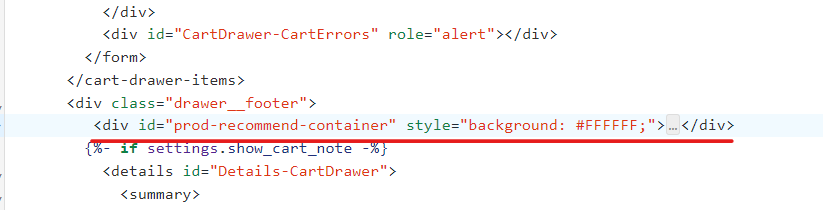
<div id="prod-recommend-container" style="background: #FFFFFF;">
<div class="prod-recommend-heading">
<h3 class="osc-heading">Best Sellers we Recommend</h3>
<div class="bs-arrowSlider" style="display:flex; gap: 0.50rem;">
<div id="bs-arrowSlider-left" style=" cursor: pointer;"> ⬅</div>
<div id="bs-arrowSlider-right" style=" cursor: pointer;">➡</div>
</div>
</div>
<div id="bs-scroll-div">
<div class="bs-formContainer">
<div id="form1"></div>
</div>
<div class="bs-formContainer">
<div id="form2"></div>
</div>
</div>
</div>c) Paste this code at the end of the file
<script>
  document.addEventListener("DOMContentLoaded", function() {
    const notifierslider = document.getElementById('bs-scroll-div');
    const notifierleftArrow = document.querySelector('#bs-arrowSlider-left');
    const notifierrightArrow = document.querySelector('#bs-arrowSlider-right');

    let notifierscrollAmount = 0;
    const notifierscrollStep = 260;

    notifierleftArrow.addEventListener('click', function() {
      notifierscrollAmount -= notifierscrollStep;
      notifierslider.scrollTo({
        top: 0,
        left: notifierscrollAmount,
        behavior: 'smooth'
      });
    });

    notifierrightArrow.addEventListener('click', function() {
      notifierscrollAmount += notifierscrollStep;
      notifierslider.scrollTo({
        top: 0,
        left: notifierscrollAmount,
        behavior: 'smooth'
      });
    });
  });
</script>
3. Paste the following code in theme.liquid
Add it just before the body closing tag above </body>
 {{'cro-cart_recommendation.js' | asset_url | script_tag}}
     <script>
    if (window.location.href.includes('opencart=true')) {
        const cartDrawer = document.querySelector('cart-drawer');
        cartDrawer.classList.add('active');
    }
    </script>
And with this last step, you are all done with the setup.
Suggested Reads- How to Setup Sticky Add to Cart Feature in Shopify
Takeaway
Cart drawers provide a focused environment where product recommendations can directly influence purchase decisions. Implementing a dynamic recommendation block here helps increase relevance, visibility, and conversion without adding friction to checkout.
Your Store, Open for Business - Fast
Custom Shopify builds that convert browsers into buyers.
Conclusion
Adding product recommendations to the Shopify cart drawer transforms the cart from a passive summary into an active conversion tool. When recommendations are relevant, timely, and continuously optimized, they enhance user experience while increasing average order value.
Success depends on relevance, freshness, and iteration; treat cart recommendations as a system to refine, not a one-time setup.
FAQs
1. Can we customize the cart page in Shopify?
Yes, Shopify allows extensive customization of the cart page. You can modify the layout, add features like product recommendations, and create a unique cart experience using Shopify's liquid templating system and custom JavaScript.
2. How do I add a product to my cart on Shopify?
To add a product to the cart programmatically, use Shopify's AJAX API. Send a POST request to '/cart/add.js' with the product variant ID and quantity. For standard add-to-cart buttons, use Shopify's built-in 'add to cart' form functionality.
3. Where is the cart setting in Shopify?
Access cart settings in your Shopify admin panel under "Settings" > "Checkout". Here you can configure various cart behaviours, including shipping options, customer information requirements, and abandoned checkout emails.

Sahil Singh
I’m a Front-End developer with 1.3 years of experience creating user-friendly, optimized web pages. I specialize in developing features that boost conversion rates for e-commerce websites.