What to Expect When Working with a Flutter Development Team?
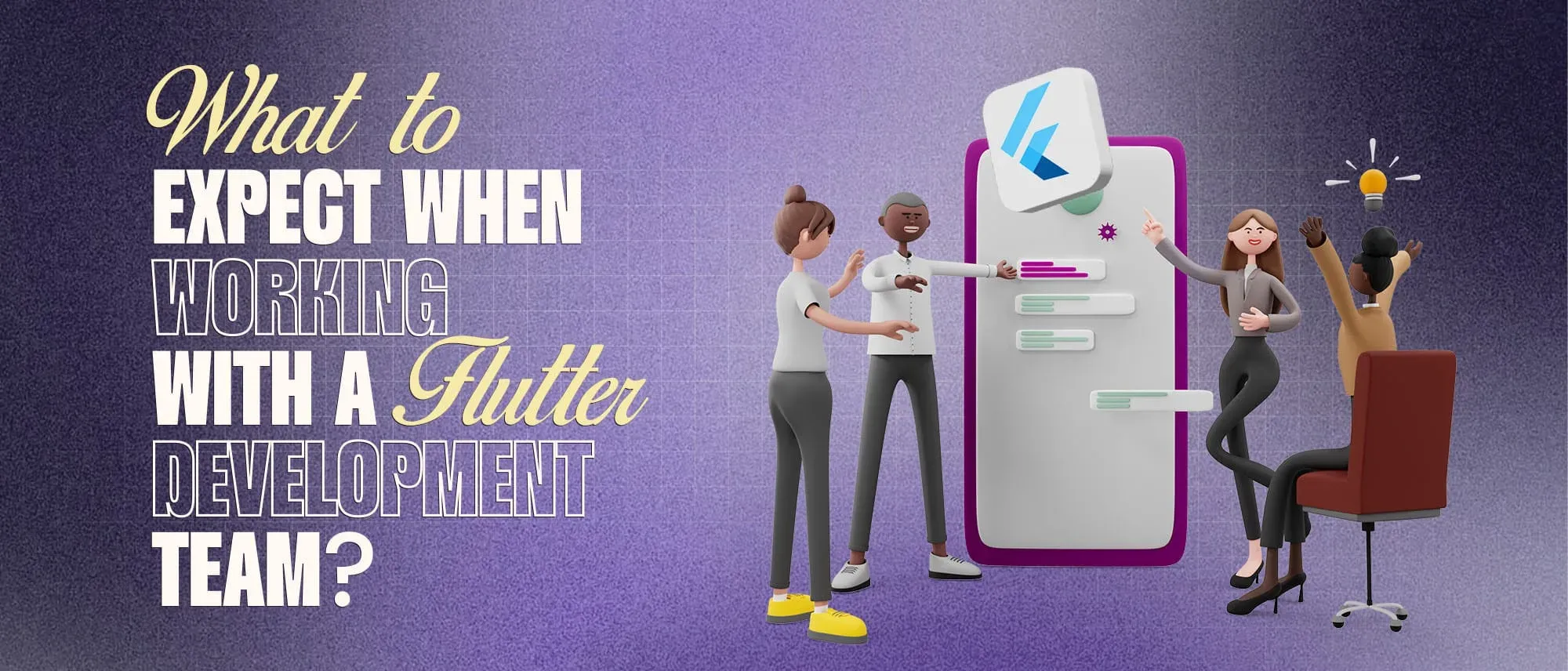
- When working with a Flutter development team, you should expect:
- A discovery phase before coding begins
- Written scope, requirements, and acceptance criteria
- Wireframes and interactive designs before full development
- A technical plan covering architecture, APIs, integrations, and security
- Development in short, reviewable milestones
- Regular demonstrations of working software
- Testing on both iOS and Android devices
- A defined process for changes and additional workApp-store preparation and deployment support
- Complete access to source code, accounts, documentation, and builds
- A post-launch plan for monitoring, fixes, and future updates
- The best working relationship is collaborative. The team owns technical execution, but the client still owns product priorities and business decisions.
Hiring a Flutter development team is not as simple as handing over an app idea and waiting for a finished product. Building a successful application requires continuous collaboration between business stakeholders, designers, developers, testers, and, in many cases, backend and DevOps engineers.
A capable team should guide you through product discovery, scope definition, UI/UX design, technical planning, development, testing, app-store submission, and post-launch maintenance. At the same time, you will be expected to review deliverables, answer business questions, provide access to required services, and make decisions before they block development.
Understanding this process helps you estimate timelines more realistically, control scope, and evaluate whether the team is making meaningful progress.
This guide explains what to expect at every stage of working with a Flutter development team, which deliverables you should receive, and what warning signs to watch for.
What Does a Flutter Development Team Usually Include?
The team structure depends on the size and complexity of the application. A small MVP may be handled by two or three people, while a larger platform may require several specialists.
| Role | Primary responsibility |
| Product manager or business analyst | Requirements, scope, priorities, and stakeholder coordination |
| Project manager | Schedule, communication, risks, and delivery tracking |
| UI/UX designer | User journeys, wireframes, visual design, prototypes, and usability |
| Flutter developer | Application interface, state management, device features, and integrations |
| Backend developer | APIs, databases, authentication, payments, and business logic |
| QA engineer | Test planning, manual testing, automation, and release verification |
| DevOps engineer | CI/CD, environments, credentials, monitoring, and deployment |
| Technical lead or architect | Architecture, code quality, security, performance, and technical decisions |
Not every project needs a separate person for every role. However, the responsibilities should still be assigned clearly. If nobody owns testing, architecture, or release management, those responsibilities can easily be overlooked.
What the Flutter Development Process Looks Like
A Flutter project usually moves through several overlapping phases.
| Phase | What happens | What you should receive |
| Discovery | Goals, users, features, risks, and constraints are explored | Requirements, feature list, assumptions |
| Planning | Scope, estimates, milestones, and priorities are agreed | Roadmap, timeline, backlog |
| Design | User flows and interfaces are created | Wireframes, prototype, design files |
| Technical setup | Architecture, repositories, environments, and integrations are prepared | Technical plan, project access |
| Development | Features are implemented incrementally | Regular builds and demonstrations |
| Testing | Functionality, compatibility, security, and performance are evaluated | Test reports and defect status |
| Launch | Store assets and production builds are prepared | Release builds and submission support |
| Maintenance | Issues, updates, and improvements are managed | Monitoring, reports, and new releases |
The phases may overlap. Designers can work on later screens while developers build approved ones, and testers can verify completed features before the entire application is finished.
1. Discovery and Product Planning
The discovery phase turns an initial app idea into a product the team can estimate and build.
A good team will ask about the problem being solved, target users, business model, competing products, required platforms, compliance obligations, third-party systems, and launch goals. These conversations should uncover assumptions that may otherwise become expensive changes later.
For example, “users should be able to book an appointment” sounds straightforward. Before implementation, the team still needs to understand:
- Who creates the available time slots?
- Can appointments be rescheduled or cancelled?
- Are payments collected before confirmation?
- Do providers operate in multiple time zones?
- What happens when two users select the same slot?
- Which notifications are required?
- Is an administrator allowed to override a booking?
The goal is not to document every possible future feature. It is to define the first release clearly enough that the team can estimate it and determine when a feature is complete.
What You Should Receive
At the end of discovery, expect some combination of:
- Product requirements
- User roles and journeys
- Prioritized feature list
- User stories or functional specifications
- Technical constraints
- Assumptions and exclusions
- Initial release plan
- High-level estimate
- Identified project risks
Pay close attention to exclusions. If analytics, accessibility, offline support, tablet layouts, or app-store submission are not included, that should be stated before development begins.
2. Scope, Budget, and Timeline Definition
Once the requirements are understood, the team should convert them into a delivery plan.
Early estimates are rarely exact because requirements evolve and technical uncertainties remain. A trustworthy team should explain whether an estimate is fixed, approximate, or based on time and materials.
The project agreement should define:
- Which features are included
- Which platforms and device types are supported
- Expected milestones
- Pricing and payment schedule
- How changes are estimated and approved
- How delays caused by external dependencies are handled
- Who owns the source code and design files
- What warranty or post-launch support is included
Avoid treating a long feature list as a complete scope. Each feature should have enough detail to prevent different interpretations.
For example, “social login” could mean Google login on Android only, or Google, Apple, and Facebook login across multiple platforms with account linking and deletion. Those are very different amounts of work.
MVP Does Not Mean Low Quality
Teams may recommend beginning with a minimum viable product. This should mean delivering the smallest useful version that can test the business idea—not releasing an unstable or unfinished application.
An MVP can contain fewer features while still meeting acceptable standards for security, usability, reliability, and maintainability.
3. UI/UX Design and Prototyping
Before developing complete screens, the design team usually maps how users move through the application.
Low-fidelity wireframes focus on layout, information hierarchy, and navigation. Once those decisions are approved, the team creates visual designs containing colors, typography, components, icons, spacing, and interaction states.
An interactive prototype may then demonstrate how important journeys work without requiring a fully developed application.
Flutter uses a widget-based UI system, giving teams considerable control over interface design. However, using one codebase does not mean every platform should behave identically. Android and iOS users may expect different navigation patterns, system controls, permissions, and gestures.
A good team should preserve the product’s visual identity while respecting platform conventions.
Design Reviews Should Cover More Than Ideal Screens
Ask to see states that are often missed:
- Loading
- Empty results
- Validation errors
- No internet connection
- Expired sessions
- Permission denied
- Long text and translated content
- Large accessibility text
- Small and large screens
- Failed payments or uploads
These states are part of the real product experience. If only the successful path is designed, developers will be forced to make many UX decisions during implementation.
Accessibility Should Begin During Design
Accessibility should not be postponed until launch. Text contrast, touch-target size, keyboard interaction, focus order, screen-reader labels, and scalable text can affect both design and implementation.
Retrofitting accessibility after the interface is complete generally requires more effort than including it in the original component and testing strategy.
4. Technical Architecture and Project Setup
Before feature development accelerates, the team should establish the application’s technical foundation.
This may include decisions about:
- Application architecture
- State management
- Navigation
- API communication
- Local storage
- Authentication
- Error handling
- Analytics
- Crash reporting
- Push notifications
- Environment configuration
- Automated builds
- Testing strategy
There is no single Flutter architecture that is correct for every application. The right design depends on product complexity, offline requirements, team size, data flow, and expected growth.
The team should be able to explain important decisions in business terms. For example, it should clarify how the chosen architecture will make features easier to test, reduce accidental dependencies, or allow different developers to work without repeatedly breaking one another’s code.
Development Environments
Professional teams generally separate development, testing, staging, and production environments when the product’s complexity justifies it.
Let’s Build Your Flutter App Together!
Work with our expert team to turn your app idea into a fast, stunning Flutter product.
Flutter supports build configurations, commonly called flavors, that can use different app names, icons, API endpoints, credentials, and feature settings. This prevents development builds from accidentally interacting with production systems.
Ask Who Owns the Technical Accounts
The client should generally own or control production accounts such as:
- Apple Developer account
- Google Play Console
- Cloud hosting
- Domain and DNS
- Analytics
- Crash reporting
- Payment gateway
- Push-notification services
- Production database
- Source-code repository
The development team can administer these resources, but the business should not become permanently dependent on an agency-owned account.
5. Incremental Development and Regular Demonstrations
Most Flutter teams divide development into short iterations or milestones. Agile teams often call these periods sprints, but the name matters less than the working process.
At the beginning of an iteration, the team selects work based on priorities and available capacity. During the iteration, developers implement features, review code, resolve defects, and prepare a testable build. At the end, the team demonstrates what has been completed.
You should receive working software regularly—not only status reports or screenshots.
A demonstration allows you to confirm that the feature matches the intended workflow while changes are still manageable. It also helps separate three different states of work:
- In progress: Development has started, but the feature is incomplete.
- Developed: Implementation is complete, but testing or review remains.
- Accepted: The feature has passed agreed checks and received approval.
A task moving to “done” in a project-management tool does not necessarily mean it is ready for production. Ask the team to define its completion criteria.
6. Communication and Client Involvement
Communication should be predictable rather than constant.
Depending on the project, you may have a weekly status meeting, sprint planning session, milestone review, or shared communication channel. Daily meetings are usually intended for the delivery team; clients do not always need to attend them.
A useful project update should explain:
- What was completed
- What is currently being developed
- What will be addressed next
- Which decisions are required
- Whether risks or blockers have appeared
- Whether the timeline or budget has changed
Tools such as Jira, Linear, Trello, Slack, Microsoft Teams, or email can support the process. The tool itself is less important than whether information remains visible and decisions are documented.
What the Team Needs From You
The development team will usually need timely:
- Feedback on designs and builds
- Business rules and policy decisions
- Branding and content
- Access to third-party services
- Legal documents and privacy information
- Test accounts
- Approval of milestones
- Prioritization when time or budget is limited
Delayed feedback can affect the schedule. If a team waits a week for an approval, it may move people to other planned work rather than keeping the full team idle.
To prevent conflicting instructions, establish one person who has final product authority.
7. Handling Feedback and Scope Changes
Changes are normal in software development. What matters is how they are evaluated and approved.
A minor text correction may have little impact. A request to add subscriptions, offline synchronization, multiple user roles, or a new payment provider may affect design, backend logic, security, testing, and release preparation.
Before accepting a change, the team should explain:
- The additional work involved
- Its effect on the current milestone
- Any added cost
- New dependencies or risks
- Whether another feature should be postponed
Not every new idea needs to enter the current release. A well-maintained product backlog allows useful ideas to be recorded and prioritized later without disrupting work already underway.
Be cautious if a team accepts every request without discussing its impact. Uncontrolled scope expansion commonly results in delayed releases, rushed testing, and budget disputes.
8. Flutter Development and Code Quality
Flutter’s Hot Reload feature can help developers review many code and UI changes without restarting the complete application. It is useful during development, but it does not make every feature quick to build or eliminate the need for release builds and testing.
A professional team should also use practices such as:
- Version control
- Peer code review
- Consistent coding standards
- Automated static analysis
- Dependency review
- Secure credential management
- Reusable UI components
- Documented architecture
- Automated build checks
You do not need to inspect every technical detail as a client. However, you can ask whether code is reviewed before merging, whether automated checks run on proposed changes, and whether another developer could maintain the project without relying on one person’s memory.
Third-Party Packages Require Evaluation
Flutter has a large package ecosystem, but adding a package is still a technical dependency.
Before relying on one for a critical function, the team should consider its maintenance activity, platform support, license, security implications, native dependencies, and compatibility with supported Flutter versions.
Flutter publishes release notes and migration guidance because framework and platform changes can occasionally require code updates.
9. Testing and Quality Assurance
Testing should happen throughout development, not only during the final week.
Flutter supports several complementary levels of automated testing:
- Unit tests verify individual functions, classes, and business rules.
- Widget tests check UI components and their interactions in a controlled environment.
- Integration tests verify complete workflows and how different parts of the application work together.
Flutter’s testing guidance recommends a larger foundation of unit and widget tests, supported by enough integration tests to cover important use cases.
Automation is valuable, but it does not replace exploratory and device testing. QA engineers should also examine unexpected actions, interruptions, connectivity changes, permissions, operating-system behavior, and usability.
What Should Be Tested?
Testing should reflect the product’s actual risks. Depending on the application, it may include:
- Registration and authentication
- Core user journeys
- Form validation
- API failures and timeouts
- Offline or weak-network behavior
- Payments
- Push notifications
- Deep links
- File uploads
- Device permissions
- App upgrades
- Accessibility
- Security-sensitive functionality
- Performance on representative devices
Cross-platform development does not guarantee identical behavior everywhere. Plugins can use different native implementations on Android and iOS, and operating systems handle permissions, background execution, notifications, and lifecycle events differently.
The team should test on real devices in addition to emulators or simulators.
Ask for Test Evidence
Before approving a milestone or release, you should be able to see:
- Which workflows were tested
- Which device and OS combinations were covered
- Known defects and their severity
- Which issues are being deferred
- Whether automated checks passed
- Whether the final candidate was tested in release mode
Performance should be evaluated in profile or release conditions, not judged solely from a debug build. Flutter provides separate debug, profile, and release build modes for different stages of development.
10. Backend and Third-Party Integrations
Flutter usually handles the client application, but most commercial apps also depend on backend services.
Your project may require:
- User authentication
- APIs
- Databases
- Admin dashboards
- Payment gateways
- Maps
- Chat
- Video or audio
- Analytics
- Search
- Push notifications
- Customer-support tools
Confirm whether the Flutter team is also responsible for the backend. Some teams provide complete product development, while others build only the mobile interface against APIs supplied by the client.
Third-party integrations can also affect delivery estimates. Approval processes, incomplete documentation, API limitations, rate limits, test environments, and changing vendor requirements may create delays outside the Flutter team’s direct control.
The team should identify these dependencies early and avoid placing secret API keys directly inside the application.
11. Preparing for App Launch
Launch preparation begins before the app is considered finished.
For iOS and Android releases, the team may need to prepare:
- Application name and identifiers
- Signing credentials
- App icons and launch screens
- Screenshots
- Store descriptions
- Age and content ratings
- Privacy disclosures
- Permission explanations
- Support and privacy-policy URLs
- Internal testing builds
- Production release bundles
The client should own the Apple Developer and Google Play accounts wherever possible. The team can configure signing and submit releases through those accounts.
Flutter’s official deployment guidance covers separate release processes for platforms such as the Apple App Store and Google Play. An iOS release, for example, requires Apple Developer Program enrollment and compliance with Apple’s review requirements.
App-store approval is not completely controlled by the development team. Reviewers may reject an app because of account issues, missing disclosures, privacy concerns, incomplete functionality, or store-policy violations. A capable team should help resolve technical feedback but should not promise guaranteed approval on a specific date.
Use a Controlled Rollout
For higher-risk releases, consider internal testing, beta distribution, or a phased rollout before making the app available to every user.
Let’s Build Your Flutter App Together!
Work with our expert team to turn your app idea into a fast, stunning Flutter product.
This provides an opportunity to monitor crashes, API failures, authentication issues, and unexpected device-specific behavior with limited exposure.
12. Handover and Project Ownership
Handover should be planned from the beginning rather than treated as a final file transfer.
At the end of the engagement, you should receive access to the resources required to operate and continue developing the product.
A complete handover may include:
- Source-code repositories
- Design files
- Architecture documentation
- API documentation
- Environment and deployment instructions
- Dependency information
- Test suites and reports
- Store credentials and release records
- Infrastructure access
- Known-issues list
- Analytics and monitoring access
- Backup and recovery information
Secrets should be transferred through an appropriate password-management or secret-management system, not pasted into general documentation.
The agreement should also state who owns reusable components, custom source code, design assets, and intellectual property. Do not assume that payment alone resolves every ownership question.
13. Post-Launch Support and Maintenance
Launching the application begins the operational phase.
Once real users arrive, the team may discover device-specific crashes, unusual workflows, performance bottlenecks, or unclear product interactions that were not visible during controlled testing.
Post-launch work can include:
- Crash and error monitoring
- Urgent defect resolution
- Performance improvements
- Security updates
- Dependency upgrades
- Compatibility work for new iOS and Android versions
- Analytics review
- Usability improvements
- New feature development
Flutter makes it possible to share much of the application code across supported platforms, but it does not eliminate maintenance. Mobile operating systems, store policies, native SDKs, plugins, and third-party APIs continue to change.
Your agreement should distinguish between:
- Defects in the agreed implementation
- New requirements
- Platform-mandated updates
- Third-party service changes
- Ongoing product enhancements
It should also define response expectations for critical production issues.
What a Healthy Client–Team Relationship Looks Like
A productive engagement has visible progress, documented decisions, and shared responsibility.
The development team should communicate technical risks honestly, demonstrate working software regularly, and explain the consequences of architectural or scope decisions. The client should provide timely feedback, resolve business questions, and prioritize outcomes when every feature cannot be delivered simultaneously.
Disagreement is not necessarily a warning sign. A reliable team may challenge an unnecessary feature, unrealistic timeline, unsafe integration, or confusing user journey. The important question is whether that challenge is supported by clear reasoning.
Warning Signs to Watch For
Be cautious when a Flutter team:
- Provides a fixed quote before understanding the requirements
- Starts coding without agreed user flows or scope
- Cannot explain who owns the repository and production accounts
- Shows only screenshots instead of testable builds
- Reports that everything is “almost finished” for several weeks
- Does not test separately on Android and iOS
- Has no process for reviewing or approving changes
- Stores production secrets inside source code
- Leaves testing until immediately before launch
- Cannot describe its handover or maintenance process
- Depends entirely on one developer with no documentation
- Guarantees app-store approval
- Avoids discussing known defects or technical debt
One warning sign may have a reasonable explanation. Several appearing together suggest a delivery or ownership risk.
Questions to Ask Before Hiring a Flutter Development Team
Before signing an agreement, ask:
- Who will work on the project, and what does each person own?
- Is backend, infrastructure, design, and QA included?
- How will requirements and acceptance criteria be documented?
- How often will we receive a testable build?
- Which real devices and operating-system versions will be tested?
- How are scope changes estimated and approved?
- Who owns the source code, store accounts, and production infrastructure?
- What automated testing and code-review practices are used?
- How are security, accessibility, and performance addressed?
- What documentation will be delivered?
- What happens if a key team member becomes unavailable?
- What support is included after launch?
The quality of the answers is often more revealing than the team’s sales presentation.
Frequently Asked Questions
How involved should I be during Flutter app development?
You should participate in discovery, approve designs, answer business questions, review milestone builds, and prioritize changes. You do not need to manage daily technical implementation, but delayed decisions can block the team or create avoidable rework.
How often should a Flutter team provide updates?
Most projects benefit from a concise weekly update and a working demonstration at the end of each milestone or sprint. The appropriate frequency depends on project size, risk, and pace, but progress should remain visible throughout development.
Will one Flutter codebase make Android and iOS identical?
Flutter can share much of the application code, but the platforms still have different permissions, lifecycle behavior, store requirements, native integrations, and interaction conventions. Both versions require platform-specific configuration and testing.
How long does Flutter app development take?
The timeline depends on scope, design complexity, backend requirements, integrations, compliance, and testing. A small MVP may take a few months, while a complex product can take considerably longer. Discovery is necessary before providing a credible estimate.
Should the Flutter team also develop the backend?
That depends on the engagement. If the application requires authentication, payments, databases, or business logic, confirm who will build and maintain those systems. Mobile and backend responsibilities should be explicitly documented.
Who should own the app-store accounts and source code?
The client should generally own the production store accounts, source repository, cloud resources, and product-specific source code. The development team can receive the access needed to manage releases without becoming the permanent account owner.
What happens if requirements change during development?
The team should evaluate the effect on cost, schedule, design, testing, and existing work before implementing the change. You can then approve it, postpone it, or exchange it for a lower-priority feature.
Does a Flutter app need maintenance after launch?
Yes. The application may require bug fixes, dependency upgrades, security patches, compatibility updates, performance improvements, and changes caused by third-party APIs or app-store policies.
Conclusion
Working with a Flutter development team should be a transparent, collaborative process that moves from business goals to design, implementation, validation, launch, and long-term operation.
You should expect more than attractive screens and periodic status updates. A capable team will establish a clear scope, show working builds regularly, test on real devices, document important decisions, prepare the application for release, and transfer the access needed for long-term ownership.
Your involvement also matters. Timely feedback, clear priorities, access to required services, and decisive product ownership help the team maintain momentum and avoid unnecessary rework.
The best Flutter engagement does not end with the delivery of an application file. It leaves you with a reliable product, an understandable codebase, controlled production accounts, and a practical plan for improving the application after users begin relying on it.