Top 10 Automation Testing Tools in 2026
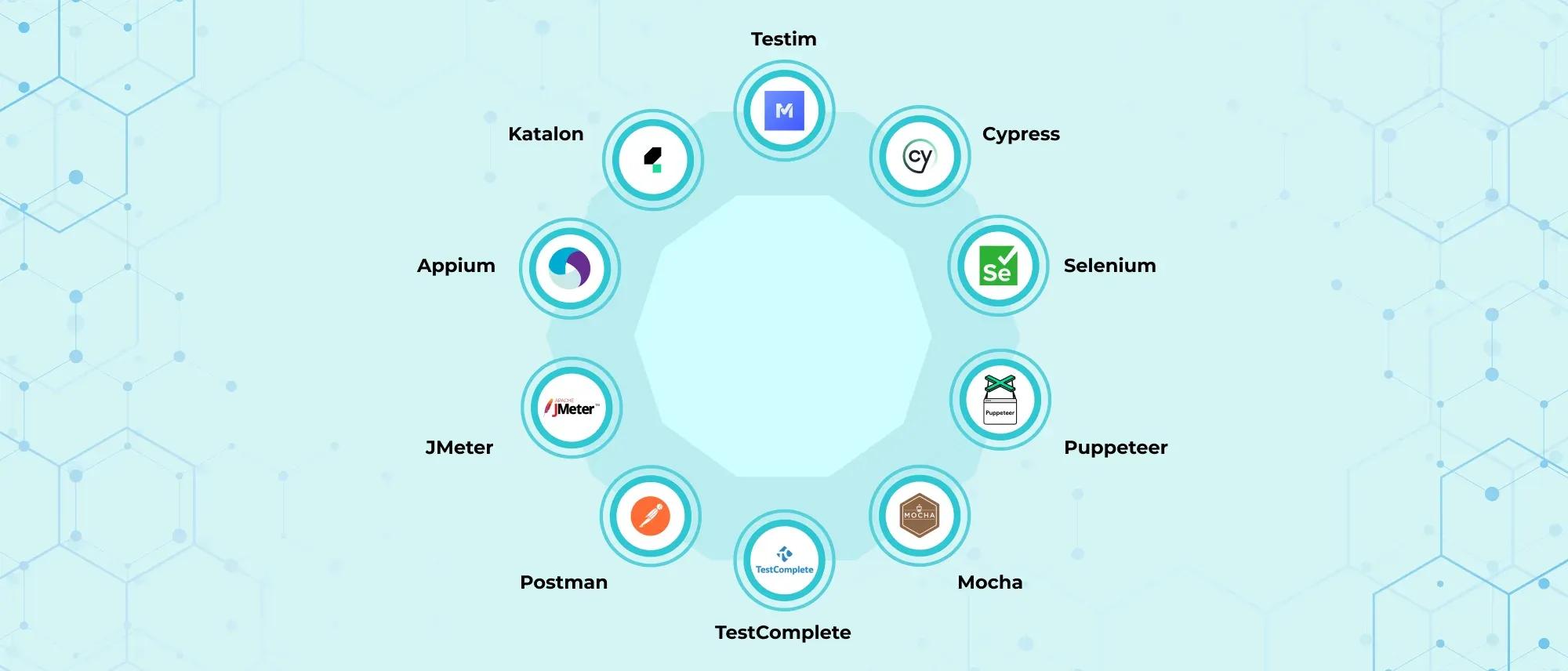
- There is no single “best” automation testing tool for every project. Based on current capabilities:
- Playwright is our strongest overall choice for modern web testing.
- Selenium remains valuable for broad language, browser, and ecosystem support.
- Cypress provides an excellent developer experience for JavaScript front-end teams.
- Appium is the leading open-source choice for native and hybrid mobile automation.
- Postman is the most approachable option for collaborative API testing.
- Grafana k6 is well suited to developer-led performance testing.
- Apache JMeter remains useful for mature, protocol-heavy performance suites.
- Katalon Studio suits mixed-skill teams seeking one environment for multiple test types.
- Tricentis Tosca is designed for large enterprises with complex end-to-end processes.
- TestComplete is particularly useful for teams automating Windows desktop applications alongside web and mobile tests.
- Do not select a tool because it includes AI or record-and-play functionality. Run a proof of concept against your most difficult workflows and compare maintainability, execution speed, debugging, integration, and total cost.
Automation testing in 2026 is no longer limited to replaying browser actions. Modern teams automate web interfaces, mobile applications, APIs, desktop software, performance checks, accessibility rules, visual changes, and complex business processes.
The difficult part is not finding an automation tool. It is choosing one that fits the application, team skills, testing scope, and delivery workflow.
Playwright may be an excellent choice for a TypeScript team building a modern web application, but it will not replace Appium for native mobile testing. Selenium remains valuable for broad browser and language coverage, while tools such as Katalon and Tricentis Tosca address teams that need low-code authoring, central governance, or automation across several technologies.
This guide compares ten leading automation testing tools in 2026, explains where each one performs best, and highlights the limitations that should influence your decision.
What Is an Automation Testing Tool?
An automation testing tool is software used to execute tests, compare actual outcomes with expected results, and report failures with limited manual intervention.
Depending on its purpose, a tool may control browsers or mobile devices, send API requests, simulate thousands of users, inspect desktop controls, compare screenshots, or coordinate complete business processes across several applications.
Tools also differ in how tests are created. Some use programming languages and version-controlled test code. Others provide visual editors, keyword-driven steps, recording, natural-language generation, or a combination of code and low-code interfaces.
Automation tools are most valuable for tests that are repeatable, deterministic, important, and executed frequently. Exploratory, usability, and rapidly changing scenarios may still benefit more from human testing.
How We Selected These Tools
This is not a ranking based solely on popularity. The list covers different automation needs and evaluates each tool according to:
- Testing scope and supported application types
- Programming-language requirements
- Browser, operating-system and device coverage
- Debugging and reporting capabilities
- CI/CD integration
- Parallel and distributed execution
- Test maintainability
- Community or vendor support
- Licensing and infrastructure considerations
- Suitability for a particular team or project
Commercial features and licensing can change. Confirm current plan limits, execution allowances, and support terms before purchasing.
Top Automation Testing Tools Compared
| Tool | Best suited for | Main testing scope | Authoring approach | Licence model |
| Playwright | Modern web applications | Web UI, API and browser-based E2E | Code-first | Open source |
| Selenium | Broad cross-browser automation | Web UI | Code-first, with IDE recording available | Open source |
| Cypress | JavaScript front-end teams | Web E2E and component testing | Code-first with visual tooling | Open-source runner plus commercial cloud |
| Appium | Native and hybrid mobile apps | Mobile and selected other platforms through drivers | Code-first | Open source |
| Postman | Collaborative API testing | HTTP, GraphQL and gRPC APIs | Visual workflows and scripts | Free and paid plans |
| Grafana k6 | Continuous performance testing | API, protocol and browser performance | Code-first | Open source plus commercial cloud |
| Apache JMeter | Protocol-heavy load testing | Web, API, database, JMS and other protocols | GUI test plans and configuration files | Open source |
| Katalon Studio | Mixed-skill QA teams | Web, mobile, API and desktop | No-code, low-code and scripted | Proprietary with available entry options |
| Tricentis Tosca | Enterprise end-to-end automation | Web, API, mobile, desktop, packaged and legacy systems | Model-based and low-code | Commercial |
| TestComplete | Windows desktop and multi-technology UI testing | Desktop, web and mobile | Record-and-play, keyword and script | Commercial |
1. Playwright
Best for: Modern web applications and teams starting a new browser-automation framework
Playwright is our strongest overall recommendation for modern web testing in 2026. Developed by Microsoft, it combines browser automation with a complete test runner, parallel execution, assertions, fixtures, isolation, screenshots, video, and tracing.
It supports Chromium, Firefox, and WebKit, allowing teams to cover browser engines associated with Chrome, Edge, Firefox, and Safari. It can also emulate mobile viewports and device properties, although this is mobile-web emulation rather than native mobile-app testing.
One of Playwright’s most useful features is automatic waiting. Before performing an action, Playwright checks whether the target element is visible, stable, enabled, and capable of receiving the interaction. This reduces the need for arbitrary delays, which are a common source of unreliable browser tests.
Its Trace Viewer is another major advantage. When a CI test fails, testers can inspect the action timeline, DOM snapshots, network activity, console messages, source locations, and screenshots instead of relying only on a stack trace.
Playwright works especially well with TypeScript or JavaScript through Playwright Test. Browser automation libraries are also available for Python, Java, and .NET, although the surrounding test-runner experience differs between languages.
Where Playwright excels
Playwright is well suited to modern single-page applications, multi-tab workflows, file uploads, downloads, authentication state, network mocking, browser-context isolation, and parallel CI execution. It can also send API requests, making it possible to prepare application state or combine API and UI validation.
Limitations
It does not automate native iOS or Android applications. WebKit coverage is useful, but testing with Playwright’s bundled WebKit build is not identical to validating every behaviour on physical Safari devices.
Teams with large, stable Selenium suites may also find migration more expensive than the benefits justify.
Verdict
Choose Playwright when building a new code-based web automation suite, particularly if your team uses TypeScript and values fast execution, strong isolation, reliable waiting, and detailed debugging.
2. Selenium
Best for: Organisations needing broad language support and extensive cross-browser infrastructure
Selenium remains one of the most important browser-automation technologies in 2026. Its ecosystem, language support, cloud-grid compatibility, and widespread organisational adoption continue to make it relevant despite newer alternatives.
Selenium WebDriver controls browsers through the W3C WebDriver standard and supports official bindings for Java, Python, JavaScript, C#, and Ruby. This allows teams to work within their existing development ecosystems and combine Selenium with frameworks such as JUnit, TestNG, pytest, NUnit, or Mocha.
Selenium Grid routes WebDriver sessions to remote browser instances, supporting parallel testing across different machines, operating systems, and browser versions.
Selenium also has a mature ecosystem of cloud-device providers, reporting libraries, page-object frameworks, plugins, tutorials, and experienced automation engineers.
Where Selenium excels
Selenium is a strong choice for large organisations with established WebDriver infrastructure, diverse programming-language requirements, or extensive browser and operating-system matrices.
It also offers more architectural flexibility than an all-in-one testing product. Teams can choose their test runner, assertion library, reporting system, dependency-injection approach, and execution platform.
Limitations
That flexibility creates additional work. Selenium WebDriver does not provide the same integrated test-runner and tracing experience as Playwright. Teams must design their framework, synchronisation, reporting, data management, screenshots, and CI execution carefully.
Poorly implemented Selenium suites can become slow and flaky, although the problem often lies in test design rather than WebDriver itself.
Verdict
Choose Selenium when broad interoperability, language choice, mature infrastructure, or an existing WebDriver investment matters more than an integrated out-of-the-box developer experience.
3. Cypress
Best for: JavaScript and TypeScript teams testing front-end applications and components
Cypress offers one of the most approachable developer experiences for browser testing. Tests run with an interactive interface that displays commands, application state, network activity, screenshots, and errors, making failures easier to understand during development.
It supports end-to-end and component testing. Component Testing mounts UI components in a real browser, allowing teams to inspect rendering and behaviour without deploying the complete application.
Cypress also provides built-in retry behaviour, network interception, request stubbing, screenshots, videos, and automatic test isolation. Cypress Cloud adds parallelisation, load balancing, analytics, failure diagnostics, and recorded test results.
Where Cypress excels
Cypress is particularly effective for React, Angular, Vue, and other JavaScript-heavy applications where developers and testers work closely. Its interactive runner shortens the learning and debugging cycle, while network control helps teams reproduce front-end states without depending on every backend service.
The same framework can support component tests and complete browser workflows, reducing the number of tools a front-end team must maintain.
Limitations
Test authoring is centred on JavaScript and TypeScript. Teams standardised on Java, C#, or Python may prefer Selenium or Playwright.
Its browser architecture and command model differ from WebDriver-based tools, so certain multi-origin, multi-window, or unusual browser-control scenarios may require specific handling. Teams should validate their hardest workflows during a proof of concept.
Verdict
Choose Cypress when front-end developers will actively contribute to automation and you want an excellent interactive workflow for component and end-to-end web testing.
4. Appium
Best for: Cross-platform native and hybrid mobile-app automation
Appium is the leading open-source option for automating native, hybrid, and mobile-web applications across iOS and Android.
Its driver-based architecture separates the Appium server from platform-specific automation implementations. For example, Android teams commonly use the UiAutomator2 driver, while iOS automation typically relies on XCUITest.
Tests can be written using JavaScript, Python, Java, Ruby, .NET, and other supported client ecosystems. Appium sessions use capabilities to specify details such as the platform, device, operating-system version, application, and automation driver.
Appium’s cross-platform approach allows teams to share architectural patterns and, in some applications, parts of the test logic between Android and iOS. It can run against emulators, simulators, local devices, and compatible cloud-device providers.
Where Appium excels
Appium is valuable when teams want open-source, language-flexible mobile automation without adding test-only instrumentation to the application.
It supports real user flows involving permissions, gestures, native controls, hybrid WebViews, and device-level interaction more appropriately than browser-only tools.
Sleep Easy Before Launch
We'll stress-test your app so users don't have to.
Limitations
Mobile automation is inherently more complicated than browser automation. Teams must manage platform SDKs, drivers, signing, application builds, emulators or devices, operating-system versions, and device state.
Cross-platform does not mean one test will automatically work everywhere. Android and iOS often expose different controls and interaction patterns, requiring platform-aware test design.
Verdict
Choose Appium when native or hybrid mobile testing is central to the project and your team can support the device, driver, and platform configuration it requires.
5. Postman
Best for: Collaborative API development, functional testing, and pipeline checks
Postman began as an API client but has developed into a broader API platform covering request design, collections, scripts, documentation, mock servers, automated testing, monitoring, and team collaboration.
Testers can group requests into collections, pass data between requests, use environments, and add assertions through scripts. Collections can represent individual endpoints or complete workflows such as authentication, order creation, payment, and status verification.
Postman’s Collection Runner can automate functional tests for HTTP, GraphQL, and gRPC APIs, subject to plan-specific availability. Collections can also run in CI/CD through the Postman CLI or Newman.
Where Postman excels
Postman is approachable for developers, testers, analysts, and other stakeholders who need to inspect or validate APIs without first building a complete code framework.
Its visual request builder and collaborative workspaces make API knowledge easier to share. The same collection can support exploration, automated regression, scheduled monitoring, and pipeline validation.
Limitations
Large collections can become difficult to maintain if teams depend heavily on duplicated scripts and shared mutable environments. Versioning and reviewing complex Postman assets may feel less natural than reviewing conventional test code.
Cloud collaboration, governance, advanced protocols, and team-scale features may require paid plans. Teams should also establish clear controls for secrets and sensitive request data.
Verdict
Choose Postman when collaboration and accessibility are priorities. For highly code-centric API suites, also evaluate tools that live directly inside the application’s programming ecosystem.
6. Grafana k6
Best for: Developer-friendly performance and reliability testing in CI/CD
Grafana k6 is an open-source performance-testing tool designed around scriptable workloads and automated execution. Tests are written in JavaScript, making the tool accessible to developers while keeping scenarios, thresholds, and configuration in version control.
It supports workload models for average load, stress, spikes, soak tests, and breakpoint testing. Teams can define thresholds that translate performance expectations into pass-or-fail conditions, such as limiting the p95 response time or error rate.
k6 is primarily used for protocol-level testing, but its browser module can automate Chromium-based browser interactions while collecting front-end performance measurements.
Where k6 excels
k6 fits teams that want performance testing treated like code. Scripts can be reviewed alongside application changes and executed in CI pipelines, while thresholds turn regressions into failed builds.
It is a good fit for REST, GraphQL, WebSocket, and gRPC workloads, depending on the selected modules and extensions.
Limitations
k6 is not a full replacement for functional browser frameworks such as Playwright or Cypress. Its primary strength is performance and reliability testing.
Teams accustomed to building scenarios through a desktop GUI may find the code-first workflow less approachable, although graphical and managed options are available.
Verdict
Choose k6 when developers and performance engineers want maintainable, version-controlled load tests with measurable thresholds and strong automation potential.
7. Apache JMeter
Best for: Mature performance-testing programmes and varied protocol requirements
Apache JMeter is a long-established open-source tool for load testing functional behaviour and measuring performance. Although it was initially designed for web applications, it supports HTTP, databases through JDBC, JMS, FTP, LDAP, TCP, and other protocols through built-in capabilities and plugins.
Test plans can be created through its desktop interface and executed from the command line for serious load generation. JMeter can also run across multiple remote engines when one machine cannot generate the required workload.
Its broad protocol support and large ecosystem make it useful for organisations with existing JMX test plans or systems extending beyond modern HTTP APIs.
Where JMeter excels
JMeter is effective for complex protocol-level performance tests, distributed load generation, data-driven scenarios, correlation, assertions, and integration with external monitoring systems.
It is also widely understood in enterprise QA teams, making experienced practitioners and existing test assets relatively easy to find.
Limitations
Large JMeter plans can become difficult to review and maintain because the underlying JMX format is verbose. The GUI is intended mainly for building and debugging plans, not high-load execution.
Its thread-based model, terminology, and configuration can feel less developer-friendly than k6 or Gatling. Browser rendering and front-end experience are not its primary focus.
Verdict
Choose JMeter when protocol coverage, an existing suite, or organisational expertise outweighs the advantages of a newer code-first performance framework.
8. Katalon Studio
Best for: Mixed-skill teams needing web, API, mobile, and desktop automation in one environment
Katalon Studio combines recorders, object repositories, built-in keywords, visual test authoring, scripting, reporting, and execution across several application types.
It supports web UI, API, mobile, and Windows desktop testing inside one project and execution flow. Teams can move between manual-style steps and script views, while more experienced users can add custom logic.
Current capabilities include self-healing, smart waiting, recorders, reusable keywords, AI-assisted authoring, local execution, CI/CD integration, and managed cloud execution.
Where Katalon excels
Katalon offers a more guided starting point than assembling Selenium or Appium frameworks from individual libraries. This makes it attractive to QA teams containing both non-programmers and automation engineers.
Its coverage across application types can also reduce tool fragmentation for teams testing workflows that move from an API to a browser or mobile application.
Limitations
Katalon is proprietary, and important team, cloud, parallel-execution, governance, or AI capabilities can depend on licensing. Teams should calculate the cost at their expected number of users, executions, environments, and devices.
The convenience of a platform also creates vendor coupling. Heavily customised suites may become more difficult to migrate than tests built directly on open-source frameworks.
Verdict
Choose Katalon when faster onboarding and broad test coverage matter more than having complete ownership of a custom code-first framework.
9. Tricentis Tosca
Best for: Large enterprises automating complex processes across packaged, legacy, and custom applications
Tricentis Tosca is an enterprise test-automation platform built around model-based automation. Instead of writing every interaction as procedural test code, teams scan application controls into reusable models and build tests around business behaviour.
Its coverage extends across web, API, mobile, desktop, enterprise applications, remote terminals, and other specialised technologies. Distributed execution, central administration, test-data services, and integration with a wider enterprise quality ecosystem support automation at organisational scale.
Tosca is especially relevant when a business process crosses several technologies, for example, a web portal, an API, SAP, a Windows application, and a host terminal.
Where Tosca excels
Tosca suits regulated and large-scale organisations that require reusable business-level automation, role-based governance, central reporting, shared test assets, and vendor support.
Its model-based approach can reduce duplication when many tests interact with the same application controls or business modules.
Limitations
Tosca is a substantial commercial investment and normally requires implementation planning, training, governance, and specialist knowledge.
It may be excessive for a small engineering team testing one modern web application. Such a team may move faster with Playwright or Cypress.
Verdict
Choose Tosca when enterprise process coverage, packaged applications, governance, and centralised automation justify the implementation and licensing cost.
10. TestComplete
Best for: Windows desktop automation and teams preferring recording with scripting flexibility
SmartBear TestComplete supports automated testing across desktop, web, and mobile application types. Its strongest differentiator is mature support for Windows desktop technologies alongside browser and mobile workflows.
Teams can create tests by recording actions, assembling keyword-driven steps, or writing scripts. Object recognition, mapping, checkpoints, data-driven testing, and reusable routines support complex interface automation.
Its desktop coverage includes technologies such as .NET, WPF, Windows Forms, Java, Delphi, Qt, and other established application stacks.
TestComplete can also create cross-platform web tests and execute them in remote browser or device-cloud environments.
Where TestComplete excels
TestComplete is valuable when an organisation must automate a Windows application that modern browser-focused frameworks cannot reach. It also provides a lower entry barrier for testers who prefer recorded or keyword-driven authoring while retaining scripting options for complex cases.
Limitations
TestComplete is commercial and Windows-centric for authoring many of its desktop workflows. Mobile and cross-platform web capabilities can involve additional modules or external device infrastructure.
Recorded tests still require deliberate design. Recording every action without abstraction can create brittle, repetitive suites.
Verdict
Choose TestComplete when desktop application testing is a serious requirement and your team wants a supported commercial tool with both visual and scripted authoring.
Tools That Did Not Make the Main Ten
Several useful tools were excluded because the list aims to cover distinct needs rather than every strong product.
Puppeteer remains an effective Node.js library for Chrome and Firefox browser automation, scraping, PDF generation, and developer tooling. Playwright offers a more complete cross-browser testing experience for most new E2E projects.
Sleep Easy Before Launch
We'll stress-test your app so users don't have to.
Robot Framework is valuable for keyword-driven automation and extensibility, particularly with Python-based libraries. Katalon and Tosca were selected here to represent broader low-code and enterprise platforms.
Testim offers codeless web and mobile test authoring with TestOps capabilities. It is worth evaluating alongside Katalon for teams prioritising visual test creation.
Gatling and Locust are strong performance-testing options. k6 and JMeter were selected to represent modern code-first and mature protocol-oriented approaches respectively.
Mocha is an excellent JavaScript test framework, but it is not a comparable all-in-one automation tool. It provides test organisation and execution while relying on other libraries for browser, API, mobile, or performance automation.
How to Choose the Right Automation Testing Tool
Start with the application, not the tool
Identify what must be automated: web, mobile, API, desktop, performance, packaged software, or a workflow crossing several of these.
A highly rated browser framework has little value if the main risk lies in a native mobile application or SAP process.
Match the tool to team skills
A code-first framework may offer greater flexibility and version-control quality, but it will fail if nobody can maintain it. A low-code platform may improve participation, but it still requires automation design, debugging, data management, and governance.
Choose a tool the team can operate after the initial implementation team leaves.
Test the difficult workflows
Do not evaluate tools using only a login form. Build a proof of concept around challenges such as:
- Multi-factor authentication
- File downloads and uploads
- Multiple browser tabs
- Dynamic tables
- Shadow DOM or embedded frames
- Native mobile gestures
- Hybrid WebViews
- Third-party integrations
- Large test-data sets
- Parallel CI execution
- Failure diagnostics
A tool that completes the demo quickly but struggles with the project’s hardest workflow is not the right choice.
Measure maintainability
Test creation speed receives considerable attention, but maintenance normally determines long-term cost.
During the proof of concept, change locators, test data, feature flags, environments, and workflow steps. Observe how many tests break and how easily failures can be diagnosed.
Examine CI/CD behaviour
Confirm that the tool supports headless or remote execution, parallelism, environment configuration, secrets handling, reports, artefact retention, retries, and your chosen CI provider.
A test that works only on one tester’s machine does not provide dependable release protection.
Calculate total cost
Open-source software has no licence fee, but it still requires framework design, infrastructure, upgrades, reporting, device access, maintenance, and specialist skills.
Commercial platforms charge for convenience and support, but pricing may depend on users, parallel sessions, executions, devices, environments, or modules. Compare the complete operating cost rather than only the advertised entry price.
Best Tool by Use Case
| Requirement | Recommended starting point |
| New modern web project | Playwright |
| Existing multi-language WebDriver organisation | Selenium |
| JavaScript front-end and component testing | Cypress |
| Native Android and iOS automation | Appium |
| Collaborative API testing | Postman |
| Developer-led performance tests | Grafana k6 |
| Protocol-heavy or existing load-test suite | Apache JMeter |
| Mixed-skill team needing one IDE | Katalon Studio |
| Complex enterprise process automation | Tricentis Tosca |
| Windows desktop application testing | TestComplete |
These recommendations are starting points, not universal answers. Tool suitability depends on the exact application and operating model.
Common Automation Tool Selection Mistakes
Choosing by popularity alone
Community size matters, but popularity does not prove compatibility with the project’s technology, workflows, skills, or compliance requirements.
Expecting record-and-play to eliminate maintenance
Recording can accelerate initial creation, but a maintainable suite still needs reusable components, stable selectors, independent data, clear assertions, and controlled environments.
Automating every test
Automation is most effective for stable, repetitive, high-value scenarios. Exploratory, usability, and one-time checks may not justify the maintenance cost.
Ignoring test infrastructure
Browser grids, mobile devices, test environments, data, accounts, secrets, logs, and reports are part of the automation system. Selecting a framework without planning these supporting components creates unreliable execution.
Treating AI as the main decision factor
AI can assist with test generation, locator repair, failure explanation, and maintenance. It cannot decide whether an assertion represents the correct business outcome or whether the selected scenarios cover the most important risks.
Evaluate the quality and portability of the resulting tests, not only how impressive their initial generation appears.
Frequently Asked Questions
Which automation testing tool is best in 2026?
Playwright is our strongest overall recommendation for new modern web projects. Appium is better for native mobile testing, Postman for collaborative API testing, and Tosca for complex enterprise automation.
Is Selenium still relevant in 2026?
Yes. Selenium remains relevant because of its W3C WebDriver foundation, official language bindings, browser coverage, Grid infrastructure, extensive ecosystem, cloud compatibility, and the large number of existing enterprise test suites.
Is Playwright better than Selenium?
Playwright generally provides a more integrated experience with automatic waiting, browser contexts, tracing, and a built-in test runner. Selenium provides broader ecosystem maturity, framework flexibility, and support for established multi-language WebDriver environments.
Is Cypress better than Playwright?
Cypress is particularly strong for interactive debugging and JavaScript component testing. Playwright offers wider browser-engine coverage and greater flexibility for tabs, contexts, and complex end-to-end workflows. Test both against project-specific scenarios.
Which tool is best for mobile automation?
Appium is the leading open-source choice for native, hybrid, and mobile-web automation across Android and iOS. Katalon, Testim, Tosca, and commercial device clouds provide more managed alternatives.
Which automation tool requires no coding?
Katalon Studio, Tricentis Tosca, TestComplete, and Testim provide low-code or recorded authoring. However, complex and maintainable automation still requires logical thinking, test design, data management, debugging, and sometimes custom scripting.
Which automation testing tools are open source?
Playwright, Selenium, Cypress’s core runner, Appium, Grafana k6, and Apache JMeter are open source. Cloud dashboards, managed execution, enterprise support, and advanced collaboration may still involve commercial services.
Can one tool automate web, mobile, API, and performance testing?
Some commercial platforms cover several application types, but no tool is equally strong everywhere. Many teams use a focused stack—for example, Playwright for web, Appium for mobile, and k6 for performance.
How should a beginner select an automation tool?
Begin with the application type and language you already understand. Automate one stable business workflow, run it in CI, investigate a deliberate failure, and assess whether the suite remains understandable and maintainable.
Conclusion
The best automation testing tool in 2026 is not the one with the longest feature list. It is the one that fits the application, team, risks, environments, and delivery process while remaining maintainable after the initial implementation.
For most new web projects, Playwright provides the strongest overall balance of speed, browser coverage, isolation, and debugging. Selenium remains a dependable choice for broad language and ecosystem requirements, while Cypress offers an excellent experience for JavaScript front-end teams.
Appium continues to lead open-source mobile automation. Postman makes API testing accessible across roles, and k6 brings performance testing closer to development workflows. JMeter remains valuable for mature, protocol-heavy load testing.
Katalon Studio, Tricentis Tosca, and TestComplete address different commercial needs: mixed-skill automation, enterprise-wide business processes, and desktop-heavy application portfolios.
Shortlist tools based on your actual testing scope, then validate them through a proof of concept involving the most difficult workflows. That will reveal more about long-term suitability than popularity rankings, marketing claims, or AI-generated demo tests.

Rabbani Shaik
AI enthusiast who loves building cool stuff by leveraging AI. I explore new tools, experiment with ideas, and share what I learn along the way. Always curious, always building!