Push Notifications in React Native: A Beginner’s Guide
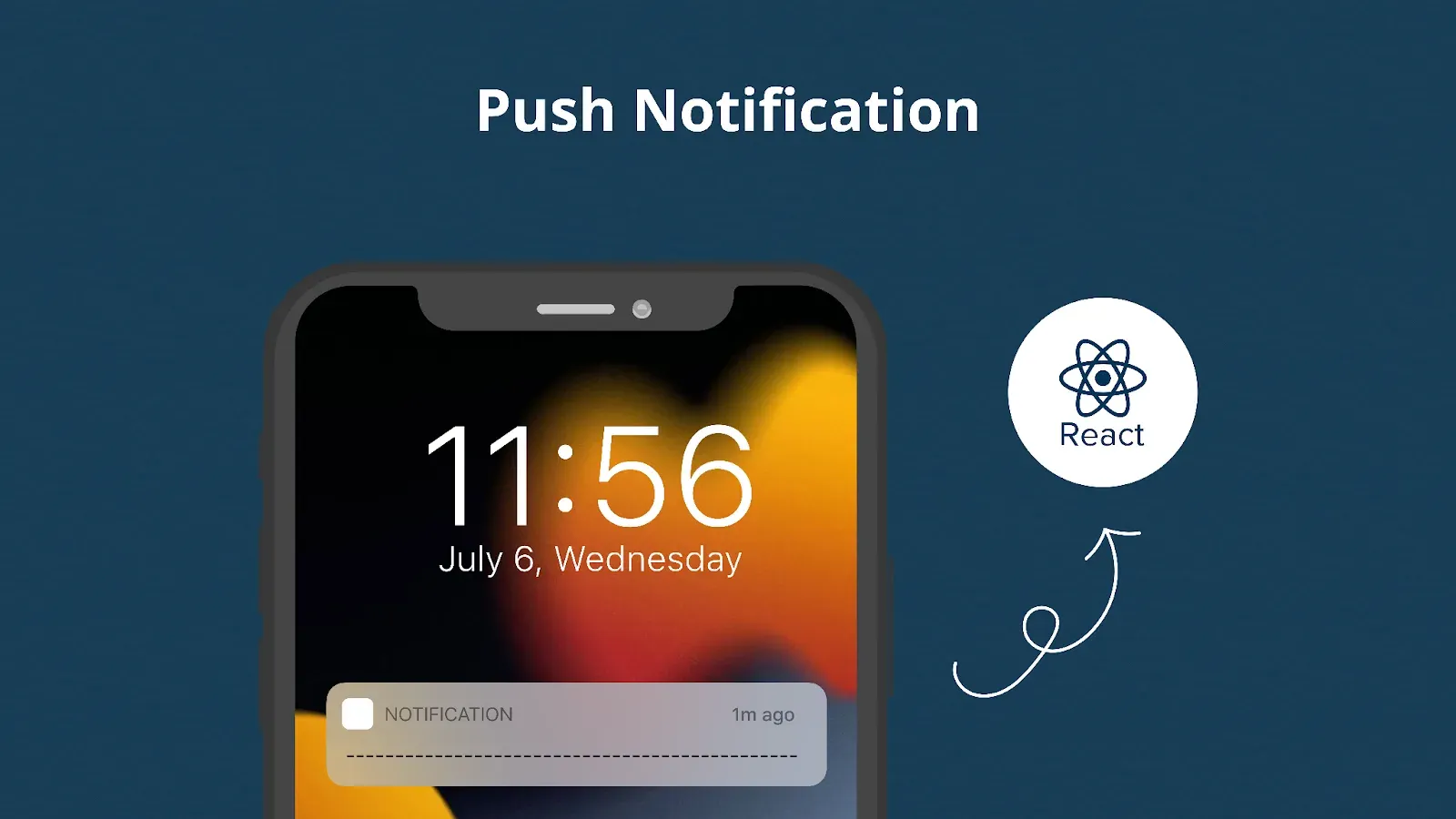
Push notifications look simple from the user’s side: a message appears, the user taps it, and the app opens in the right place. The implementation is a chain of systems. Your app requests permission and obtains a token, your backend sends a message, FCM or APNs routes it, the operating system decides how to present it, and your React Native code handles the result.
That chain explains why notification bugs often appear only on one platform or in one app state. A notification may work while the app is open but fail in the background, or display correctly but open the wrong screen.
- React Native does not deliver remote notifications by itself. FCM and APNs do the delivery.
- Choose one client stack: Expo Notifications for Expo projects, or React Native Firebase Messaging with Notifee for bare React Native.
- Ask for permission only after the user understands what they will receive.
- Store push tokens on your backend and handle rotation, logout, invalid registrations, and multiple devices.
- Test foreground, background, and terminated states separately.
- A data-only or silent notification is not guaranteed background execution, especially on iOS.
- Validate notification data before navigating. Never treat a route from a push payload as trusted input.
How React Native Push Notifications Work
A remote notification normally follows this path:
- The app asks the operating system for notification permission.
- The app obtains an Expo, FCM, or APNs token for that installation.
- The app sends the token to your backend.
- Your backend chooses eligible installations and sends a message through a push provider.
- FCM routes Android messages. APNs ultimately delivers notifications to Apple devices.
- The operating system displays the notification or wakes eligible background code.
- If the user taps it, the app reads the payload and opens the intended content.
FCM can also be used as the server-facing service for iOS; it then communicates with APNs. Delivery is best effort rather than guaranteed, so a push should invite the app to fetch current data—not act as the only record of an order, payment, or message.
Before writing code, the next decision is which notification stack should own this pipeline.
Choose the Right Notification Stack
| Project type | Recommended starting point | What it handles |
| Expo project | expo-notifications with Expo Push Service | Permissions, tokens, local notifications, receipt events, and a unified push service |
| Expo with direct providers | expo-notifications with native device tokens | Client APIs while your backend sends directly through FCM and APNs |
| Bare React Native | @react-native-firebase/messaging and Notifee | FCM receipt and background handlers, plus local display and advanced notification UI |
| Product needing campaign tooling | A managed provider | Segmentation, scheduling, experimentation, dashboards, and delivery management |
Do not install several notification libraries to solve the same responsibility. Competing delegates and background handlers can produce duplicate notifications or prevent tap events from reaching the expected listener.
For beginners already using Expo, the Expo path has the fewest native configuration steps. Let’s start there, then translate the same responsibilities to bare React Native.
Set Up Push Notifications in an Expo Project
Install the required packages:
npx expo install expo-notifications expo-constantsAdd the config plugin:
{
  "expo": {
    "plugins": ["expo-notifications"]
  }
}
Push notifications require a development or production build; they are not available through Expo Go. Android also needs FCM v1 credentials, while iOS needs APNs credentials and an Apple Developer account. EAS can manage those credentials, but the client still needs to request permission and obtain a token. Follow the current Expo push setup rather than copying credentials from an older project.
Request permission and get an Expo push token
import Constants from 'expo-constants'
import * as Notifications from 'expo-notifications'
import { Platform } from 'react-native'

export async function registerForPushNotifications() {
  if (Platform.OS === 'android') {
    await Notifications.setNotificationChannelAsync('transactional', {
      name: 'Order and account updates',
      importance: Notifications.AndroidImportance.DEFAULT,
    })
  }

  const current = await Notifications.getPermissionsAsync()
  let status = current.status

  if (status !== 'granted') {
    status = (await Notifications.requestPermissionsAsync()).status
  }

  if (status !== 'granted') return null

  const projectId =
    Constants.expoConfig?.extra?.eas?.projectId ??
    Constants.easConfig?.projectId

  if (!projectId) throw new Error('EAS project ID is missing')

  return (
    await Notifications.getExpoPushTokenAsync({ projectId })
  ).data
}
Call this function after a meaningful action, such as placing an order and choosing delivery updates, not automatically on the first launch. Once a token is returned, send it to your backend over an authenticated HTTPS request.
If you want your backend to communicate directly with FCM and APNs, use getDevicePushTokenAsync() instead. Expo Push Tokens and native provider tokens are different token types, so store the provider with the token.
That completes registration. Now let’s see what changes in a bare React Native project where your application owns more of the native setup.
Set Up a Bare React Native Project
Install the Firebase app and messaging modules plus a notification display library:
npm install @react-native-firebase/app @react-native-firebase/messaging @notifee/react-native
cd ios && pod install
You must also add the Firebase Android configuration, configure the iOS app for Firebase and APNs, enable the required Xcode capabilities, and provide APNs credentials to Firebase. React Native Firebase’s messaging guide documents the current platform steps and compatibility requirements.
Request permission correctly on each platform
Android 13 and later require the POST_NOTIFICATIONS runtime permission. Earlier Android versions do not show that runtime dialog, although users can still block the app or an individual channel in system settings. iOS requires authorization before alert notifications can be shown.
import notifee, { AuthorizationStatus } from '@notifee/react-native'
import { PermissionsAndroid, Platform } from 'react-native'

export async function requestNotificationPermission() {
  if (Platform.OS === 'android' && Platform.Version >= 33) {
    const result = await PermissionsAndroid.request(
      PermissionsAndroid.PERMISSIONS.POST_NOTIFICATIONS,
    )
    return result === PermissionsAndroid.RESULTS.GRANTED
  }

  if (Platform.OS === 'ios') {
    const settings = await notifee.requestPermission()
    return settings.authorizationStatus >= AuthorizationStatus.AUTHORIZED
  }

  return true
}
On iOS, the system prompt is not something you can repeatedly show after a denial. Explain the value first, then provide a settings link later if the user changes their mind. Apple also supports provisional authorization for quiet delivery, but it should be an intentional product decision rather than a workaround for poor permission timing.
Let’s Build Your React Native App Together!
We build powerful React Native apps that run smoothly on iOS and Android — fast, reliable, and ready to scale.
Register and keep the FCM token current
import {
  getMessaging,
  getToken,
  onTokenRefresh,
} from '@react-native-firebase/messaging'

async function uploadToken(token: string) {
  const response = await fetch('https://api.example.com/push/installations', {
    method: 'POST',
    headers: { 'Content-Type': 'application/json' },
    body: JSON.stringify({ provider: 'fcm', token }),
  })

  if (!response.ok) throw new Error('Could not register push installation')
}

export async function registerInstallation() {
  const messaging = getMessaging()
  await uploadToken(await getToken(messaging))

  return onTokenRefresh(messaging, uploadToken)
}
In a component, return the unsubscribe function from useEffect. On logout, detach the installation from the user account or update its audience state. Do not assume one token equals one user: one user may have several devices, and one device may be used by different accounts over time.
Registration gets the message to an installation. What happens next depends on both the payload and the app’s current state.
Understand Foreground, Background, and Terminated States
| App state | Alert payload | Data-only payload |
| Foreground | Your app receives an event; you decide whether to show UI or a local notification | Your foreground handler processes the data |
| Background | The operating system usually displays the alert; app code may receive limited background work | Delivery and background execution depend on priority, platform policy, and device settings |
| Terminated | The operating system may display the alert; the app reads the launch response after a tap | Do not rely on guaranteed execution |
In bare React Native Firebase, onMessage handles foreground messages. A notification payload does not automatically produce a visible banner while the app is open, so you may update the current screen or display a local notification with Notifee:
import notifee, { AndroidImportance } from '@notifee/react-native'
import {
  getMessaging,
  onMessage,
} from '@react-native-firebase/messaging'

export function listenForForegroundMessages() {
  const messaging = getMessaging()

  return onMessage(messaging, async (message) => {
    const channelId = await notifee.createChannel({
      id: 'transactional',
      name: 'Order and account updates',
      importance: AndroidImportance.DEFAULT,
    })

    await notifee.displayNotification({
      title: message.notification?.title ?? 'New update',
      body: message.notification?.body ?? 'Open the app for details.',
      data: message.data,
      android: {
        channelId,
        pressAction: { id: 'default' },
      },
    })
  })
}
For background messages, register setBackgroundMessageHandler() in the entry file, outside the React component tree. Keep that handler short, return a Promise, and do not attempt to update React state. If an alert payload was already displayed by the operating system, displaying it again from the background handler can create duplicates.
Expo exposes the same distinction through notification handlers and received/response listeners. Configure foreground presentation explicitly so a library or SDK upgrade does not silently change the product behavior.
Configure Android Notification Channels Before Sending
Android 8.0 and later require every displayed notification to belong to a channel. A channel controls importance, sound, vibration, and visibility, and the user can override those settings.
Do not create one “default” high-priority channel for everything. Useful channel groups might include:
- orders and account security;
- direct messages;
- reminders;
- offers and product announcements.
Choose channel behavior carefully before release. Once a channel is created, your app cannot programmatically change its importance or sound behavior; only the user can. Creating it again with the same ID is safe but does not overwrite those established settings.
Channels decide how a notification interrupts the user. The payload decides where the user should go after tapping it, which is the next failure point to handle.
Deep Link Safely from a Notification
Treat notification data as untrusted input. Do not call a navigation function with an arbitrary route or URL supplied by the message. Map a small allowlist of notification types to known screens and validate every required identifier:
type NotificationData = Record<string, unknown>

export function routeForNotification(data: NotificationData) {
  if (data.type === 'order' && typeof data.orderId === 'string') {
    return `/orders/${encodeURIComponent(data.orderId)}`
  }

  if (data.type === 'inbox') return '/inbox'

  return null
}
Use the returned path in your navigation integration. Handle both cases:
- the app was already running and receives a notification-response event;
- the app was launched from a terminated state because the user tapped a notification.
After navigation, fetch the current record and enforce authorization on the server. A valid-looking orderId does not prove the signed-in user may view that order.
Now the client can register, receive, display, and route notifications. The remaining half of the system belongs on the server.
Send Notifications from Your Backend
Never place an APNs key, Firebase service-account credential, or other provider secret inside the mobile bundle. A determined user can inspect the app. The backend should decide who receives a message and send it through Expo Push Service, Firebase Admin SDK, or APNs.
Here is a minimal server-side Expo Push Service request:
export async function sendOrderUpdate(
  expoPushToken: string,
  orderId: string,
) {
  const response = await fetch('https://exp.host/--/api/v2/push/send', {
    method: 'POST',
    headers: {
      Accept: 'application/json',
      'Content-Type': 'application/json',
    },
    body: JSON.stringify({
      to: expoPushToken,
      sound: 'default',
      title: 'Order shipped',
      body: 'Your order is on its way.',
      data: { type: 'order', orderId },
    }),
  })

  if (!response.ok) {
    throw new Error(`Push service returned ${response.status}`)
  }

  return response.json()
}
This is only the initial send step. In production, batch within provider limits, retry temporary 429 and 5xx failures with exponential backoff, and inspect push receipts. An Expo push ticket means the service accepted the request; it does not prove that the device displayed the notification. Expo recommends checking receipts and removing tokens reported as DeviceNotRegistered.
Manage Tokens as Installation Records
Store more than a token string. A useful installation record includes:
- the token and provider type;
- an internal installation identifier;
- the associated user, if signed in;
- platform and application environment;
- notification preference categories;
- last registration or activity time;
- disabled or invalid status.
Update the record when the token changes, the user logs in or out, and the app opens after a long absence. Remove registrations rejected as invalid and define a policy for pruning stale installations. Firebase’s registration-management guidance recommends tracking freshness rather than sending indefinitely to inactive registrations.
Do not put sensitive information in notification titles, bodies, or data payloads. Notifications can appear on a lock screen, provider infrastructure handles the message, and data payloads are not a substitute for an authenticated API response.
Silent Notifications Are Not a Scheduler
A silent or data-only push asks the operating system for background execution. It does not guarantee that the app will run immediately, or at all.
On iOS, background notifications are low priority and may be delayed or throttled. Delivery also depends on system conditions such as Background App Refresh and Low Power Mode. Apple explicitly states that background notification delivery is not guaranteed. Android delivery is affected by message priority, Doze, battery optimization, manufacturer policies, and force-stop behavior.
Use silent pushes to refresh noncritical data opportunistically. Do not use them as the only mechanism for alarms, exact scheduling, payments, or state that must reach the server. If the information matters after the app opens, fetch it from your API.
Test the Whole State Matrix
A successful foreground test proves very little about background delivery. Test at least:
- Android and iOS;
- permission allowed, denied, and later disabled in settings;
- foreground, background, and terminated states;
- alert and data-only payloads;
- each Android channel and its disabled state;
- tap handling from both background and terminated launches;
- token refresh, logout, reinstall, and multiple devices;
- offline delivery, expiry, retries, and duplicate messages;
- development and production credentials.
Let’s Build Your React Native App Together!
We build powerful React Native apps that run smoothly on iOS and Android — fast, reliable, and ready to scale.
An Android emulator with Google Play services is useful, but keep physical Android devices in the matrix because manufacturer battery policies differ. A physical iOS device remains the safest way to validate real APNs credentials and production behavior. Expo projects must use a development build rather than Expo Go.
For state-changing events, make processing idempotent. FCM and APNs do not provide an exactly-once business guarantee, so receiving the same event twice must not create duplicate orders, messages, or ledger entries.
Measure More Than Opens
Track the notification funnel as separate events:
- selected for sending;
- accepted by the provider;
- delivered, where the platform exposes reliable delivery data;
- opened;
- completed the intended action;
- disabled notifications or unsubscribed from a category.
Define each denominator before comparing campaigns. “Open rate” based on messages accepted by a provider is not the same as opens divided by confirmed device deliveries. Also monitor invalid-token rate, send latency, retry volume, and permission opt-out by notification category.
Metrics help refine timing and relevance, but the product rules should protect users even when a campaign performs well.
Practical Notification Rules
- Separate transactional and promotional preferences.
- Send in the user’s local time zone unless the event is urgent.
- Collapse replaceable updates, such as repeated delivery-status changes.
- Use a time-to-live so outdated alerts are not delivered later.
- Rate-limit campaigns and repeated behavioral triggers.
- Make the message useful without exposing private data on the lock screen.
- Open the exact relevant screen after a tap.
- Fetch authoritative data after opening the app.
- Provide in-app notification controls in addition to system settings.
Frequently Asked Questions
Does React Native include push notifications?
No. React Native provides the application framework, but remote delivery comes from FCM and APNs. A maintained notification library connects those native services to JavaScript.
Should I use Expo Notifications or React Native Firebase?
Use Expo Notifications for an Expo project when its unified API and push service meet your needs. Use React Native Firebase Messaging with a display library such as Notifee when a bare project needs direct FCM integration or deeper native control.
Are local and push notifications the same?
No. A local notification is created or scheduled on the device. A push notification originates from a remote server and is routed through a provider.
Why does a notification appear in the background but not the foreground?
Operating systems commonly display alert payloads while the app is backgrounded. In the foreground, your app receives an event and controls whether to update its UI or display a local notification.
Can silent notifications wake the app reliably?
No. Both platforms restrict background work, and iOS explicitly treats background notifications as low priority. Design them as opportunistic refresh signals.
Where should push tokens be stored?
Store them on your backend as installation records associated with the current user when appropriate. Track provider, platform, freshness, preferences, and invalidation state.
Can I send notifications directly from the React Native app?
Use client-side sending only for local testing with a service that permits it. Production targeting and provider credentials belong on a trusted backend.
Conclusion
A reliable React Native notification system is not a single library call. It is a coordinated flow across permission timing, token registration, backend targeting, FCM or APNs delivery, operating-system presentation, app-state handlers, and safe navigation.
Start with one maintained stack, keep tokens current, separate foreground and background behavior, and test every state on both platforms. Most importantly, treat delivery as best effort and fetch authoritative data when the app opens. That produces notifications users can trust and a system developers can operate safely.