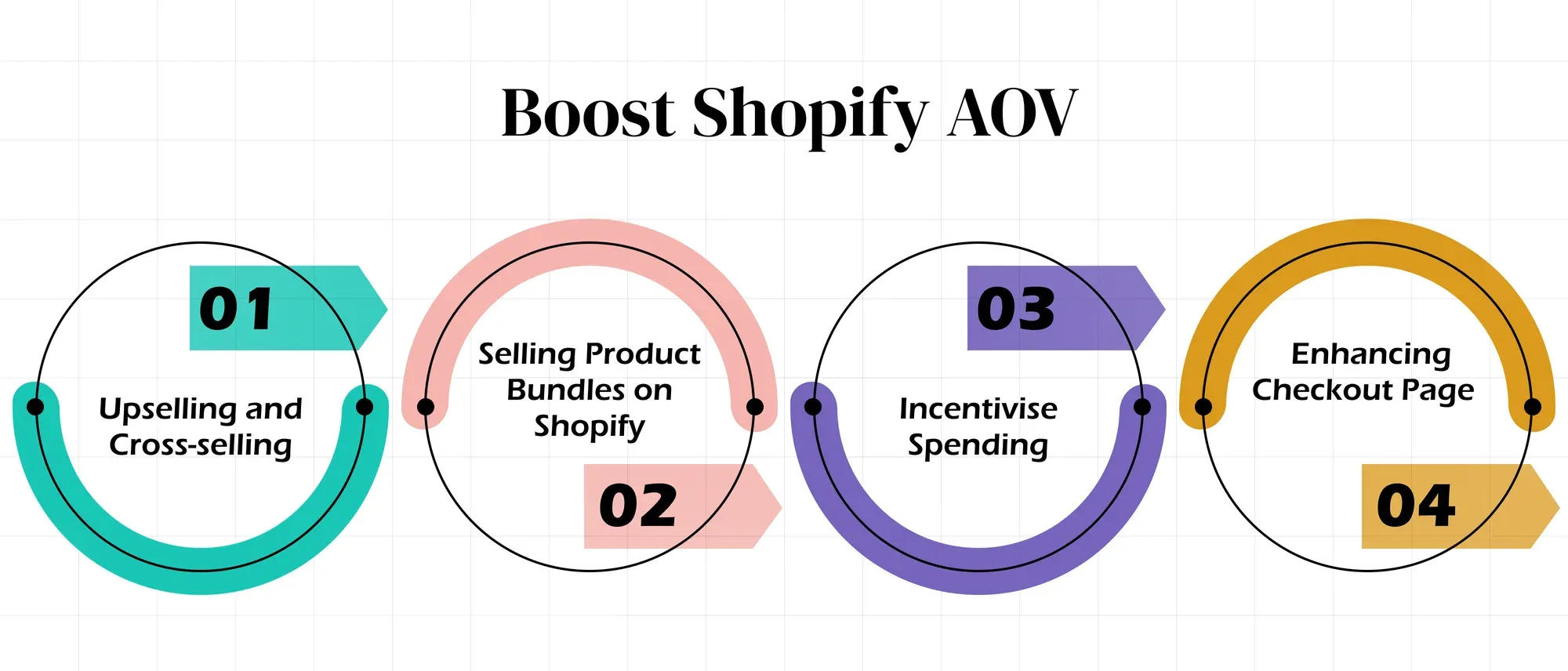
- Average order value is calculated by dividing total sales revenue by the number of orders during the same period.
- Analyse AOV alongside gross margin, conversion rate, refund rate and units per order.
- Recommend complementary products rather than displaying unrelated bestsellers.
- Create bundles that simplify a buying decision while protecting product margins.
- Set free-shipping or free-gift thresholds slightly above the store’s current AOV.
- Use progress bars to show shoppers how close they are to qualifying for an incentive.
- Test pre-purchase or post-purchase offers without obstructing checkout.
- Measure incremental profit, not only the increase in order value.
- Introduce one substantial AOV change at a time so its effect can be measured.
Increasing the average order value of a Shopify store can generate more revenue from existing orders without requiring a corresponding increase in traffic. However, a higher AOV is only valuable when the additional revenue also protects the store’s profit margin.
Based on our experience building and customising more than 30 D2C Shopify stores, the most effective AOV strategies usually make the purchase more useful for the customer. Relevant product recommendations, convenient bundles and achievable spending thresholds tend to work better than aggressive pop-ups or indiscriminate discounts.
This guide explains four practical ways to increase AOV on Shopify in 2026 and the metrics you should monitor when testing them.
What Is Average Order Value on Shopify?
Average order value, or AOV, measures how much customers spend per order during a particular period.
The formula is:
Average order value = Total sales revenue ÷ Number of orders
For example, suppose a Shopify clothing store receives 1,200 monthly sessions and converts 2% of those sessions into orders:
- Monthly sessions: 1,200
- Conversion rate: 2%
- Orders: 24
- Average order value: £180
- Estimated monthly revenue: 24 × £180 = £4,320
If the number of orders remains unchanged but the Shopify store increases its AOV from £180 to £200, estimated revenue rises from £4,320 to £4,800.
This does not mean that a higher AOV automatically produces more profit. Discounts, gifts, shipping costs, returns and fulfilment expenses can reduce the value of the additional revenue.
Monitor AOV alongside:
- Gross profit per order
- Conversion rate
- Units per transaction
- Discount cost
- Shipping and fulfilment cost
- Return and refund rate
- Revenue per visitor
Shopify defines AOV as total revenue divided by the number of orders.
How to Increase Average Order Value on Shopify
There is no single AOV strategy that works for every Shopify store. The appropriate approach depends on product margins, catalogue size, purchase frequency, customer intent and the relationship between products.
Start with one hypothesis, such as recommending an accessory when a particular product enters the cart. Measure its effect on add-to-cart activity, completed orders, AOV and profit before introducing another major change.
1. Use Relevant Upselling and Cross-Selling
Upselling encourages a shopper to select a higher-value version of the product they are considering. Cross-selling recommends an additional product that complements the original purchase.
For example, upgrading from a 100 ml skincare product to a 200 ml version is an upsell. Recommending a moisturiser alongside a cleanser is a cross-sell.
Recommendations should solve a genuine customer need. Displaying unrelated bestsellers may increase product exposure, but it does not necessarily improve the buying decision.
A. Add Product Recommendations to the Cart
The cart or cart drawer is a useful location for complementary product recommendations because the shopper has already demonstrated purchase intent.
Keep the recommendation block small and show two or three products that logically support what is already in the cart. Exclude unavailable items, products already selected and products that cannot be sold in the customer’s market.
For example, a fashion store could recommend a belt with a dress, while an electronics store could suggest a compatible case or cable.
Need Help With Shopify Development?
We build fast, custom Shopify stores designed to drive more sales.
Track recommendation impressions, clicks, additions and completed purchases. Do not assume that every recommended product added to the cart resulted from the recommendation block.
B. Create Frequently Bought Together Offers
Frequently bought together offers group products that customers commonly need at the same time. Unlike random recommendations, the relationship between the products should be immediately understandable.
Consider offering the items individually and as a convenient combination. If a bundle discount is included, calculate whether the increased order value compensates for the reduced margin.
Avoid presenting products as “frequently bought together” unless store data supports that claim. If the combination is manually selected, use wording such as “Complete the set” or “Pairs well with”.
C. Place Recommendations at Relevant Touchpoints
Product recommendations can appear on product pages, collection pages, the cart drawer and selected editorial pages. The recommended products should match the intent of each page.
A buying guide about winter skincare, for example, could link to the products discussed in the article. A cart drawer should prioritise low-friction complementary products rather than sending shoppers back into a lengthy browsing journey.
Test each placement separately so you can identify which recommendation location contributes to larger completed orders.
2. Sell Product Bundles on Shopify
Product bundling combines two or more items into one purchasing option. Bundles can increase Shopify AOV by encouraging customers to buy a complete solution rather than selecting one product.
Common bundle formats include:
- Fixed bundles containing predefined products
- Multipacks of the same product
- Mix-and-match bundles
- Starter kits
- Build-your-own bundles
A discount is not mandatory. Convenience, compatibility or exclusive packaging can also create value. When offering a discount, calculate the gross margin of the complete bundle before publishing it.
Shopify’s free first-party Bundles app supports fixed bundles and multipacks and is available on all Shopify plans. More advanced mix-and-match or conditional bundles may require another compatible app or custom implementation.
Test bundle revenue, attachment rate, gross margin, inventory accuracy and returns. A bundle that increases AOV but creates fulfilment or inventory problems may not improve overall performance.
3. Introduce Free-Shipping or Free-Gift Thresholds
A spending threshold gives customers a clear incentive to increase their cart value. For example:
- Free shipping on orders over £60
- A complimentary sample on orders over £75
- A free full-size product on orders over £120
Start by examining the store’s current AOV, gross margin, average shipping cost and product costs. Set a threshold that encourages a meaningful increase without making the reward unprofitable or unattainable.
Shopify supports free-shipping discounts with minimum purchase conditions.
A. Communicate the Threshold Clearly
Use the announcement bar to communicate a store-wide incentive such as “Free UK delivery on orders over £60”.
Keep the wording accurate and display relevant conditions, including market or product exclusions. If free shipping applies only to a particular country, do not show the same message indiscriminately to every visitor.
B. Show Progress Inside the Cart
A cart progress bar can show how much more the customer needs to spend to qualify:
“You’re £12 away from free delivery.”
Update the message whenever products or quantities change. The calculation should use the same qualifying subtotal and conditions as the actual Shopify discount.
Do not claim that a progress bar reduces cart abandonment without evidence from your store. Measure whether customers add products to reach the threshold and whether those larger carts become completed orders.
4. Test Checkout and Post-Purchase Offers
Checkout and post-purchase offers create another opportunity to increase order value, but they should not distract customers from completing their original purchase.
A pre-purchase offer appears before payment and allows a shopper to add a relevant product to the order. Access to Checkout UI extensions on Shopify’s information, shipping, and payment steps is limited to Shopify Plus stores.
A post-purchase offer appears after the initial payment and allows the customer to accept an additional product without repeating the complete checkout process. Suitable offers might include:
- A refill for a consumable product
- An accessory compatible with the purchased item
- A discounted second unit
- A related product that does not require extensive comparison
Need Help With Shopify Development?
We build fast, custom Shopify stores designed to drive more sales.
Keep the offer simple, disclose its price and conditions clearly, and obtain explicit customer confirmation. Measure acceptance rate, additional revenue, profit and refunds from accepted offers.
Checkout branding can improve visual consistency, but changing colours, typography or logos should not be presented as a direct method of increasing AOV. Shopify permits checkout branding changes, while deeper checkout customisation depends on the plan and extension being used.
Conclusion
Increasing the average order value of a Shopify store is not simply about encouraging customers to spend more. The objective is to make a larger order more useful to the customer while maintaining healthy margins.
Begin with one strategy: relevant product recommendations, bundles, spending thresholds or a carefully selected checkout offer. Record the existing AOV, margin and conversion rate, then compare the results after collecting sufficient order data.
Continue with changes that improve both order value and profitability. Remove offers that introduce distraction, excessive discounts, returns, or fulfilment complexity.
If implementing these strategies requires custom bundle logic, cart drawer recommendations, or theme development, you can hire Shopify experts to build and test the functionality.
Frequently Asked Questions
What is average order value on Shopify?
Average order value is the average amount customers spend per order. Calculate it by dividing total sales revenue by the number of orders recorded during the same period.
How can I increase AOV on Shopify?
Common methods include upselling higher-value options, cross-selling complementary products, creating product bundles, introducing free-shipping thresholds and presenting relevant checkout or post-purchase offers.
Do Shopify product bundles increase average order value?
Bundles can increase AOV by encouraging customers to purchase several related items together. Their effect should be evaluated alongside discounts, margins, inventory accuracy, fulfilment costs and return rates.
What is a suitable free-shipping threshold?
There is no universal threshold. Review your current AOV, shipping cost and gross margin, then test a threshold that encourages customers to add another relevant product without making the order unprofitable.
Should AOV be measured separately from conversion rate?
Yes. A store can increase AOV while reducing conversion rate or profit. Monitor AOV alongside conversion rate, gross margin, revenue per visitor, refund rate and completed order volume.
Can every Shopify plan support checkout upsells?
No. Apps that customise Shopify’s information, shipping and payment checkout steps are generally restricted to Shopify Plus. Other plans can use eligible cart, thank-you, order-status or post-purchase solutions, depending on the app.

Sahil Singh
I’m a Front-End developer with 1.3 years of experience creating user-friendly, optimized web pages. I specialize in developing features that boost conversion rates for e-commerce websites.



