Redirect Loops: How to Find and Fix Them
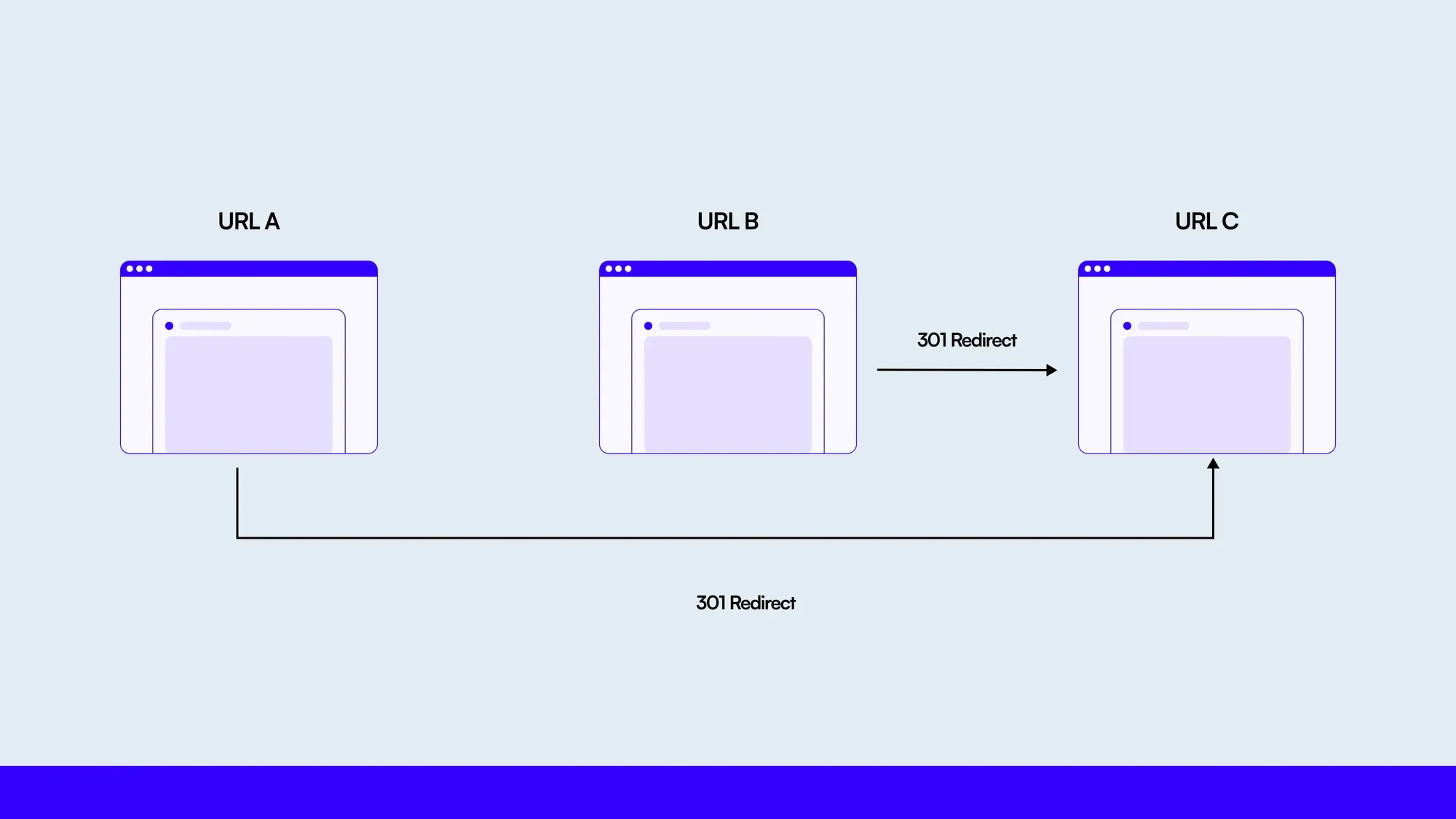
A redirect should move a request from one URL to another and then stop. A redirect loop does the opposite: it sends the request around a circular path, so neither the user nor the search engine reaches the intended page.
We learned how quickly this problem can grow while cleaning up redirects for roughly 5,000 product links spread across 500 blog posts. Some products had accumulated more than seven redirects after URL and naming changes. Once several people were updating the rules, chains became difficult to trace and some eventually pointed back to an earlier URL.
This guide explains how redirect loops work, what usually causes them, and how to diagnose and fix them without creating another layer of conflicting rules.
- A redirect chain moves forward through several URLs. A redirect loop returns to a URL already visited.
- The browser error is only the symptom. The underlying cause is usually a conflicting rule in the CDN, web server, application, CMS, or proxy configuration.
- Fix the redirect map, not the symptom: every old URL should point directly to one final, valid URL.
- Normalize URL formats before comparing rules. Differences in protocol, hostname, case, or trailing slashes can hide duplicates and cycles.
- Test the complete redirect path after deployment. Checking only the first response is not enough.
What Is an HTTP Redirect?
An HTTP redirect is a response that tells the client to request another URL. The response contains a 3xx status code and normally a Location header containing the next destination.
For example:
GET /old-page
301 Moved Permanently
Location: /new-page
Redirects are useful when a page moves, a domain changes, or several URL variants need to resolve to one canonical page. They become a problem when multiple rules disagree about the correct destination.
Which Redirect Status Code Should You Use?
The four codes below cover most production redirects:
| Code | Meaning | Request method | Typical use |
| 301 | Permanent redirect | Some clients may change a non-GET request to GET | A page or URL has moved permanently |
| 308 | Permanent redirect | Preserves the original method and request body | A permanent move where POST, PUT, or another method must remain unchanged |
| 302 | Temporary redirect | Some clients may change a non-GET request to GET | A short-lived destination change |
| 307 | Temporary redirect | Preserves the original method and request body | A temporary move where the request method must remain unchanged |
Google treats permanent redirects such as 301 and 308 as strong signals that the destination should become canonical. Temporary redirects such as 302 and 307 usually signal that the original URL should remain canonical. That is more accurate than saying a temporary redirect transfers “no SEO value,” because Google evaluates redirects alongside other canonicalization signals.
Use the code that describes the actual change. Do not choose a temporary redirect for a permanent move simply because it appears safer.
What Is a Redirect Loop?
A redirect loop is a circular sequence with no final response. The simplest version is a URL redirecting to itself:
/page-a → /page-aLoops can also involve several URLs:
/page-a → /page-b → /page-a/page-a → /page-b → /page-c → /page-aA redirect chain is different. A chain eventually reaches a page that returns a successful response:
/page-a → /page-b → /page-c → 200 OKThe chain may still be inefficient, but it is not a loop. A loop revisits a URL and never reaches the content.
What Causes Redirect Loops?
1. Conflicting canonical URL rules
One rule may force HTTPS while another sends the request back to HTTP. The same conflict can happen between www and non-www domains or between URLs with and without a trailing slash.
http://example.com/page → https://example.com/page
https://example.com/page → http://example.com/page
2. Rules split across several systems
A redirect may exist at the CDN, load balancer, web server, CMS, and application level. Each rule can look correct in isolation while the combined path forms a loop.
Let’s Make Your Website Faster and Error-Free
F22 Labs ensures your website runs smoothly by detecting and repairing redirection issues before they affect users.
3. Incorrect proxy or HTTPS detection
If TLS terminates at a proxy, the application may receive an internal HTTP request and incorrectly assume the visitor used HTTP. It then redirects to HTTPS, while the proxy repeats the same internal request. This often means the application is not correctly trusting or reading forwarded protocol headers.
4. Authentication, cookies, or localization rules
A protected page may redirect an unauthenticated user to login while the login route sends the user back. Language and country redirects can produce the same result when two rules choose different preferred URLs.
5. Incremental URL changes
Redirects are often added one at a time:
/old-name → /new-name
/new-name → /newer-name
If a later update points /newer-name back to /old-name, the chain becomes a cycle. This is common when redirects are maintained in separate spreadsheets or by multiple teams without a single source of truth.
6. Cached or stale redirect responses
Browsers and CDNs can cache permanent redirects. A rule may be correct at the origin but appear broken until the relevant cache is cleared. Cached responses can confuse diagnosis, although the permanent fix still belongs in the redirect configuration.
How Redirect Loops Affect SEO and Users
A loop prevents the intended content from loading. Browsers eventually stop following the redirects and display an error such as “too many redirects.” Search engine crawlers face the same dead end and cannot retrieve the final page for indexing.
The practical effects include:
- inaccessible pages and failed conversions;
- crawlers repeatedly requesting URLs without reaching content;
- delayed or incorrect canonicalization and indexing;
- additional latency from unnecessary redirect hops;
- harder analytics, caching, and incident diagnosis.
Redirect chains do not automatically erase ranking signals, but every extra hop adds latency and another point of failure. Google recommends sending users and Googlebot directly to the final destination where possible. During site moves, Google advises keeping chains short and notes that Googlebot may stop after a limited number of hops.
How to Diagnose a Redirect Loop
1. Follow the complete response path
Use curl to display every redirect header until the request resolves or reaches the limit:
curl -IL --max-redirs 10 https://example.com/old-urlThe important fields are the status code and Location header. If a URL appears for a second time, you have found the cycle.
For APIs or routes where the request method matters, do not rely on a HEAD request alone. Reproduce the actual method and inspect the response without sending sensitive production data.
2. Test URL variants
Check the combinations your rules may normalize:
- HTTP and HTTPS;
- www and non-www;
- trailing slash and no trailing slash;
- uppercase and lowercase paths where relevant;
- URLs with query parameters;
- authenticated and unauthenticated requests.
Testing only the URL copied from the browser can miss the rule that starts the loop.
3. Inspect every redirect layer
Check the CDN, reverse proxy, load balancer, server configuration, framework middleware, CMS plugins, and application routes. Write down which layer owns each redirect instead of adding another override.
4. Bypass caches while testing
Test in a clean browser session and inspect CDN behavior separately from the origin. If the origin resolves but the public URL loops, the edge or proxy configuration is likely involved.
5. Check the redirect data as a graph
For a large redirect list, manual review is unreliable. Treat each source URL as a node and each redirect as an edge. While following a path, keep a set of visited URLs. Reaching the same URL twice identifies a cycle; reaching a URL with no further redirect identifies the final destination.
How to Fix Redirect Loops
- Choose one canonical destination. Decide the correct protocol, hostname, path, case, and trailing-slash format.
- Point old URLs directly to that destination. Replace
/a → /b → /cwith/a → /cand/b → /cwhen/cis the final page. - Remove self-redirects and circular rules. A source and destination must not normalize to the same URL.
- Consolidate ownership. Keep a central redirect map and document which infrastructure layer applies it.
- Correct proxy awareness. When HTTPS terminates upstream, configure trusted proxy settings and forwarded headers correctly for your stack.
- Purge relevant caches. Remove stale redirect responses after the configuration is corrected.
- Retest every affected URL. Confirm the final response, number of hops, status code, and destination, not just the absence of a browser error.
A server or browser redirect limit only stops an infinite request sequence. It does not repair the circular configuration.
How We Consolidated Roughly 5,000 Redirects
Our redirect problem grew out of normal content maintenance. We had about 500 blog posts, each containing roughly 10 product links. When product names or URLs changed, redirects were added so older blog links would keep working without editing every post immediately.
Over time, that created a redirect list of roughly 5,000 URLs. Some products had more than seven successive redirects recorded in a spreadsheet. Naming changes from the SEO team, updates by different people, duplicate entries, and inconsistent leading slashes made it difficult to tell which URL was truly final. A few paths eventually became loops.
The cleanup process
We used a script to turn the spreadsheet into a consistent redirect map:
- Export the spreadsheet as CSV and convert each source and destination into structured JSON.
- Normalize both sides before comparison, including leading slashes and other agreed URL-format rules.
- Build a source-to-destination map.
- Follow each source until it reaches its final destination, while tracking URLs already visited in that path.
- Flag a path if it reaches the same URL twice.
- Collapse valid chains so every old URL points directly to the final destination.
- Merge the cleaned output with the existing redirect file and remove duplicate sources.
- Generate the final JSON in the format expected by the application.
Let’s Make Your Website Faster and Error-Free
F22 Labs ensures your website runs smoothly by detecting and repairing redirection issues before they affect users.
The most important step was normalization. /product, product, and other inconsistent forms could be treated as different strings even when the application resolved them to the same route. Comparing unnormalized values allowed duplicate rules to survive and made cycle detection less reliable.
The issues we encountered
Processing the data created a large number of intermediate objects and used more memory than expected. Old and new JSON files also differed slightly in structure, so comparisons sometimes failed even when the URLs represented the same path.
We reduced those problems by normalizing once, using a keyed map for source lookups, and avoiding unnecessary copies of the full dataset. If the redirect list grows much larger, streaming the CSV and validating in batches would be safer than keeping every intermediate representation in memory.
How we tested it
After generating the new redirect list, we manually sampled URLs and followed their paths with Redirect Checker. That confirmed that the sampled loops were removed and the tested URLs reached their intended destinations.
Manual sampling was appropriate as an initial check, but it does not prove that all 5,000 mappings are correct. The stronger next step is automated validation that requests every source URL, rejects repeated destinations or excessive hops, and confirms the expected final status and host. The same cycle check should run whenever a redirect file changes.
Redirect Review Checklist
Before deploying redirect changes, confirm that:
- every source URL is unique after normalization;
- no source redirects to itself;
- no path revisits a previously seen URL;
- each redirect reaches the intended final URL;
- the final URL returns the expected successful response;
- old URLs point directly to the final destination where possible;
- HTTP, HTTPS, host, and trailing-slash variants behave consistently;
- POST or other non-GET routes preserve the method when required;
- CDN, server, CMS, and application rules do not conflict;
- automated checks run when the redirect map changes.
Frequently Asked Questions
What causes a redirect loop?
A redirect loop occurs when a rule sends a request to a URL that eventually points back to a URL already visited. Common causes include conflicting HTTPS or hostname rules, overlapping CDN and application redirects, authentication logic, and uncoordinated URL changes.
What is the difference between a redirect chain and a redirect loop?
A chain contains multiple redirects but eventually reaches a final page. A loop repeats part of the path and never reaches a final response.
Do redirect loops hurt SEO?
Yes. A crawler cannot retrieve or index the intended content if the redirect path never resolves. Loops also waste requests and can delay search engines from understanding URL changes.
How many redirects are too many?
There is no good reason to keep avoidable hops. Google can follow multiple redirects, but recommends redirecting directly to the final destination and keeping unavoidable chains short. Aim for one hop whenever you control the rules.
Can a 301 redirect cause a loop?
Yes. Any redirect status can participate in a loop. The problem is the circular destination logic, not whether the redirect is permanent or temporary.
Why does the redirect work at the origin but fail on the public site?
The CDN, reverse proxy, or load balancer may be adding another rule or passing protocol information incorrectly. Compare the origin response with the public response and inspect forwarded-header configuration.
Conclusion
Redirect loops rarely come from one obviously broken line. They usually appear when valid-looking rules accumulate across teams and infrastructure layers without a shared destination map.
The reliable fix is systematic: normalize every URL, trace every path, detect repeated nodes, collapse chains, and test the deployed result. For our roughly 5,000-URL list, centralizing the data and treating redirects as a graph made a problem that was difficult to inspect manually predictable and manageable.

Manthan Kumbhar
Part-time डेवलपर, Full-time wanderer. Frequently spotted scribbling around the office, always armed with a marker in his pocket, ready for the next idea.