Push Notifications in React Native: A Beginner’s Guide
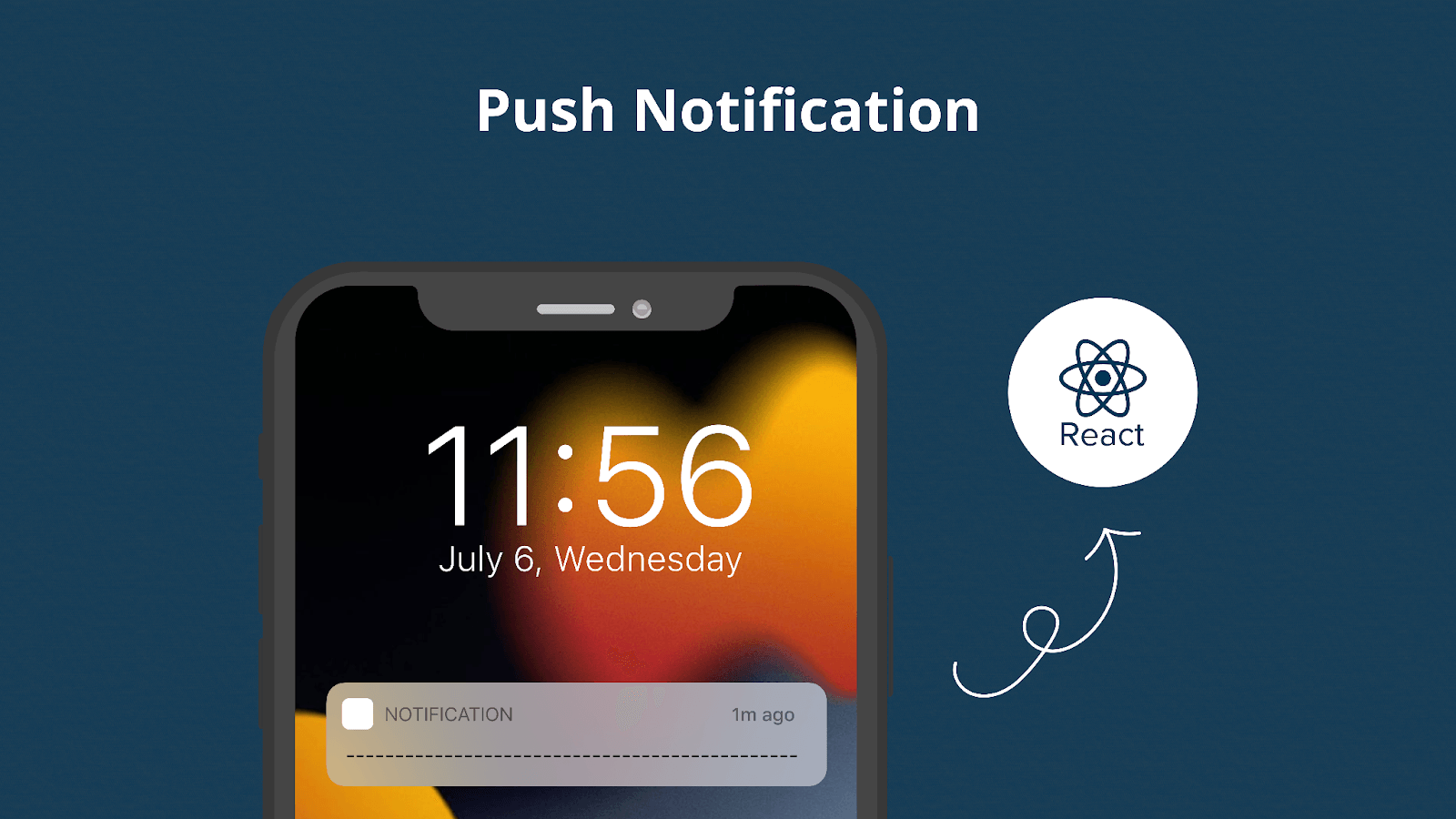
Push notifications sit at a sensitive intersection of utility and interruption. I’m writing this guide for developers who want notifications to feel helpful rather than intrusive, and effective without damaging user trust.
This article focuses on how push notifications work in React Native, how to implement them correctly across platforms, and how to design notification strategies that scale with real user behavior.

Types of Push Notifications
Understanding notification types helps align message intent with user expectations, reducing opt-outs while improving relevance and timing.
- Transactional: Confirms critical actions like orders or payments
- Engagement: Encourages return visits or interactions
- Promotional: Drives offers and campaigns
- Behavioral: Responds to user actions or inactivity
Setting Up Push Notifications
Push notification setup in React Native depends on platform-specific services. Understanding APNs and FCM reduces configuration errors and simplifies long-term maintenance.
iOS: Apple Push Notification Service (APNs)
APNs authenticate notification delivery through Apple-issued credentials. Using authentication keys instead of certificates simplifies key rotation, reduces expiry issues, and supports multiple environments with a single configuration. Here's a step-by-step process:
- Generate a Certificate Signing Request (CSR) using Keychain Access on your Mac.
- Create an App ID in the Apple Developer Portal.
- Create a push notification SSL certificate.
- Download and install the certificate.
- Export the certificate as a .p12 file.
This process can be tricky, so here's a pro tip: Use authentication keys instead of certificates. They're easier to manage and don't expire. With authentication keys, the process is simplified. You only need one key (.p8 file) for your entire developer account, and this key can be used across multiple apps and environments. You no longer have to deal with separate files for development and production.
Suggested Reads- How to Create, export and import components in React Native
Android: Firebase Cloud Messaging (FCM)
FCM acts as the message broker between backend systems and Android devices. Correct configuration of Firebase files and build settings ensures reliable delivery across app states.
- Creating a Firebase project.
- Adding your app to the project.
- Downloading the google-services.json file.
- Configuring your app's build.gradle files.
A common pitfall here is forgetting to add the google-services.json file to the correct directory. Always double-check this!
Getting User Permission
Let’s Build Your React Native App Together!
We build powerful React Native apps that run smoothly on iOS and Android — fast, reliable, and ready to scale.
Permission requests should be intentional and well-timed. Asking after demonstrating value improves opt-in rates and aligns with modern privacy expectations, and builds trust. Properly timed permission requests lead to higher opt-in rates and better user engagement.
import { Alert, Platform } from 'react-native';
import PushNotification from 'react-native-push-notification';
import { request, PERMISSIONS, RESULTS } from 'react-native-permissions';

const requestNotificationPermission = async () => {
try {
if (Platform.OS === 'ios') {
// For iOS
const result = await request(PERMISSIONS.IOS.NOTIFICATIONS);
handlePermissionResult(result);
} else if (Platform.OS === 'android') {
// For Android 13 and above
const result = await request(PERMISSIONS.ANDROID.POST_NOTIFICATIONS);
handlePermissionResult(result);
}
} catch (error) {
console.error('Permission Request Error:', error);
}
};

const handlePermissionResult = (result) => {
switch (result) {
case RESULTS.UNAVAILABLE:
Alert.alert('Permission unavailable', 'Notifications are not supported on this device.');
break;
case RESULTS.DENIED:
Alert.alert('Permission denied', 'Please enable notifications in your device settings.');
break;
case RESULTS.LIMITED:
Alert.alert('Permission limited', 'Notification permissions are limited.');
break;
case RESULTS.GRANTED:
console.log('Notification permissions granted.');
break;
case RESULTS.BLOCKED:
Alert.alert('Permission blocked', 'Notifications are blocked. Go to settings to enable.');
break;
}
};
// Call this function to request permission
requestNotificationPermission();
Implementing Push Notifications: Advanced Techniques
Handling Notification Channels (Android 8.0+)
For Android 8.0 and above, Notification channels define priority, sound, and visibility. Proper channel configuration prevents notification suppression and gives users meaningful control.
PushNotification.createChannel(
  {
    channelId: "default-channel-id", // (required)
    channelName: `Default channel`, // (required)
    channelDescription: "A default channel", // (optional) default: undefined.
    soundName: "default", // (optional) See `soundName` parameter of `localNotification` function
    importance: 4, // (optional) default: 4. Int value of the Android notification importance
    vibrate: true, // (optional) default: true. Creates the default vibration patten if true.
  },
  (created) => console.log(`createChannel returned '${created}'`) // (optional) callback returns whether the channel was created, false means it already existed.
);
Rich Notifications
Rich notifications increase engagement by providing context upfront, reducing the need for immediate app opens while still encouraging interaction by including images, buttons, or even custom layouts:
PushNotification.localNotification({
  title: "My Rich Notification",
  message: "Check out this image!",
  bigPictureUrl: "https://example.com/large-image.jpg", // Android only
  largeIconUrl: "https://example.com/icon.png", // Android only
  bigText: "Here's some more detailed text that will be displayed when the notification is expanded.", // Android only
});
Silent Notifications
Silent notifications enable background updates and sync logic without user disruption, supporting smoother app experiences. Use silent notifications for this:
PushNotification.localNotification({
  title: null,
  message: null,
  userInfo: {
    silent: true,
    data: { /* your data here */ }
  }
});
Real-World Scenarios and Solutions
Scenario 1: E-commerce App
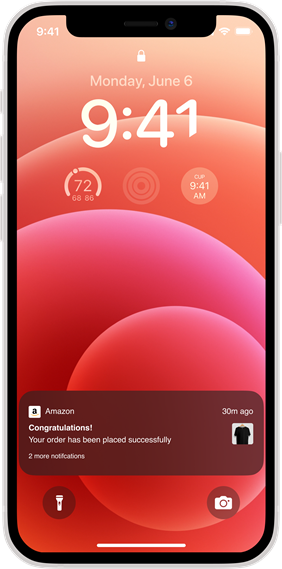
For an e-commerce app, you might want to send notifications about order status, abandoned carts, and personalized offers. Here's how you might handle an order status update:
PushNotification.localNotification({
  title: "Order Status Update",
  message: `Your order #${orderId} has been shipped!`,
  userInfo: { orderId: orderId },
});

// In your notification handler:
onNotification: function(notification) {
  if (notification.userInfo.orderId) {
    // Navigate to order details screen
    navigation.navigate('OrderDetails', { orderId: notification.userInfo.orderId });
  }
}
Scenario 2: Social Media App
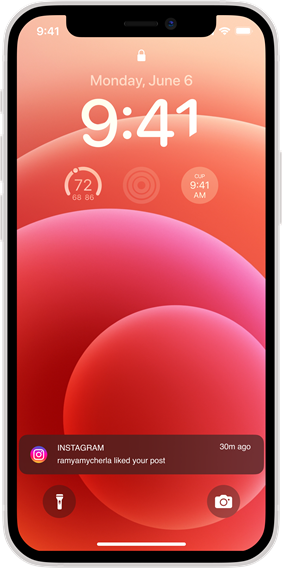
For a social media app, you might want to notify users about new followers, likes, or comments. Here's how you could handle a new follower notification:
PushNotification.localNotification({
  title: "New Follower",
  message: `${newFollowerName} started following you!`,
  userInfo: { followerId: followerId },
});

// In your notification handler:
onNotification: function(notification) {
  if (notification.userInfo.followerId) {
    // Navigate to follower's profile
    navigation.navigate('UserProfile', { userId: notification.userInfo.followerId });
  }
}
Best Practices and Common Pitfalls
- Respect User Preferences: Always provide clear opt-out options and honor user preferences.
- Timing is Everything: Use analytics to determine the best times to send notifications to your specific user base.
- Personalization: Leverage user data to send highly relevant notifications. A personalized notification is much more likely to be acted upon.
- A/B Testing: Continuously test different notification strategies to optimize engagement.
- Error Handling: Always implement robust error handling. For example:
PushNotification.configure({
  // ... other configuration
  onRegistrationError: function(err) {
    console.error(err.message, err);
  },
  onNotification: function(notification) {
    console.log("NOTIFICATION:", notification);

    // Handle any errors in your notification processing
    try {
      // Process the notification
    } catch (error) {
      console.error("Error processing notification:", error);
    }

    notification.finish(PushNotificationIOS.FetchResult.NoData);
  },
});- Battery Drain: Be mindful of the frequency of your notifications and their impact on battery life. Overuse of location-based notifications, for instance, can significantly drain a device's battery.
- Deep Linking: Implement deep linking to provide a seamless user experience. When a user taps on a notification, they should be taken directly to the relevant content within your app.
export default function App() {
const linking = {
prefixes: ['myapp://'], // Add your custom scheme here
config: {
screens: {
Home: '',
Details: 'details/:itemId',
},
},
};

return (
<NavigationContainer linking={linking}>
<Stack.Navigator initialRouteName="Home">
<Stack.Screen name="Home" component={HomeScreen} />
<Stack.Screen name="Details" component={DetailsScreen} />
</Stack.Navigator>
</NavigationContainer>
);
}
Measuring Success: Analytics and Metrics
To truly master push notifications in React Native, you need to measure their effectiveness. Key metrics to track include:
- Delivery Rate: How many of your sent notifications are actually delivered?
- Open Rate: What percentage of delivered notifications are opened?
- Conversion Rate: How many users take the desired action after opening a notification?
- Opt-Out Rate: How many users are disabling notifications?
Let’s Build Your React Native App Together!
We build powerful React Native apps that run smoothly on iOS and Android — fast, reliable, and ready to scale.
Consider integrating an analytics solution to track these metrics and continually refine your notification strategy.
Future of Push Notifications
As we look to the future, React Native push notifications are likely to become even more sophisticated. Some trends to watch out for include:
- AI-driven personalization
- Interactive notifications with more complex actions
- Integration with wearable devices
- Augmented reality notifications
Staying ahead of these trends will help you create more engaging and effective notification strategies for your React Native apps.
Suggested Reads- 10 Mistakes to Avoid When Developing React Native Apps
Conclusion
Push notifications in React Native are most effective when treated as part of the user experience, not just a delivery mechanism. With correct setup, thoughtful timing, and continuous measurement, they become a sustainable engagement channel rather than a source of friction in mobile applications. At F22 Labs, we specialize in developing React Native apps with advanced notification strategies. Our expert team can help you implement sophisticated notification systems, integrate analytics, and stay ahead of emerging technologies.
If you're looking to enhance your app's user engagement through effective push notifications, consider reaching out to React Native Developers at F22 Labs. Let us help you transform your push notifications into powerful tools for user retention and business growth.
FAQ's
How to do push notifications in React Native?
Use a library like react-native-push-notification. Set up FCM/APNs, configure the library, request permissions, then send local notifications or handle remote ones from a server.
How does FCM work?
FCM maintains a connection between the app and the server. It routes messages to target devices, handling queueing and delivery, even when devices are offline.
How do notifications work in React Native?
Apps register with device notification services. They can send local notifications or receive remote ones, which are displayed to users and can trigger in-app actions.

Murtuza Kutub
A product development and growth expert, helping founders and startups build and grow their products at lightning speed with a track record of success. Apart from work, I love to Network & Travel.