State Transition Testing Techniques in Software Testing
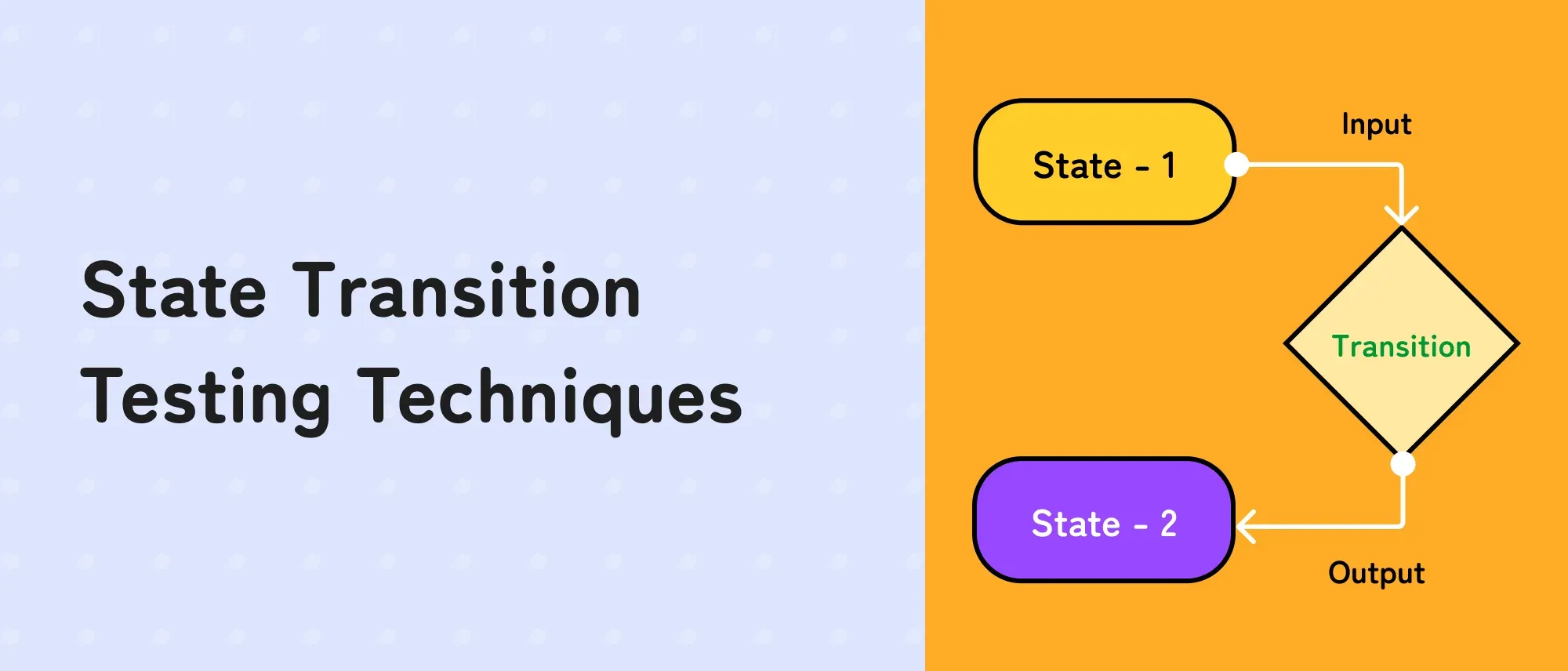
- A state is a condition that affects how the system responds, such as Active, Locked, Pending, or Cancelled.
- A transition is a move between states caused by an event, such as a failed login, payment confirmation, timeout, or cancellation.
- Use a state diagram to understand the flow and a state transition table to expose event–state combinations, including invalid ones.
- Start with all-states coverage, then cover every valid transition. Add invalid transitions and sequences according to product risk.
- A rejected action is not automatically an invalid transition. If the rejection is defined in the model, the resulting self-transition or state change is valid.
- State transition testing is effective for authentication, orders, payments, bookings, subscriptions, approvals, devices, and protocols.
- Combine it with boundary value analysis, decision tables, exploratory testing, security testing, and performance testing for broader coverage.
State transition testing is a black-box technique used to verify how a system behaves as it moves between states after an event. It is particularly useful when the result of an action depends on the system’s current state or previous events.
Consider an account-lockout rule. The same correct password may log a user in when the account is active but be rejected when the account is locked. Testing the input alone is insufficient; the tester must also establish the correct starting state.
This guide explains how to model that behaviour, choose a coverage level, and convert the model into useful test cases.
What Is State Transition Testing?
State transition testing is a software testing technique used to verify how a system behaves when it moves from one state to another.
A state is the system’s current condition, such as Logged Out, Logged In, Pending, Approved, or Cancelled. A transition occurs when an event, such as entering a password, completing a payment, or cancelling an order, changes that condition.
For example, entering valid credentials moves a user from Logged Out to Logged In. Repeatedly entering an incorrect password may move the account through several failed-attempt states before it becomes Locked.
State transition testing checks:
- Whether permitted transitions produce the correct next state
- Whether prohibited transitions are rejected
- Whether the expected message, calculation, or system action occurs
- Whether a sequence of previous actions changes the result
This black-box testing technique is particularly useful for authentication, payments, orders, bookings, subscriptions, approval workflows, and other features where the outcome depends on the system’s current state or previous events.
State transition testing terminology
| Term | Meaning | Account example |
| State | A condition that influences future behaviour | Active, Locked, Authenticated |
| Initial state | The state in which the model begins | Active with zero failed attempts |
| Event | Something that may trigger a transition | Invalid password entered |
| Guard or condition | A rule that must be true for a transition | Failed-attempt count equals two |
| Transition | Movement from one state to another | Two failures → Locked after another failure |
| Action or output | Behaviour produced during a transition | Error displayed and counter incremented |
| Final state | An accepted stopping state for a test path | Authenticated or Locked |
| Self-transition | A valid transition that returns to the same state | Locked account remains Locked after login attempt |
| Invalid transition | An event–state combination that the model does not permit | Cancelling an order after it is Delivered |
Not every test model needs a formal final state. A subscription, device, order, or account may continue cycling between states for its entire lifetime.
When Should You Use State Transition Testing?
Use this technique when:
- The response to an event depends on the current state
- A sequence or history of events changes the result
- The feature has clearly defined statuses or modes
- Some actions are allowed only before or after other actions
- Timeouts, retries, counters, thresholds, or resets affect behaviour
- Invalid status changes could create security, financial, or data-integrity risk
Typical applications include:
| Product area | Example states |
| Authentication | Logged out, Active, Locked, Authenticated, Session expired |
| Payments | Initiated, Authorised, Captured, Failed, Refunded |
| Orders | Draft, Placed, Paid, Shipped, Delivered, Cancelled, Returned |
| Bookings | Available, Reserved, Confirmed, Checked in, Completed, Cancelled |
| Subscriptions | Trial, Active, Past due, Paused, Cancelled, Expired |
| Approval workflows | Draft, Submitted, Under review, Approved, Rejected |
| Support tickets | Open, Assigned, Waiting, Resolved, Reopened, Closed |
| Devices | Off, Starting, Ready, Busy, Error, Maintenance |
When it is not the best primary technique
State transition testing adds little value when behaviour does not depend on history or status. A static content page, isolated calculation, or simple field format may be tested more efficiently using review, equivalence partitioning, or boundary value analysis.
Do not invent states merely because a screen changes. A useful state must affect the system’s permitted events, outputs, or future behaviour.
State Diagram vs. State Transition Table
Both represent the same model, but they answer different questions.
State transition diagram
A diagram makes valid flows easy to understand. Nodes represent states; labelled arrows show events and transitions.
stateDiagram-v2
    [*] --> Active0
    Active0 --> Active1: Wrong password
    Active1 --> Active2: Wrong password
    Active2 --> Locked: Wrong password
    Active0 --> Authenticated: Correct password
    Active1 --> Authenticated: Correct password
    Active2 --> Authenticated: Correct password
    Authenticated --> Active0: Log out
    Locked --> Active0: Lock expires
The diagram shows the permitted paths clearly, but it does not naturally display every event that is invalid in every state.
State transition table
A table lists event–state combinations systematically. It is better for detecting missing rules and designing negative tests.
| Current state | Event | Guard or condition | Expected action | Next state |
| Active-0 | Wrong password | Account is active | Show error; record first failure | Active-1 |
| Active-1 | Wrong password | One prior consecutive failure | Show error; record second failure | Active-2 |
| Active-2 | Wrong password | Two prior consecutive failures | Lock account; show lock message | Locked |
| Active-0/1/2 | Correct password | Account is active | Create session; reset failure count | Authenticated |
| Authenticated | Log out | Session is valid | Invalidate session | Active-0 |
| Locked | Lock period expires | Unlock condition met | Reset failure count | Active-0 |
| Locked | Correct password | Unlock condition not met | Reject attempt; reveal no protected data | Locked |
In practice, create the diagram first to agree on the behaviour, then use the table to review every relevant state–event pair.
Worked Example: Account Lockout After Three Failed Attempts
Assume these business rules:
- An active account is locked after three consecutive incorrect passwords.
- A correct password before the third failure authenticates the user and resets the counter.
- A locked account cannot authenticate until the lock expires or an approved unlock occurs.
- Logging out returns the account to its active state with zero consecutive failures.
Step 1: Identify the states
- Active-0: Active account with no consecutive failures
- Active-1: Active account with one consecutive failure
- Active-2: Active account with two consecutive failures
- Locked: Authentication temporarily blocked
- Authenticated: User has a valid session
The failed-attempt count matters because it changes how the next wrong password is processed. Treating all active conditions as one “Logged out” state would hide this behaviour.
Step 2: Identify events
- Enter correct password
- Enter wrong password
- Log out
- Lock period expires
- Attempt protected-page access
- Request password reset
- Administrative unlock, if supported
Step 3: Add outputs and persistent effects
Do not verify only the next screen. Depending on the requirements, the test may also need to check:
- Error or lockout message
- Remaining-attempt disclosure
- Failure counter
- Session or token creation
- Audit event
- Notification
- Rate-limit behaviour
- Reset of the failure count
- Access to protected resources
Step 4: Derive transition tests
| Test ID | Start state | Event sequence | Expected final state | Important assertions |
| ST-01 | Active-0 | Correct password | Authenticated | Session created; protected page accessible |
| ST-02 | Active-0 | Wrong password | Active-1 | Error shown; no session; first failure recorded |
| ST-03 | Active-1 | Wrong password | Active-2 | Error shown; second failure recorded |
| ST-04 | Active-2 | Wrong password | Locked | Account locked; authentication blocked |
| ST-05 | Active-2 | Correct password | Authenticated | Counter reset; session created |
| ST-06 | Authenticated | Log out | Active-0 | Session invalidated; protected page blocked |
| ST-07 | Locked | Correct password | Locked | Attempt rejected; no session or protected data |
| ST-08 | Locked | Lock expires | Active-0 | Account usable; counter reset as specified |
Step 5: Add sequence tests
Single transitions will not prove that consecutive-attempt logic works. Add sequences such as:
- Wrong → wrong → correct → wrong: confirm that success resets the consecutive-failure count.
- Wrong → wrong → wrong → correct: confirm that correct credentials cannot bypass the Locked state.
- Correct → logout → Back or saved protected URL: confirm that the invalidated session cannot restore access.
- Lock → password reset → correct password: verify the specified relationship between reset and lockout.
These sequences are where state-based defects often hide.
State Transition Coverage Techniques
The current ISTQB Foundation Level syllabus describes all-states, valid-transitions, and all-transitions coverage. Advanced practice also uses N-switch and round-trip coverage.
Sleep Easy Before Launch
We'll stress-test your app so users don't have to.
1. All-states coverage
Exercise every state in the model at least once.
$$
\text{All-states coverage} =
\frac{\text{Number of states exercised}}
{\text{Total number of states}}
\times 100
$$
In the account example, a suite must reach Active-0, Active-1, Active-2, Locked, and Authenticated for 100% all-states coverage.
This is a useful minimum, but it is weak. A state may be reached through one path while other important transitions into or out of it remain untested.
2. Valid-transitions coverage, or 0-switch coverage
Exercise every single valid transition at least once.
$$
\text{Valid-transitions coverage} =
\frac{\text{Valid transitions exercised}}
{\text{Total valid transitions}}
\times 100
$$
One test can cover several transitions. For example, wrong → wrong → correct may exercise:
- Active-0 → Active-1
- Active-1 → Active-2
- Active-2 → Authenticated
Achieving 100% valid-transition coverage necessarily reaches every reachable state, but it does not test every sequence or invalid event–state combination.
3. All-transitions coverage
Exercise all valid transitions and attempt the invalid transitions represented in the state table.
$$
\text{All-transitions coverage} =
\frac{\text{Valid and invalid transitions exercised}}
{\text{Total valid and invalid transitions in the table}}
\times 100
$$
ISTQB advises testing only one invalid transition per test case where practical. If several invalid actions are placed in one test, the first defect may alter the state or block later events, masking additional defects.
4. One-switch coverage
Exercise every valid pair of consecutive transitions. It is called 1-switch coverage because each item contains two transitions with one intermediate state.
For example:
Active-0 → Active-1 → Active-2
and:
Active-0 → Active-1 → Authenticated
Both enter Active-1 but test different events leaving it. A system can pass every individual transition and still fail on a particular pair because of stale data, an incorrect counter, or an incomplete side effect.
5. N-switch coverage
N-switch coverage exercises every valid sequence of $N+1$ consecutive transitions:
- 0-switch: one transition
- 1-switch: two consecutive transitions
- 2-switch: three consecutive transitions
The ISTQB Advanced Test Analyst syllabus notes that 0-switch and 1-switch coverage are frequently used in practice. Higher N-switch coverage is mainly justified when sequence-related failure risk is high because the number of paths can grow exponentially.
Do not pursue a high N value merely to report a larger test count. Select sequences that represent high-risk histories, recovery paths, thresholds, and prior production defects.
6. Round-trip coverage
Round-trip testing covers paths that leave a state and eventually return to it. Examples include:
- Active → Authenticated → Active after logout
- Active → Locked → Active after timeout
- Open → Resolved → Reopened → Open for a support ticket
This technique is valuable when reset, retry, rollback, reopen, refund, or recovery behaviour may leave stale data behind.
Valid and Invalid Transitions: A Crucial Distinction
A valid transition is one defined by the model. It may represent success, failure, rejection, or no visible change.
For example, entering a wrong password in Active-0 and moving to Active-1 is a valid transition because the requirement defines that behaviour. A self-transition can also be valid: a login attempt while Locked may be deliberately rejected while the system remains Locked.
An invalid transition is an event that is not permitted in the current state. Examples include:
- Cancelling an order after delivery when post-delivery cancellation is forbidden
- Shipping an unpaid order when payment is required
- Approving a request that is still a draft
- Refunding a payment that was never captured
The expected response to an invalid transition should be specified. The system may reject the request, ignore it, return an error, log an audit event, or preserve the current state. “Nothing happens” is not a sufficiently precise expected result.
How to Design State Transition Test Cases
1. Define the scope and source of truth
Choose one bounded behaviour, such as account lockout or order cancellation. Use requirements, acceptance criteria, API contracts, workflow configuration, regulations, and domain-expert input to define expected behaviour.
2. Identify meaningful states
Ask: “Would the same event produce different behaviour in this condition?” If yes, the condition may deserve a separate state.
Avoid both extremes:
- Too few states: “Logged out” hides failure counts and lockout.
- Too many states: Treating every UI message as a state makes the model unmanageable.
3. List events for every state
Create a candidate event list, then evaluate each event against each state. Include:
- User actions
- API calls
- Scheduled events and timeouts
- Webhooks and external responses
- Administrative actions
- Retries and duplicate events
- Concurrent actions
- System restart or recovery
4. Define guards, actions, and next states
An event may have different results depending on a condition. A Cancel event could move a Paid order to Cancelled only when fulfilment has not started. Record that guard explicitly.
5. Review the model before creating tests
Review the diagram and table with product, development, QA, and relevant domain stakeholders. Undefined transitions often reveal missing requirements before any test is executed.
6. Select coverage based on risk
Use all valid transitions as a practical baseline for important workflows. Add invalid transitions for access control and business rules. Add 1-switch, higher-risk sequences, and round trips where history, recovery, or thresholds matter.
7. Build efficient test paths
Combine compatible transitions into paths without making failures difficult to diagnose. Record the state before and after every event. Reset data deliberately rather than assuming the previous test left the correct state.
8. Verify more than the visible status
Check the UI, API response, stored state, permissions, side effects, messages, audit records, and downstream integrations where relevant. A screen may display “Cancelled” even though inventory or payment state remains incorrect.
State Transition Test Case Template
| Field | What to record |
| Test ID | Unique identifier |
| Requirement or rule | Behaviour represented by the transition |
| Initial state | Verified starting condition |
| Preconditions | Account, data, time, role, or configuration |
| Event sequence | Ordered inputs or events |
| Guards | Conditions controlling each transition |
| Expected actions | Messages, APIs, notifications, data, or audit effects |
| Expected states | State after every event, not only the final state |
| Actual result | Observed actions and states |
| Coverage item | State, transition, invalid transition, switch, or round trip |
| Evidence | Screenshot, trace, response, database record, or log reference |
Storing the coverage item prevents a large test suite from being mistaken for a well-covered model.
State Transition Testing vs. Decision Table Testing
Both are black-box techniques, but they model different sources of complexity.
| Factor | State transition testing | Decision table testing |
| Best for | Behaviour affected by current state or history | Outputs affected by combinations of conditions |
| Model | States, events, transitions, and actions | Conditions, rules, and resulting actions |
| Sequence matters | Yes | Usually not |
| Example | Order lifecycle | Discount eligibility |
| Finds | Missing, incorrect, or sequence-dependent transitions | Missing combinations and conflicting business rules |
Use state transition testing to verify how an order moves from Paid to Shipped. Use a decision table to determine whether free shipping applies based on membership, basket value, destination, and promotion.
Sleep Easy Before Launch
We'll stress-test your app so users don't have to.
The techniques can be combined. A decision table may define the guard conditions for a transition, while the state model determines whether that transition is permitted at the current point in the workflow.
Common State Transition Testing Mistakes
1. Treating every rejected action as an invalid transition
A rejection can be an explicitly defined valid transition or self-transition. Classify it from the model, not from whether the user achieved their goal.
2. Modelling screens instead of system states
Two screens may represent the same state, and one screen may display several states. Model the condition that affects behaviour, not the page layout.
3. Testing only individual transitions
Counters, cached permissions, retries, and incomplete side effects often fail only after a sequence. Add 1-switch and risk-based longer paths.
4. Omitting invalid transitions from the table
Diagrams normally emphasise valid flows. Build a state–event matrix to identify forbidden combinations and define how each should be handled.
5. Checking only the final label
Verify persistent data and side effects. A payment can display Refunded while the gateway, ledger, inventory, or notification remains wrong.
6. Ignoring time and external events
Expiry, delayed webhooks, retries, scheduled jobs, and concurrency can trigger transitions without a direct user action.
7. Chasing every possible path
Path counts expand rapidly. Use coverage criteria and product risk to select a defensible suite rather than attempting an impractical exhaustive test.
8. Failing to version the model
When a workflow changes, update its state model, transition table, tests, and automation together. An outdated diagram can create false confidence.
Advantages and Limitations
| Advantages | Limitations |
| Makes history-dependent behaviour explicit | Requires clear and reasonably stable rules |
| Reveals missing or contradictory requirements | Models can grow quickly with states and events |
| Supports measurable coverage | High N-switch coverage may be impractical |
| Covers permitted and forbidden status changes | Does not replace usability, performance, or security testing |
| Converts naturally into manual or automated tests | Hidden internal states may be hard to observe or establish |
| Helps prioritise critical workflows | Poorly chosen states produce misleading coverage |
State transition testing improves confidence in the modelled behaviour. It does not prove the entire application is correct.
Automating State Transition Tests
State-based tests are good automation candidates when states can be created and observed reliably.
Useful practices include:
- Create states through APIs or approved fixtures rather than long UI setup paths.
- Assert state through a public API or observable behaviour when possible.
- Keep test data isolated so parallel tests do not alter the same entity.
- Record transition events and state changes in test reports.
- Generate paths from a model only when the resulting tests remain reviewable.
- Include contract tests for services that trigger transitions through events or webhooks.
- Keep a small set of end-to-end paths and place broader rule coverage at API or service level.
Automation does not fix an ambiguous model. Agree on the state rules and expected side effects before producing scripts.
How F22 Labs Applies State-Based Testing
F22 Labs’ QA software testing team uses state transition models when testing workflows such as authentication, payments, subscriptions, bookings, approvals, and order lifecycles. The team maps important states and rules, tests valid and invalid transitions, and adds sequence coverage where prior actions affect the result.
Depending on the product, these checks can be performed manually or automated across the UI and API layers. The aim is to verify the complete business workflow and its side effects, not only the status displayed on screen.
Conclusion
State transition testing is most valuable when software remembers what happened before. A strong test model identifies meaningful states, maps events and guards, defines outputs, and makes forbidden transitions explicit.
Begin with valid-transition coverage for important workflows. Add invalid transitions, consecutive transition pairs, round trips, and longer risk-based sequences where security, money, permissions, recovery, or data integrity are involved.
The diagram makes the workflow understandable. The transition table makes it testable. Coverage criteria make the resulting suite measurable.
Frequently Asked Questions
What is state transition testing?
State transition testing is a black-box technique that derives tests from system states, events, transitions, and outputs. It verifies individual state changes and sequences whose behaviour depends on the current state or history.
What is a state transition testing example?
Account lockout is a common example. Consecutive wrong passwords move an account through failure-count states into Locked, while a correct password before the threshold authenticates the user and resets the counter.
What is 0-switch coverage?
Zero-switch coverage is valid-transition coverage. A suite achieves 100% when it exercises every single valid transition in the model at least once, although one test case may cover several transitions.
What is 1-switch coverage?
One-switch coverage exercises every valid pair of consecutive transitions. It can reveal sequence defects that single-transition coverage misses, including incorrect counters, stale data, missing side effects, and faulty recovery behaviour.
What is the difference between a valid and invalid transition?
A valid transition is defined by the model, even when it represents rejection or failure. An invalid transition is an event–state combination the system must not permit and should handle predictably.
Is state transition testing a black-box technique?
Yes. Testers derive cases from externally specified states, events, and expected behaviour without requiring source-code knowledge. Internal logs or data may still support setup, diagnosis, and confirmation where authorised.
When should state transition testing not be used?
It should not be the primary technique when behaviour is independent of state or history. Static content, isolated calculations, and simple field validation are often covered better by other test-design techniques.

Surya
I'm a Software Tester with 5.5 years of experience, specializing in comprehensive testing strategies and quality assurance. I excel in defect prevention and ensuring reliable software delivery.